2 2 | www.HandiQuilter.com
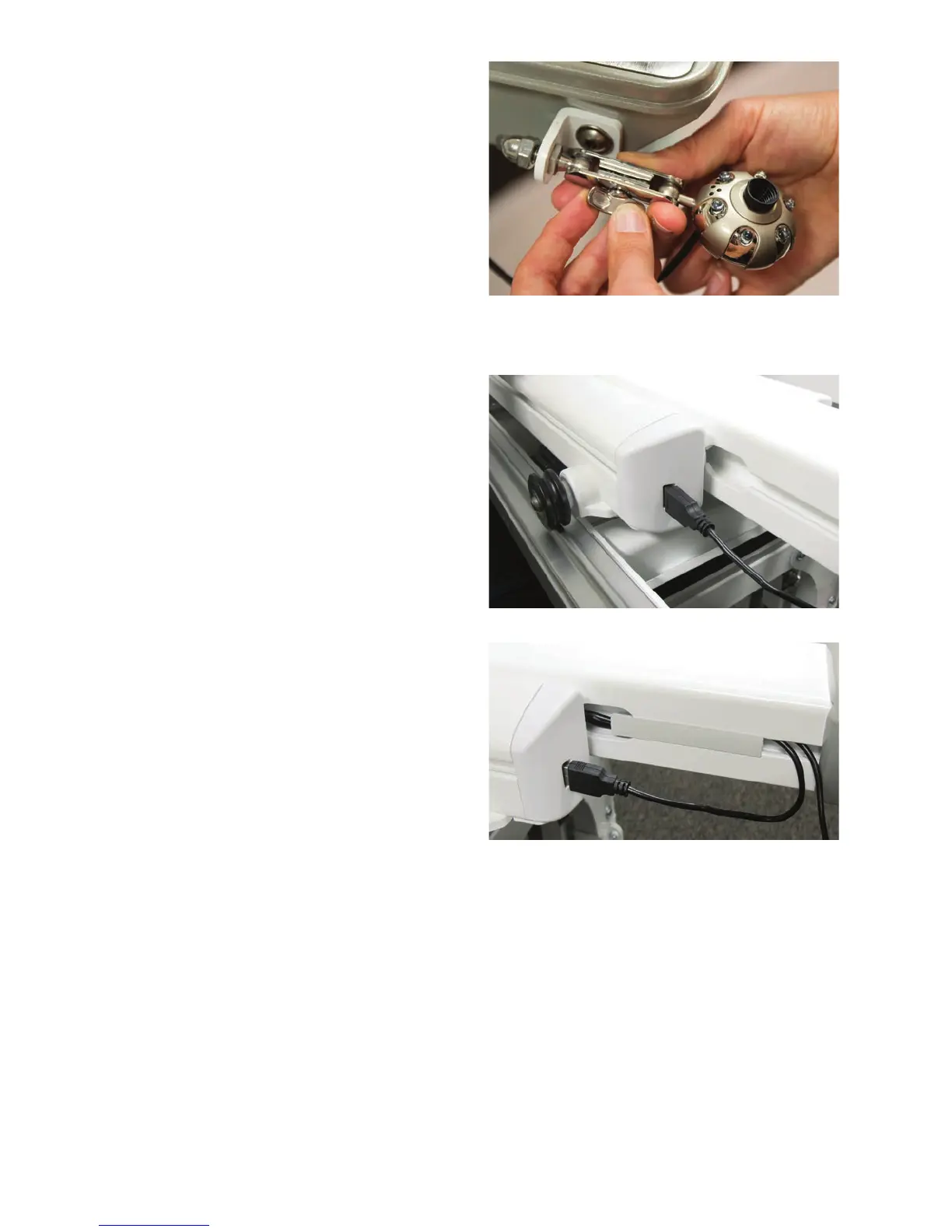
1 . Parally loosen the side knob on the grip of the
video camera and slide the grip around the ball
end of the mounng screw on the bracket.
2 . Turn the knob clockwise to ghten the grip end
o f t h e c am e r a.
3. Posion the camera so it shows the boom of
the quilt while quilng.
4 . Plug the cable into the port on the le side of
the base end cap.
5 . Tuck the excess cable into the accessory track
on the le side of the machine base and use a
T-slot clip to hold the cable in place.
For more informaon about the using the video camera and viewing the video images on the display, see
Using the Video Camera i n t h e Toolbar Opons secon of this manual.











 To Next Page