5 8 | www.HandiQuilter.com
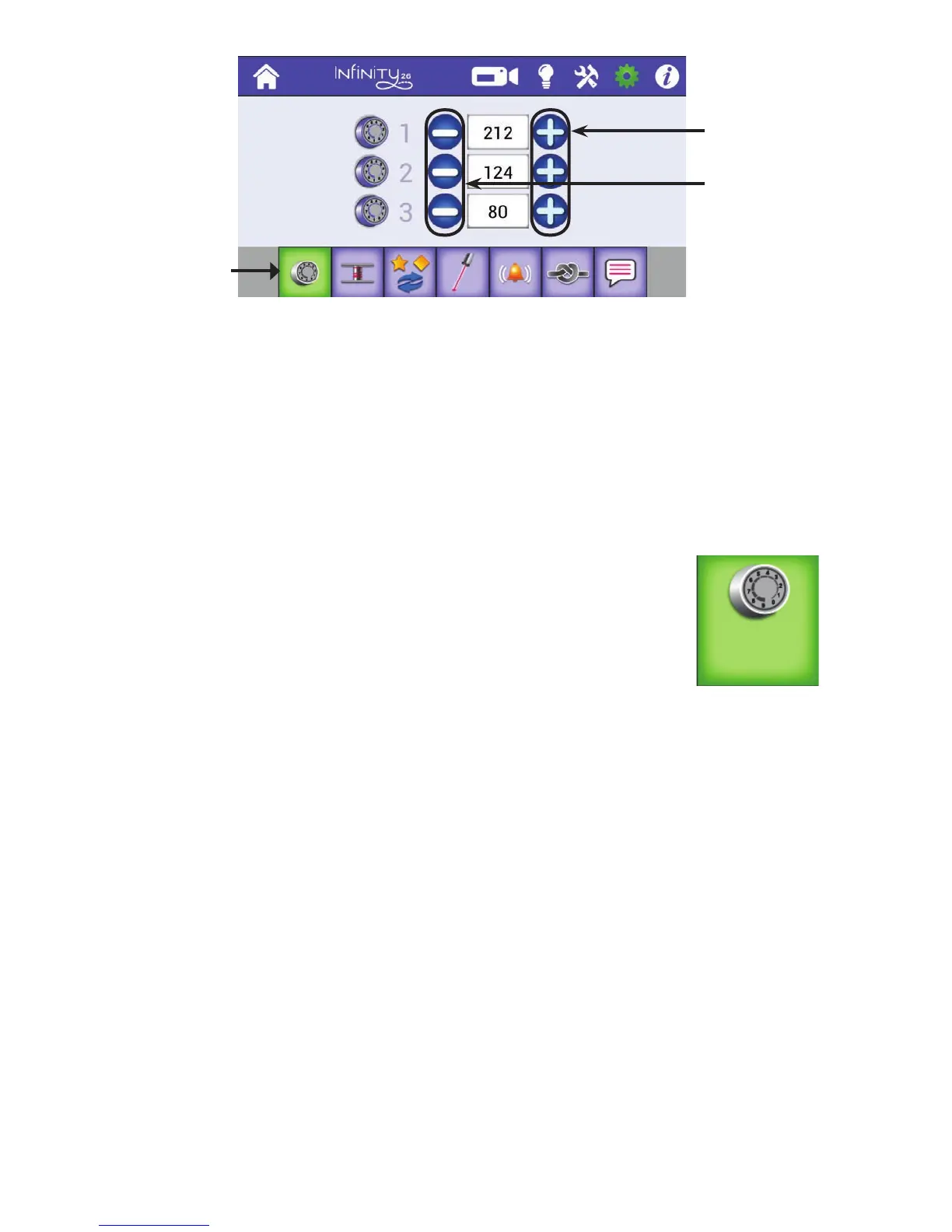
1 . T o u c h t h e Sengs icon in the toolbar. Then touch the Congure Tension Presets buon to open the
Tension Presets screen.
2 . Press the plus (+) or minus (–) buons to increase or decrease the sengs for one of the three sengs
unl it matches the tension value you want to use. (You should have already tested the tension to
determine the correct value for that type of thread.) Then press Home to return to the Main screen.
NOTE: You can also touch the number box for the seng and directly enter the number using the
pop-up number pad. Then press Done t o c l o s e .
• On the Main screen, touch the Easy-Touch™ Tension buon and
then select the preset you want to use. Further ne tune the tension
using the plus (+) or minus (–) buons on the screen.
NOTE: Aer you select a tension preset, you can also use the plus (+) or minus (–) buons on the
handlebars to adjust the tension. Each press on the handlebar buons changes the tension value
by two, whereas each press of the onscreen plus (+) or minus (–) buons changes the tension value
by one. You will not be able to use the handlebar buons to adjust speed or stch length while the
Easy-Touch Tension buon is selected, or while seng tension presets.
Low-Bobbin Alarm
The amount of thread that ts on a bobbin varies according to the type and weight of thread you use. You
can create a low-bobbin threshold for up to twenty types of thread that you use in your bobbin. You’ll then
use this threshold for seng a low-bobbin alarm to alert you to when the bobbin thread is running out.
ONLINE: For more informaon about the low-bobbin alarm and customizing the
low-bobbin presets, watch the video Using the Low-Bobbin Alarm at:
hp://www.handiquilter.com/videos/hq-innity/240/.
Press to increase
the tension
preset value.
Press to decrease
the tension
preset value.
Congure Easy-
Touch Tension ™
presets buon
5











 To Next Page