HQ Innity User Manual | 23
Oponal Accessory: Easy-Click Ruler Base™
If you plan to use rulers and templates with the Innity, you will need to purchase the ruler base to give
you a large, stable surface on which to rest the ruler or template. The ruler base and rulers and templates
are oponal accessories. For more informaon, visit hp://www.handiquilter.com/shop/.
To install the ruler base
ONLINE: For more informaon about installing the ruler base, watch the video Installing the Ruler
Base at: hp://www.handiquilter.com/videos/hq-innity/219/.
1 . Center the ruler base over the base end cap of
the machine. The spring-loaded ball bearing is
aligned with the needle.
2 . Slide the metal hooks of the ruler base into the
slots at the back of the base end cap and snap
the ruler base into place.
To remove the ruler base
• Grasp the front corners of the ruler base and li up to unsnap from the base end cap. Slide the
ruler base forward and li o of the machine.
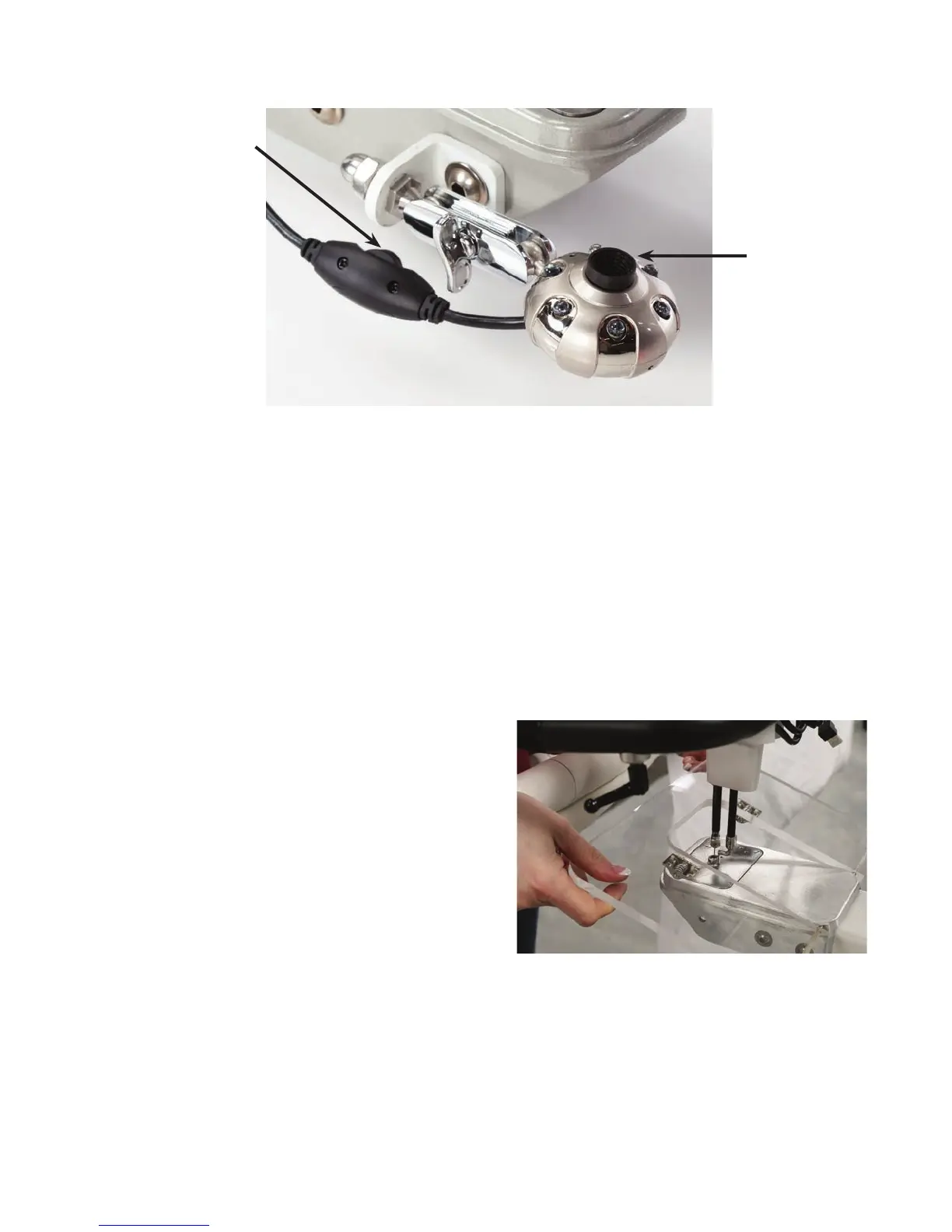
Use this dial
to vary the
intensity of
the camera’s
lights.
Use this
knob to
control the
camera’s
focus.











 To Next Page