64 | www.HandiQuilter.com
Tieos
Use eos to begin and end your quilng to ensure the stching doesn’t come out. You can manually do
the eos by simply stching in place for a few stches, or let the Innity perform a predened number
of quick, micro stches for you. You can set the number of micro stches from 0 to 10.
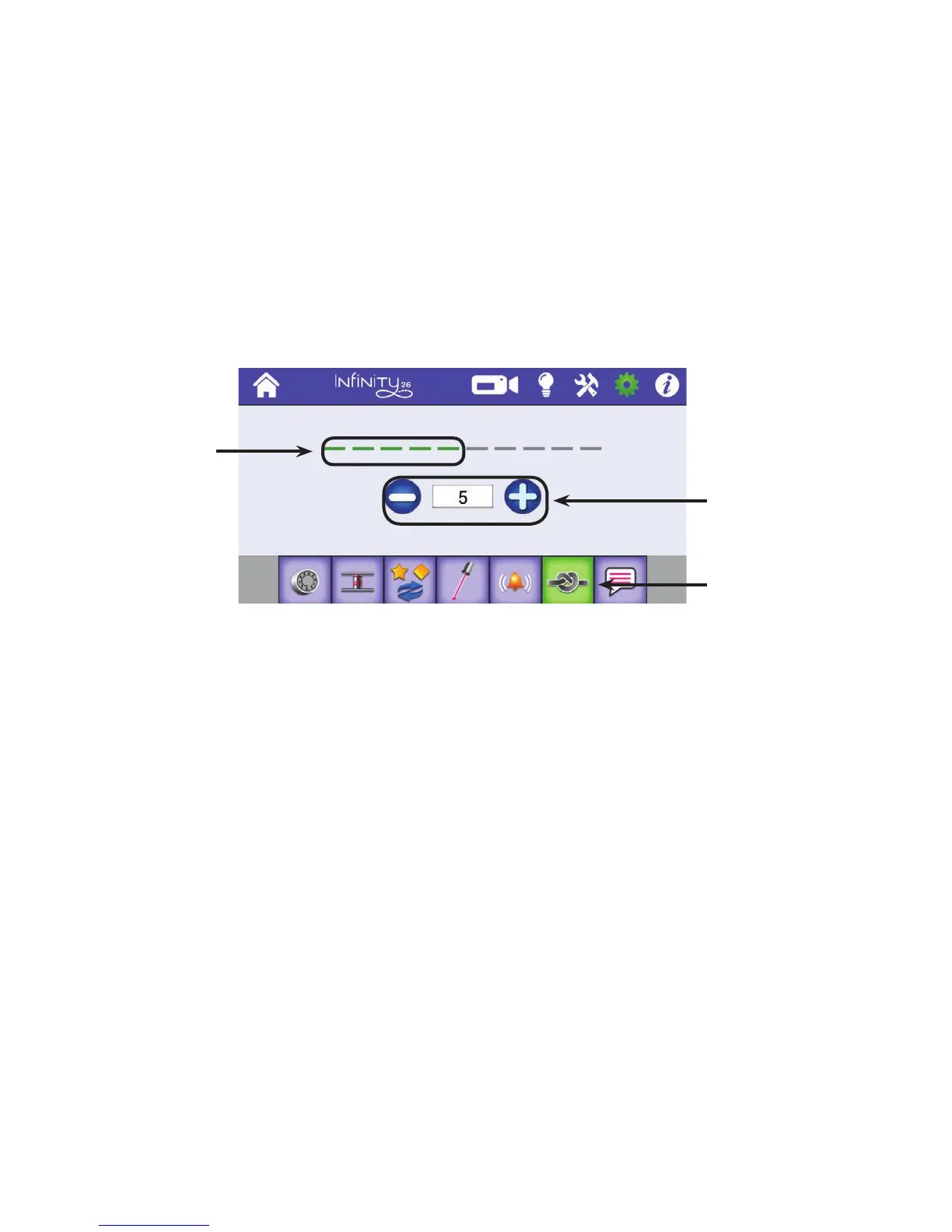
To congure eos
ONLINE: To see how to e o the thread when starng and ending quilng, watch the video
Starng and Stopping Quilng at: hp://www.handiquilter.com/videos/hq-innity/229/.
• T o u c h t h e Sengs icon in the toolbar. Then touch the Congure Tieos buon. Press the plus (+)
or minus (–) buons to increase or decrease the number of micro stches in a eo.
Aer you indicate how many stches are in an automac eo, use the Tieo buon on the Main screen
to perform the eo. Touch the buon and gently move the machine to perform the micro stches.
Set Language
NOTE: This funcon may not be implemented in your soware. When it is available, you will be
able to download and update your machine’s soware using the Update funcon.
The language seng determines the language used on the Innity informaon screens. The choices are
English, French, German, and Spanish.
To select a language
• T o u c h t h e Sengs icon in the toolbar. Then touch the buon to set the language. Press the down
arrow to display the list of available languages. Touch your preferred language to select it.
Green stches
show how many
micro stches
are part of a
eo.
Press the plus (+) or
minus (–) buons to
increase or decrease
the number of micro
stches in a eo.
Congure eos











 To Next Page