HQ Innity User Manual | 5 5
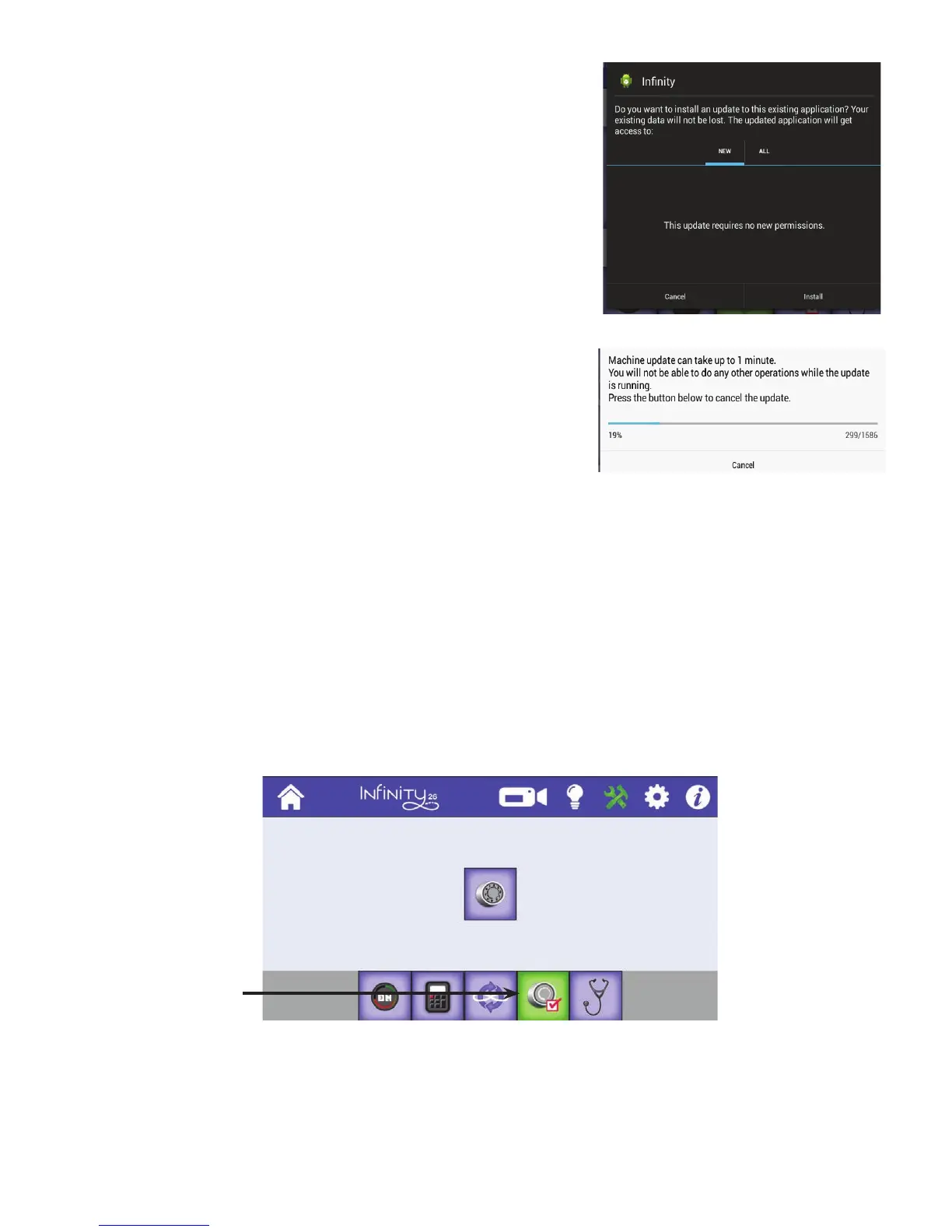
3. When the message box appears, select New an d Install.
4 . Be paent as this will take a few minutes.
5 . Conrm that you want to overwrite the current soware with the new soware by choosing Install. I f
you decide to not update the soware, choose Cancel.
Calibrate Tension
If you experience any diculty adjusng the Easy-Touch Tension™, you may need to calibrate the tensioner.
Typically you will only do this when instructed by Handi Quilter technical support.
T o u c h t h e Tools buon in the toolbar. Then touch the Calibrate Tension buon along the boom of
the screen. Then touch the tension buon in the center of the screen. Press the Home buon to return to
the Main screen.
It takes approximately thirty seconds to complete the calibraon. You may see the movement of the
tensioner as it is calibrang. The machine will beep when the calibraon begins, when it is halfway through
the calibraon, and will emit a slightly longer beep when calibraon completes.
Calibrate
Tension buon is
on, or green.











 To Next Page