HQ Innity User Manual | 13
Installation and Setup
Carriage
You should have already set up the Gallery Frame. Refer to the Gallery Frame manual for detailed
instrucons about seng up the frame.
ONLINE: For more informaon about seng up the frame, watch the video Seng Up the Frame at:
hp://www.handiquilter.com/videos/hq-innity/209/.
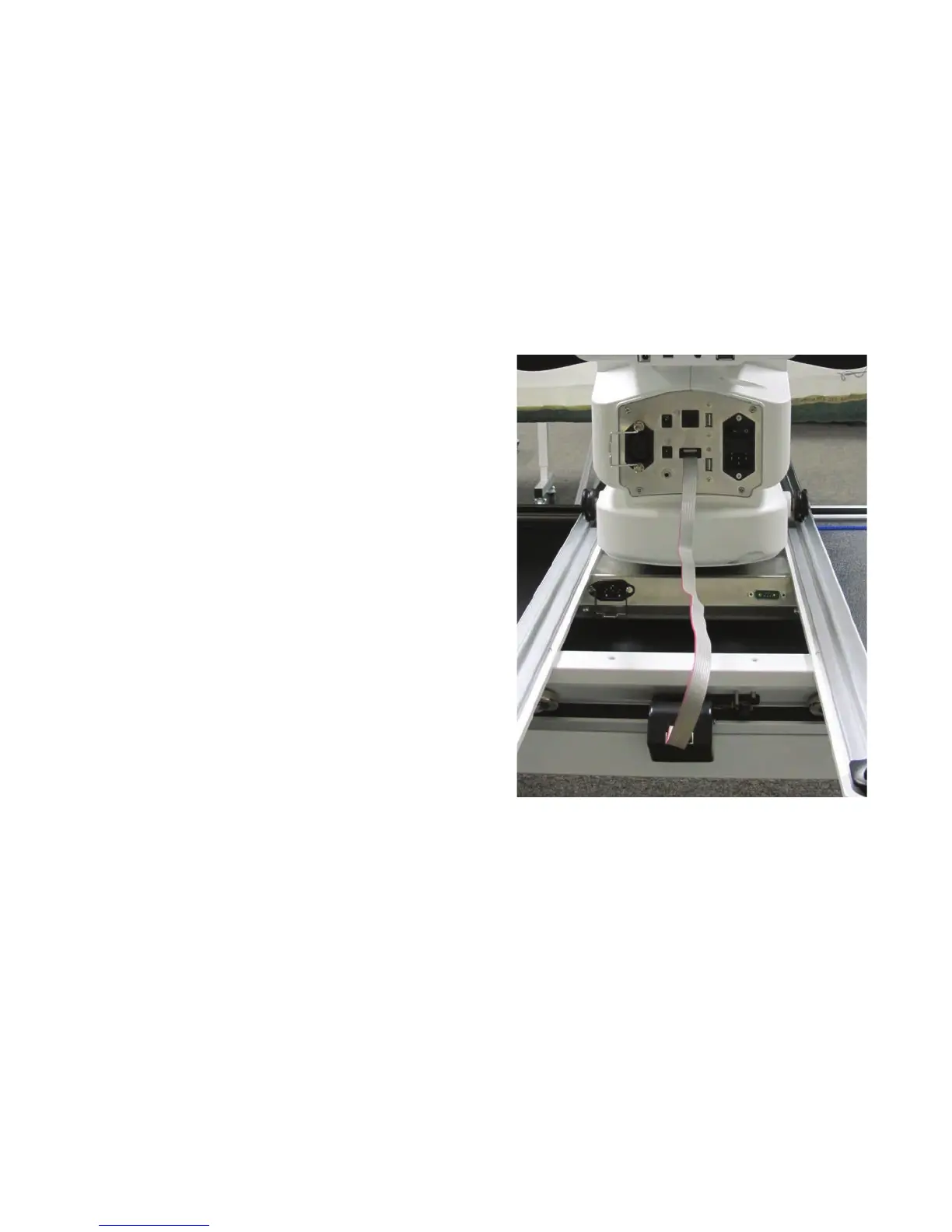
To install the carriage and machine on the frame
1 . Place the carriage on the table rails, ensuring
that the stch regulator faces the back of the
f r am e .
2 . Place the machine on the carriage.
U CAUTION: The HQ Innity is heavy. Never
aempt to li it alone. Always use two
people when liing. Always li from
t h e t h r o a t o f t h e m ac h i n e , n o t f r o m t h e
handlebars or needle bar.
3. Plug the ribbon cable from the stch regulator
connector at the back of the machine into the
stch regulator on the carriage.
 IMPORTANT: If you ever need to remove the machine from the carriage, disconnect the ribbon
cable from the stch regulator. Failure to unplug the cable when removing the machine from the
carriage could result in damage to the cable, encoders, and carriage.
Power Cord
To install the power cord
• Insert the cord into the power connector on the rear of the machine. Plug the three-prong end into
power source. Do not turn on the machine unl the handlebars and display are installed.











 To Next Page