5 2 | www.HandiQuilter.com
To set the quilng alarm
Use the quilng alarm to set a reminder that alerts you when the me you’ve alloed for quilng is done.
Aer you enable the alarm, the me begins to count down. Unlike the quilng alarm, this alarm measures
elapsed me, not machine quilng me. The example below shows only 3 minutes and 55 seconds are
remaining before the alarm will sound.
1 . Specify the amount of me that will elapse before the alarm will go o. Fine tune the alarm seng by
pressing the plus (+) or minus (–) buons which changes the alarm seng by one minute at a me.
2 . Touch the alarm icon to turn on the quilng alarm. When the me has elapsed, an alarm will sound.
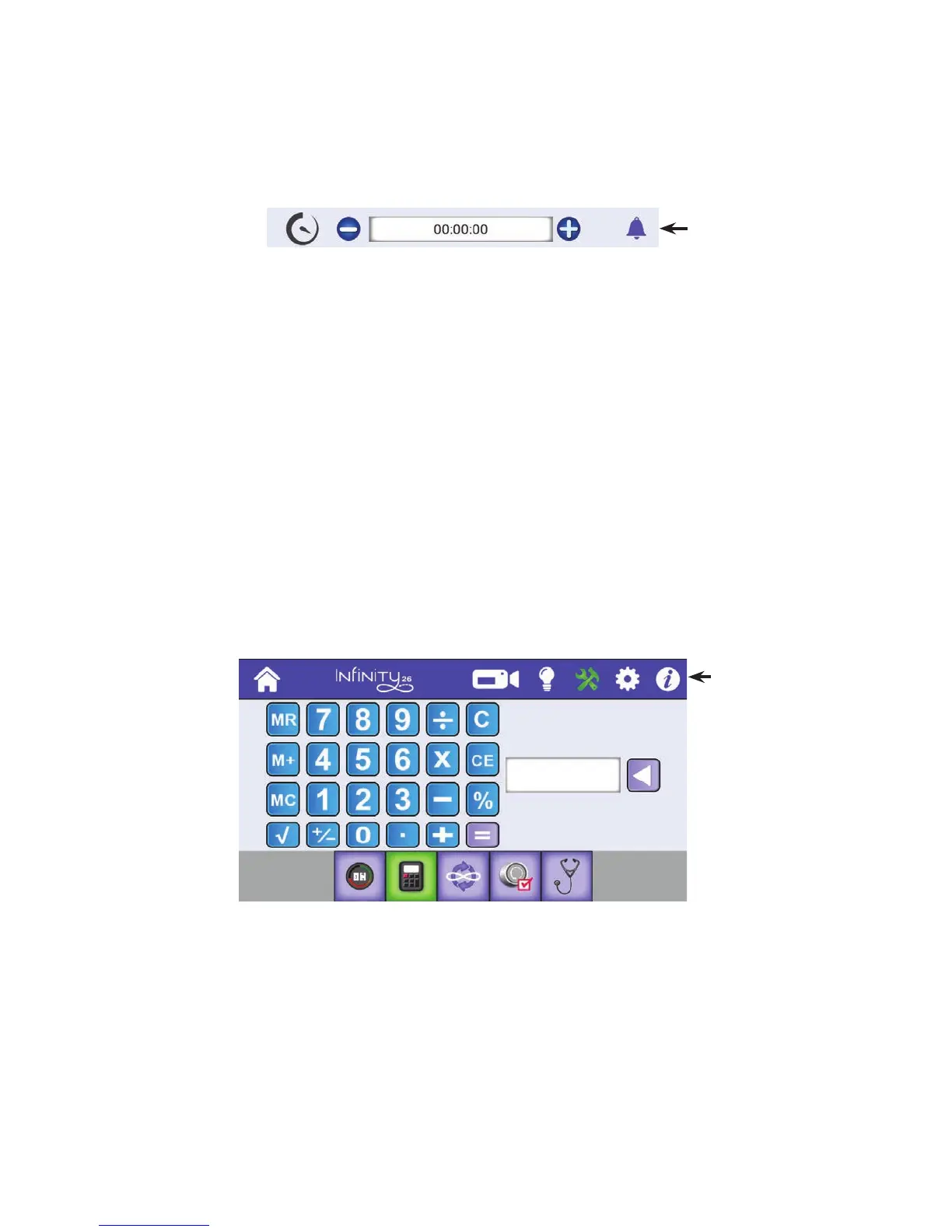
On-screen Calculator
The Innity includes a basic on-screen calculator. It funcons like all basic calculators. For example, press
a number buon and a funcon buon followed by another number buon. Funcon buons include
addion (+), subtracon (–), mulplicaon (x) and division (÷). Aer you’ve pressed the numbers and the
funcon buons, press the equal sign (=) for the answer.
• T o u c h t h e Tools buon in the toolbar. Then touch the Calculator buon along the boom of the
screen. Press the Home buon to return to the Main screen.
Soware Updates
From me to me Handi Quilter releases soware updates for their machines. This update feature enables
you to take advantage of the latest new capabilies added to machines. When an update is released,
download the updated le(s) to a USB drive using a computer that is connected to the Internet.
• T o u c h t h e Tools buon in the toolbar. Then touch the Update buon along the boom of the
screen. Press the Home buon to return to the Main screen.
Touch the alarm
icon to turn on or
o the quilng
alarm. It appears
green when
enabled.
Shows the current quilng alarm seng. Press the plus (+)
or minus (–) buons to change the alarm seng.
The Tools buon
is selected, or
green.











 To Next Page