HQ In nity User Manual | 4 1
Overview of the Main Screen
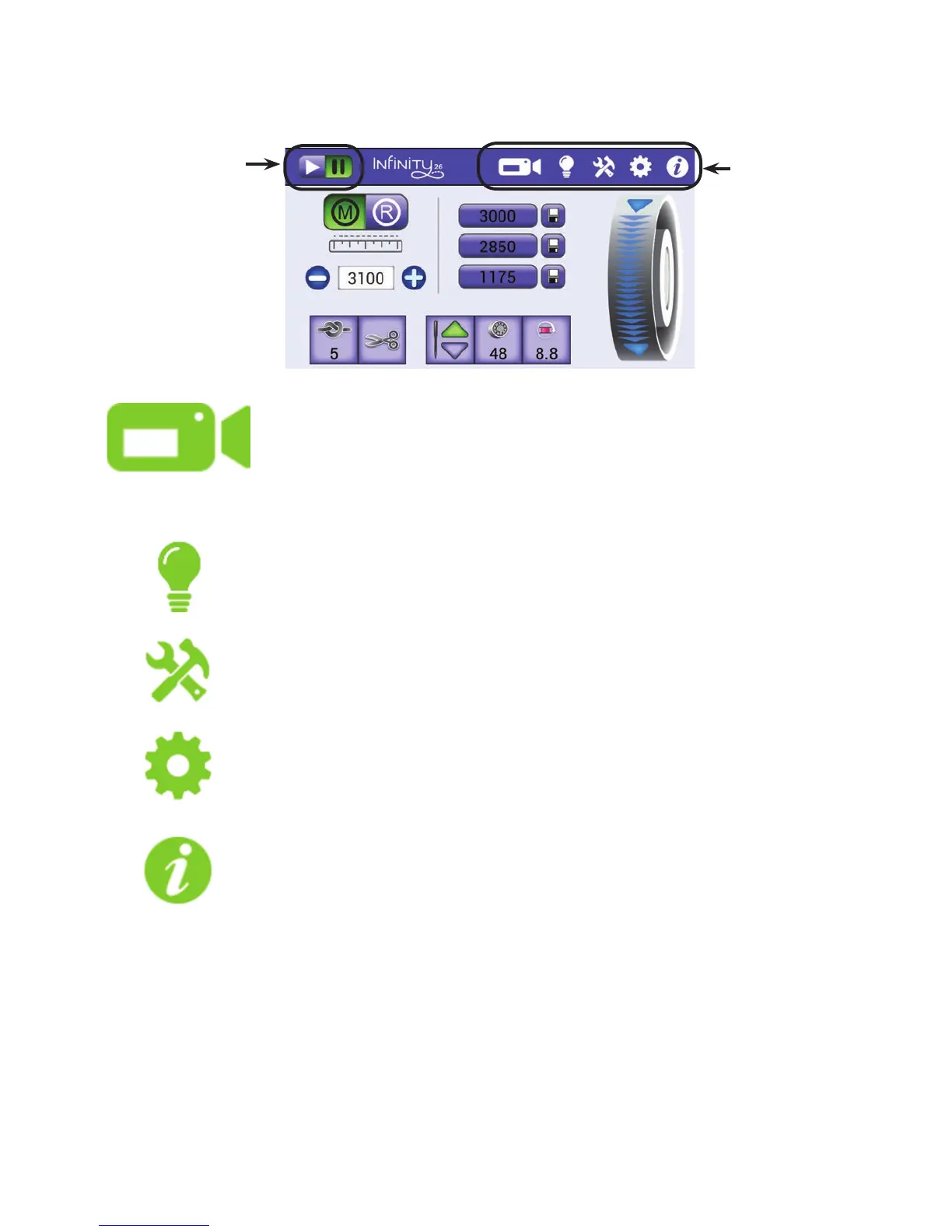
The In nity Main screen provides quick access to all func ons.
Touch this icon for the view from the Quilt View™ video camera. For more
informa on about the camera op ons, see Using the Video Camera in the
Toolbar sec on of this manual. For informa on about installing the video
c am e r a, s e e To install the video camera i n t h e Installa on and Setup sec on
o f t h i s m an u al .
Touch this icon to open the Lights screen. For more informa on about turning
lights on and o , see Controlling the lights i n t h e Toolbar Op ons sec on of
t h i s m an u al .
Touch this icon to open the Tools. For more informa on about the various tools,
s e e Machine Tools i n t h e Toolbar Op ons sec on of this manual.
Touch this icon to open the Se ngs. For more informa on about the various
se ngs, see Machine Se ngs i n t h e Toolbar Op ons sec on of this manual.
Touch this icon to see system informa on, as well as a machine threading guide
and needle/thread guide. For more informa on about the system informa on
that is available, see Informa on Screens i n t h e Toolbar Op ons sec on of
t h i s m an u al .
This toolbar appears
on every screen to
provide quick access
to o en-used op ons.
When selected, the
icons will be green,
not white.
These bu ons
indicate whether or
not your machine is
s tching or paused.
It is currently
paused because
the pause bu on is
green, or on.











 To Next Page