HQ Innity User Manual | 5 7
• Press the Home icon in the upper le corner of the screen to close Sengs an d r e t u r n t o t h e
Main screen.
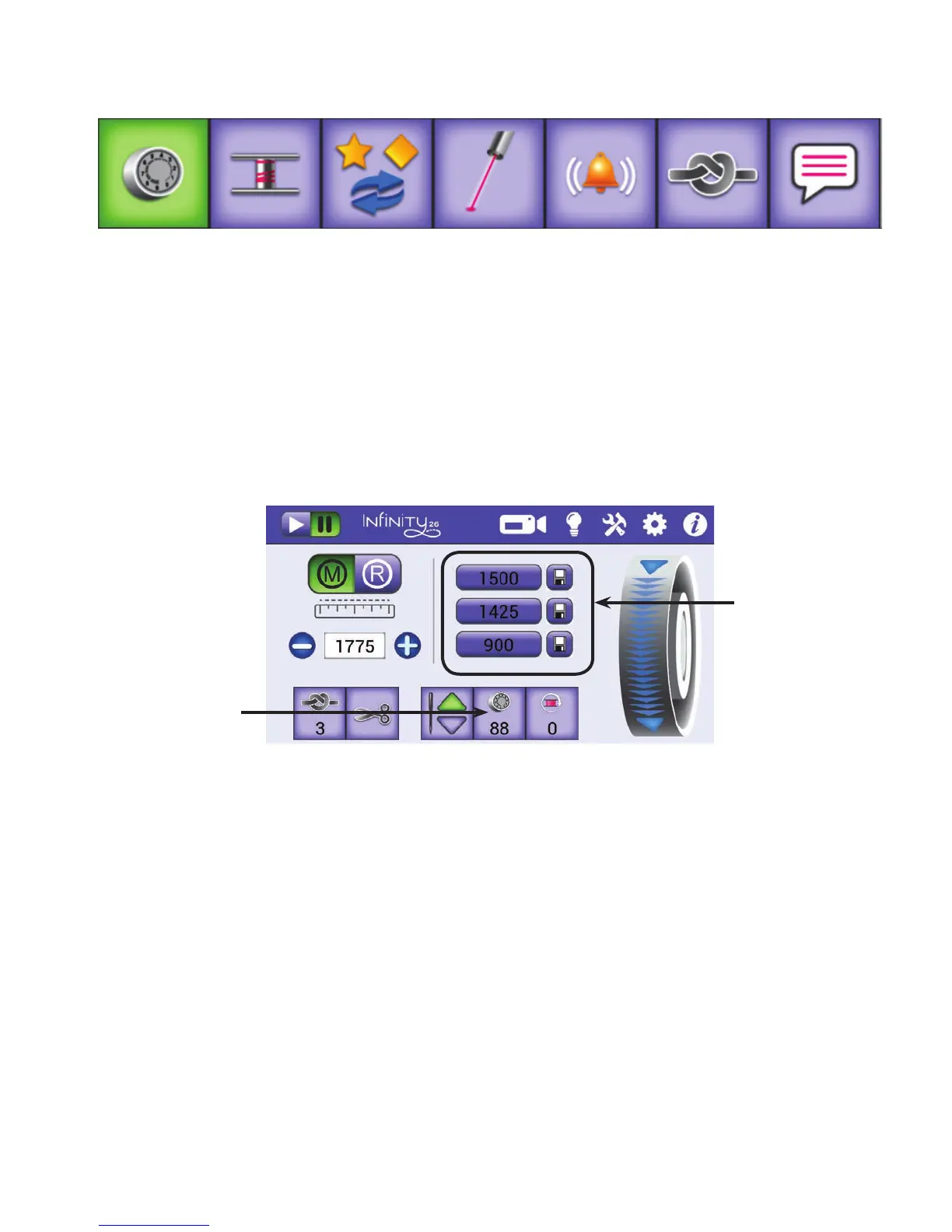
Easy-Touch Tension™ presets
You can congure top-thread tension presets for three types of thread. For example, one seng might be
for a 50-weight thread, one for a 30-weight thread, and one for monolament thread. Aer you establish
the tension presets, select the tension seng to use on the Main screen as shown below.
To customize the Easy-Touch Tension™ presets
As described in Bobbin and Bobbin Tension i n t h e Using Your Machine secon of this manual, make sure
your bobbin tension is properly set before adjusng the top tension.
Thread the machine with the thread for which you want to dene a top-thread tension preset. Follow the
steps for seng the top-thread tension (see Easy-Touch Tension™ i n t h e Using Your Machine secon of this
manual). When you are happy with the stching, note the tension value on the Electronic Tension Buon
and follow the steps below to save it as a preset.
Customize
top tension
presets
Customize
handlebars
Congure
alarms
Set language
Congure low-
bobbin alarms
Turn on or o
laser lights
Congure
eos
Touch one of the
three tension presets
to select it. Then
further ne tune it if
needed by pressing
the plus (+) or minus
(–) buons.
Select the Easy-Touch
Tension buon to
choose a tension
seng. The buon
changes to green and
the center secon of
the screen displays
the tension presets.











 To Next Page