56 | www.HandiQuilter.com
When you check the tension seng aer calibraon, it will be set to 112, the midpoint for tension. Before
quilng, select one of your tension presets (see To customize the top-thread tension presets i n t h e Machine
Sengs secon of this manual) or adjust top tension as described under Easy-Touch Tension™ Presets i n
t h e Using Your Machine secon of this manual.
Diagnoscs
There are several diagnoscs tests that you may be asked to perform by Handi Quilter technical support or
authorized Handi Quilter representaves. They will give you a code to enter into the Diagnoscs screen to
be able to perform the tests.
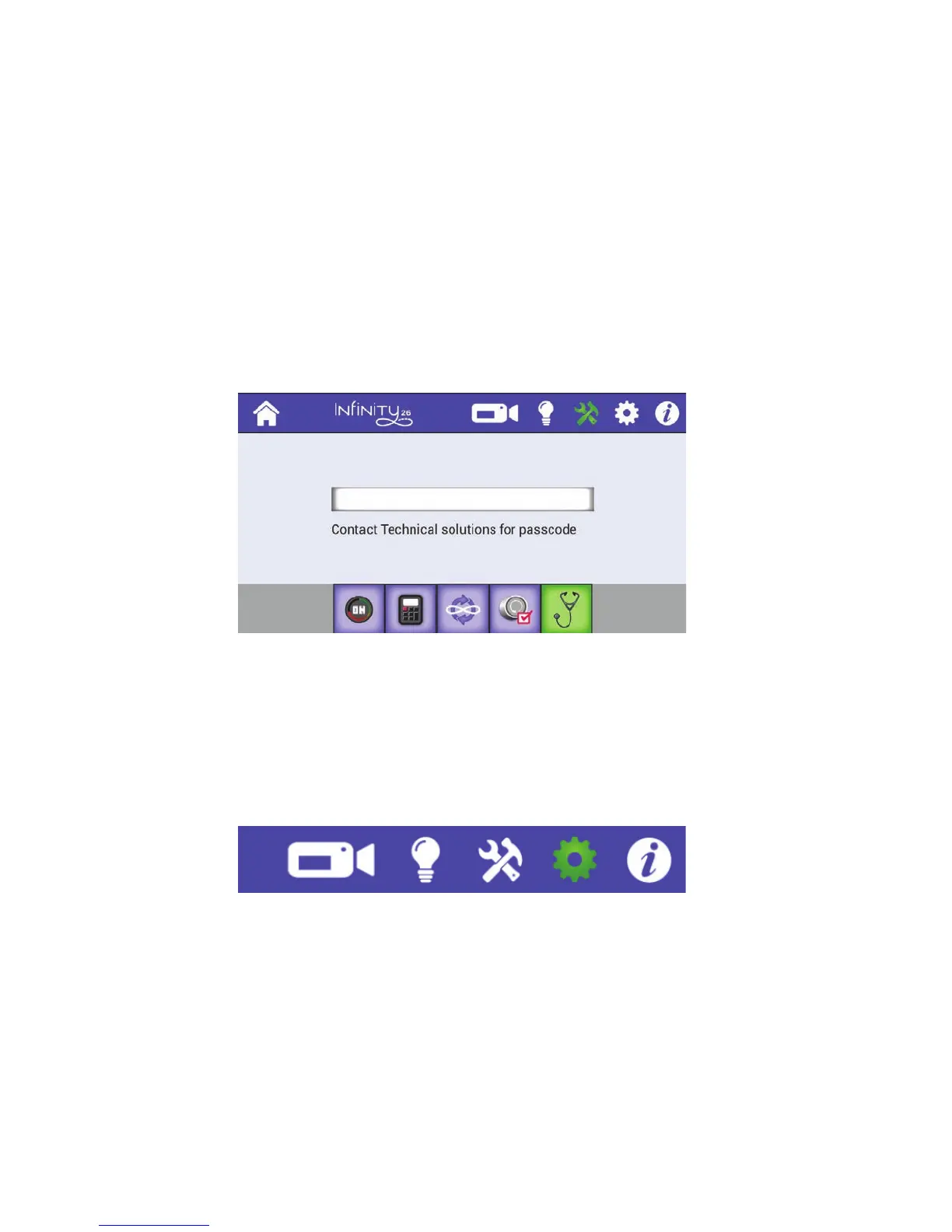
• T o u c h t h e Tools buon in the toolbar. Then touch the Diagnoscs buon along the boom of
the screen. Enter the code you receive from Handi Quilter technical support, and follow their
instrucons for the dierent diagnoscs tests.
Contact your local representave or Handi Quilter technical support at +1 (801) 292-7988 or 1-877-MY-
QUILT (697-8458).
Machine Sengs
To open the machine sengs, touch the Sengs icon in the toolbar. Aer selecng it, the icon turns green.
Then choose one of the seven opons that appear along the boom of the screen (shown below).
Aer you select an opon, the buon background turns to green and the screen changes for you to do
the conguraon of that seng. The next me you touch the Sengs icon, the last Sengs opon you
used appears.











 To Next Page