5 4 | www.HandiQuilter.com
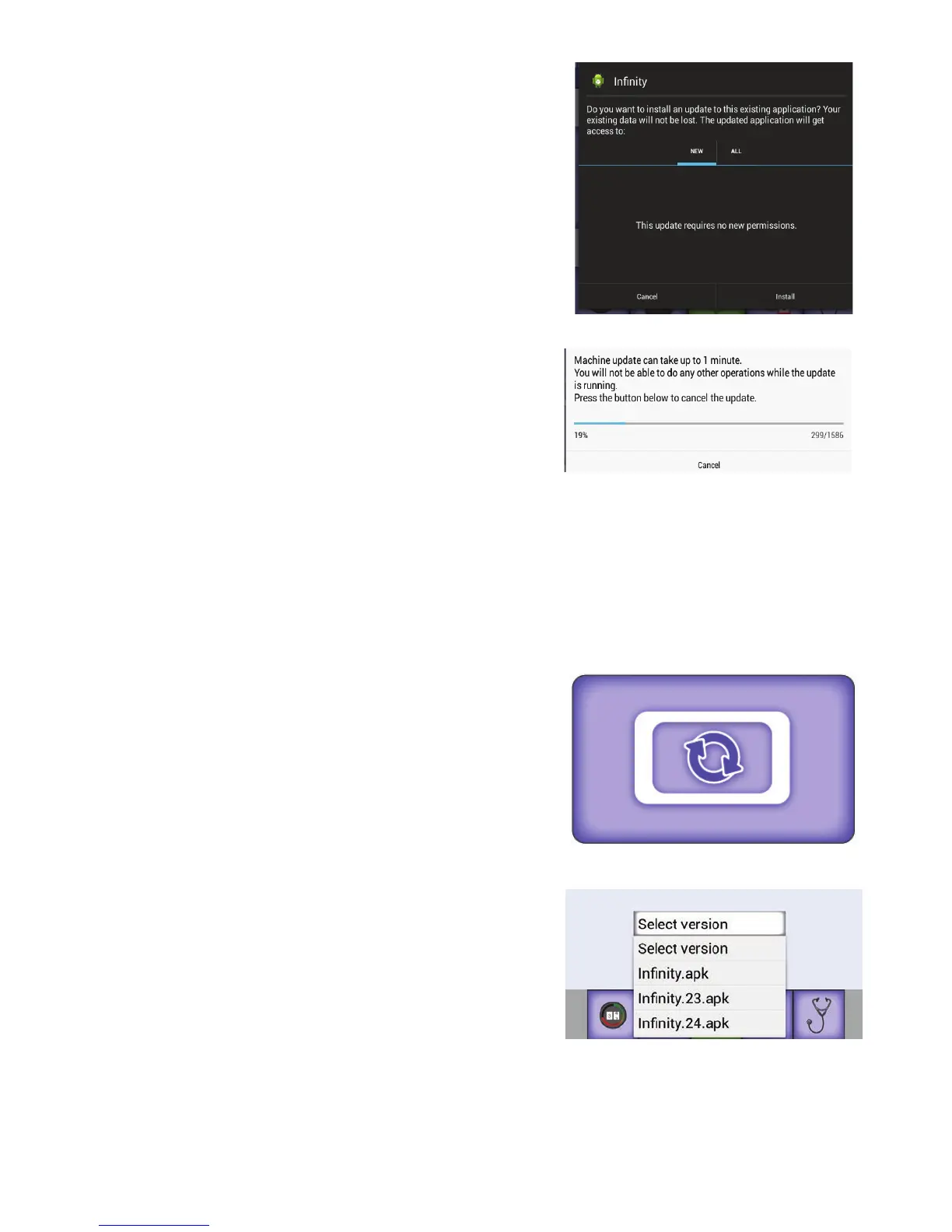
3. When the message box appears, select New an d Install.
4 . Be pa ent as this will take a few minutes.
5 . Con rm that you want to overwrite the current so ware with the new so ware by choosing Install. I f
you decide to not update the so ware, choose Cancel.
To update the display so ware
You will need to update the display on both the front and rear handlebars.
1 . A er inser ng the USB drive into the rst USB port on the
front-le side of the machine, touch the machine icon to
update the machine’s so ware.
NOTE: To update the rear display, you must rst unplug
the USB cable from the bo om of the display and insert
the USB drive with the so ware. A er upda ng, replace
the USB drive with the display’s USB cable.
2 . You will be prompted to choose the le you want to use to
update the machine so ware. Touch the Select Version box
and then select the lename of the update le
you downloaded.











 To Next Page