HQ In nity User Manual | 5 9
• T o u c h t h e Se ngs icon in the toolbar. Then touch the Low-bobbin Alarm bu on.
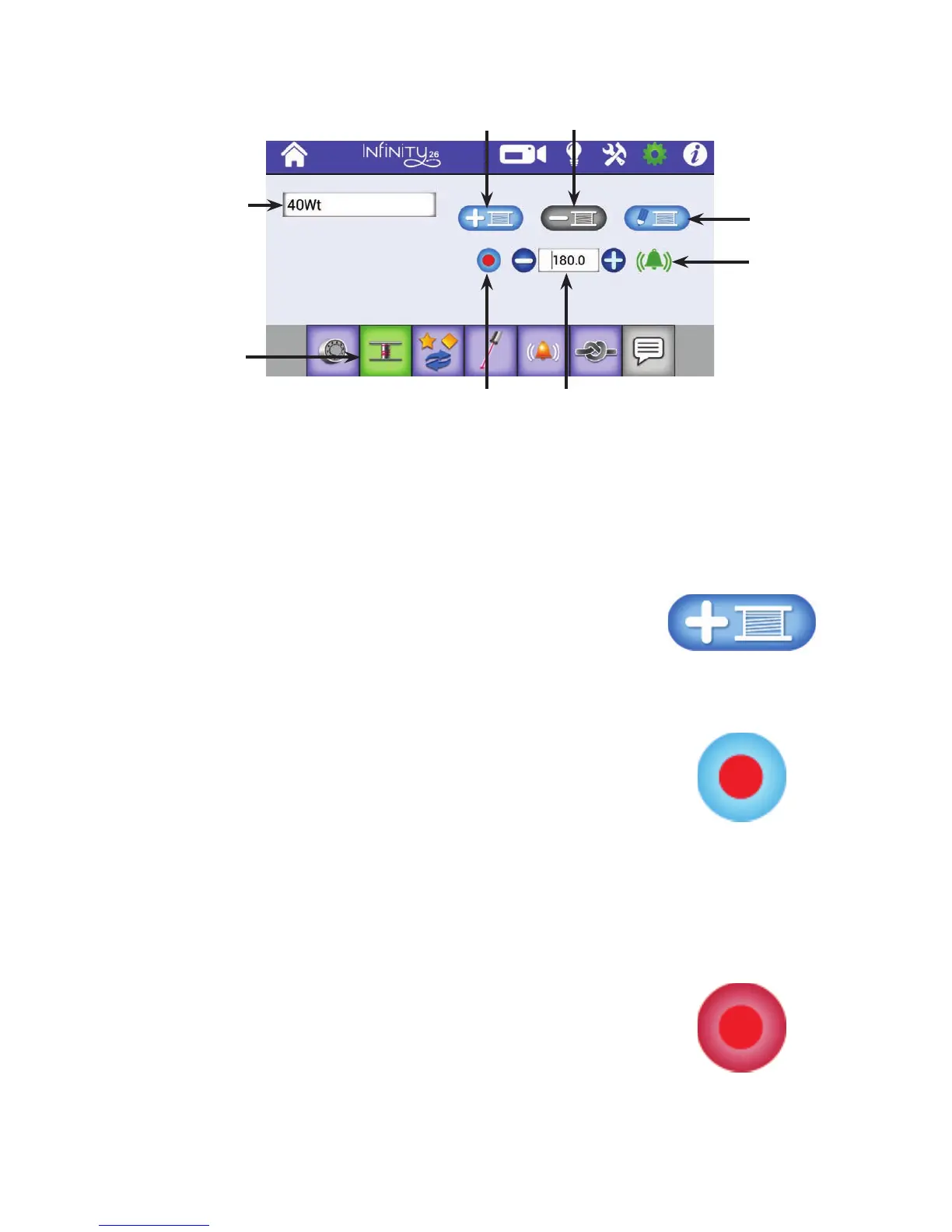
To add new bobbin con gura on and record bobbin capacity
1 . When you are ready to de ne a new bobbin capacity for a par cular type of thread, completely ll a
bobbin with that thread and insert it into the machine.
2 . Touch the icon to add a new bobbin. Use the pop-up
keyboard to enter a descrip ve name so you will know which
type of thread this con gura on applies to. Close the pop-up
keyboard by touching arrow in the lower-le corner of
t h e s c r e e n .
3. Touch the Record bu on. The bobbin capacity value will
reset to zero. Quilt un l the bobbin runs out.
NOTE: The Reset Bobbin bu on on the Main Screen
shows the bobbin capacity as you quilt. When you touch
the Reset Bobbin bu on, it shows the es mated capacity
of the full bobbin. As you quilt, this number counts
down. While you are recording the bobbin capacity of a
bobbin, the number increases as you quilt un l it runs
o u t o f t h r e ad .
4 . Return to the low-bobbin alarm screen and press the Record
bu on again to stop recording. The number that appears in
the Bobbin Capacity box is an es mate how much thread is
on the bobbin.
Name that
describes the
thread in the
bobbin
Con gure low-
bobbin see ngs
Edit bobbin
descrip on
bu on
Press to toggle
on and o the
low-bobbin
alarm.
Add a new
bobbin
Delete a
bobbin
Record bu on
es mates bobbin
capacity
Bobbin capacity











 To Next Page