HQ Innity User Manual | 33
Puckering, gathers, and thread breakage occur when the top tension is too ght. Loops and thread nests
occur when the top thread tension is too loose. Tension may need to be adjusted depending on the fabric,
thread, or bang you are using on the project.
NOTE: Top tension should be adjusted aer the bobbin case foundaon tension adjustment is
m ad e .
NOTE: Dark threads will be thicker (because of dye) than light threads of the same weight. The type
or brand of thread may also aect tension sengs. Each me you change threads, you should check
your tension.
ONLINE: For more informaon about adjusng the top-thread tension, watch the video Adjusng
the Top-thread Tension at: hp://www.handiquilter.com/videos/hq-innity/233/.
 IMPORTANT: Before adjusng your top tension remember to pull the top thread up into the tension
discs (ossing the thread) or it will oat outside the discs providing lile or no top tension. This
could cause signicant tension or thread nesng problems on the boom side of the quilt.
The Innity can also save a top tension seng for up to three types of thread. For more informaon about
seng the top tension presets, see To customize the top tension presets in the Machine Sengs secon of
t h i s m an u al .
Machine Quilting Tip: Test the tension settings before quilting
The best way to make sure the top and boom tension sengs are balanced is by quilng.
We keep 4-inch squares of light solid fabric on hand to place at the side of the quilt on the
extra bang and backing. Then quilt some loops and swirls and look at the stches on top
and underneath to ensure the tension looks good. Fine tune the tension as needed.
NOTE: The video camera mounted below the quilt is a great way to see the stching on the back of
the quilt and verify that you have good tension sengs.
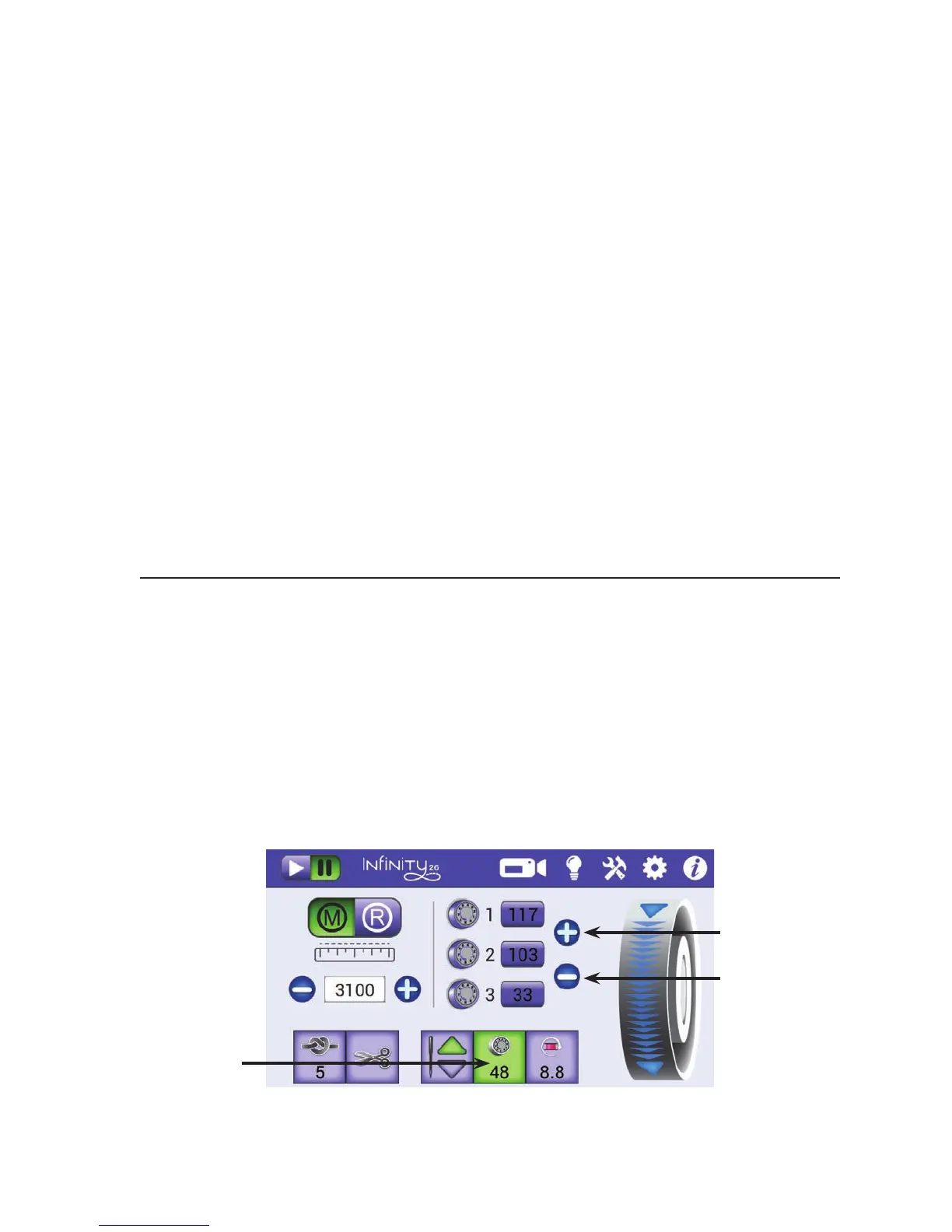
To adjust the top tension
1 . Test stching with a scrap of fabric placed on the extra bang and backing at the side of the quilt.
The number on the
tension buon displays
the current tension
seng. It changes
as you increase or
decrease tension.
Press to increase top-
thread tension.
Press to decrease top-
thread tension.











 To Next Page