HQ Innity User Manual | 39
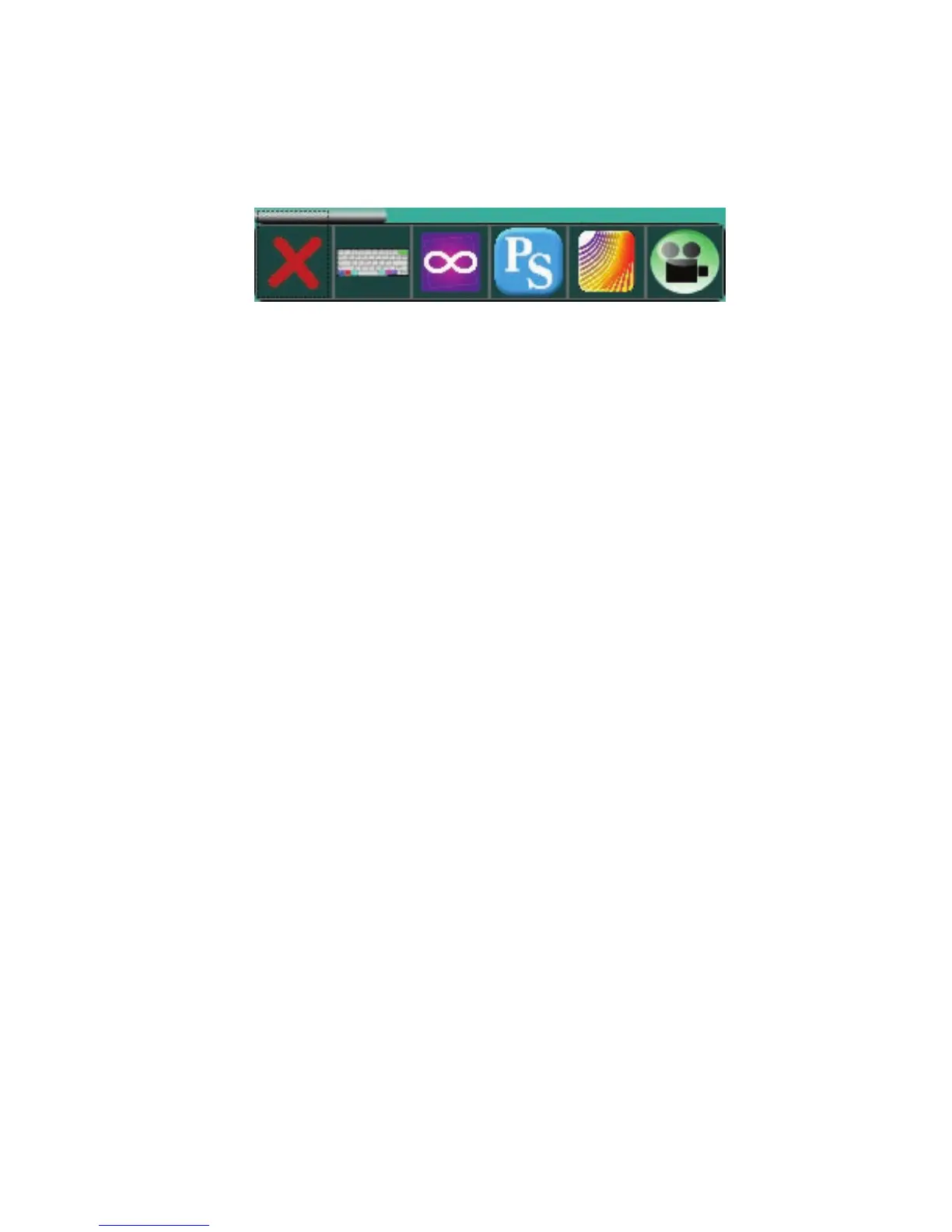
While the Innity and HQ Pro-Stcher are running, a menu appears in the upper le corner of the screen.
Touch a buon on this menu to switch between using HQ Pro-Stcher, using the Innity console, and using
Art & Stch. You can also open the onscreen keyboard, switch to the video camera, or close the menu
from view.
Use HQ Pro-Stcher to quilt, or switch to free-moon quilng by disengaging the HQ Pro-Stcher motors.
(In HQ Pro-Stcher, select Design, t h e n Freehand. T h e n s e l e c t t h e Free Moon buon.)
Handlebar Star and Diamond Buons with Pro-Stcher
Four funcons in HQ Pro-Stcher override your custom sengs for the star and diamond buons on the
handlebars: when creang 2-point (star buon) and mul-point areas (diamond buon), when starng
and stopping freehand recording (star buon). and when marking lines for quilng (diamond buon). See
the Innity version of the HQ Pro-Stcher manual for more informaon about how the star and diamond
buons work with these funcons.
Updang the Innity Soware
If you are running the Innity from a Pro-Stcher tablet computer, the Update screen has only the machine
icon. You will update the Innity machine soware and the rear display using the Update opon on
the Tools menu. However, the Innity applicaon console soware is part of the Innity version of the
Pro-Stcher soware. Make sure you are also using the latest version of the Pro-Stcher soware.
See what the
video camera is
displaying
Close this
menu
Open on-screen
keyboard
Switch to
Innity
applicaon
Switch to
Pro-Stcher
Start Art &
Stch











 To Next Page