HQ Innity User Manual | 61
 IMPORTANT: However you congure the front handlebars, the rear handlebars are automacally
congured the same way.
To customize the handlebar buons
• T o u c h t h e Sengs icon in the toolbar. Then touch the Congure Handlebars buon. Return to the
Main menu at any me by touching the Home buon.
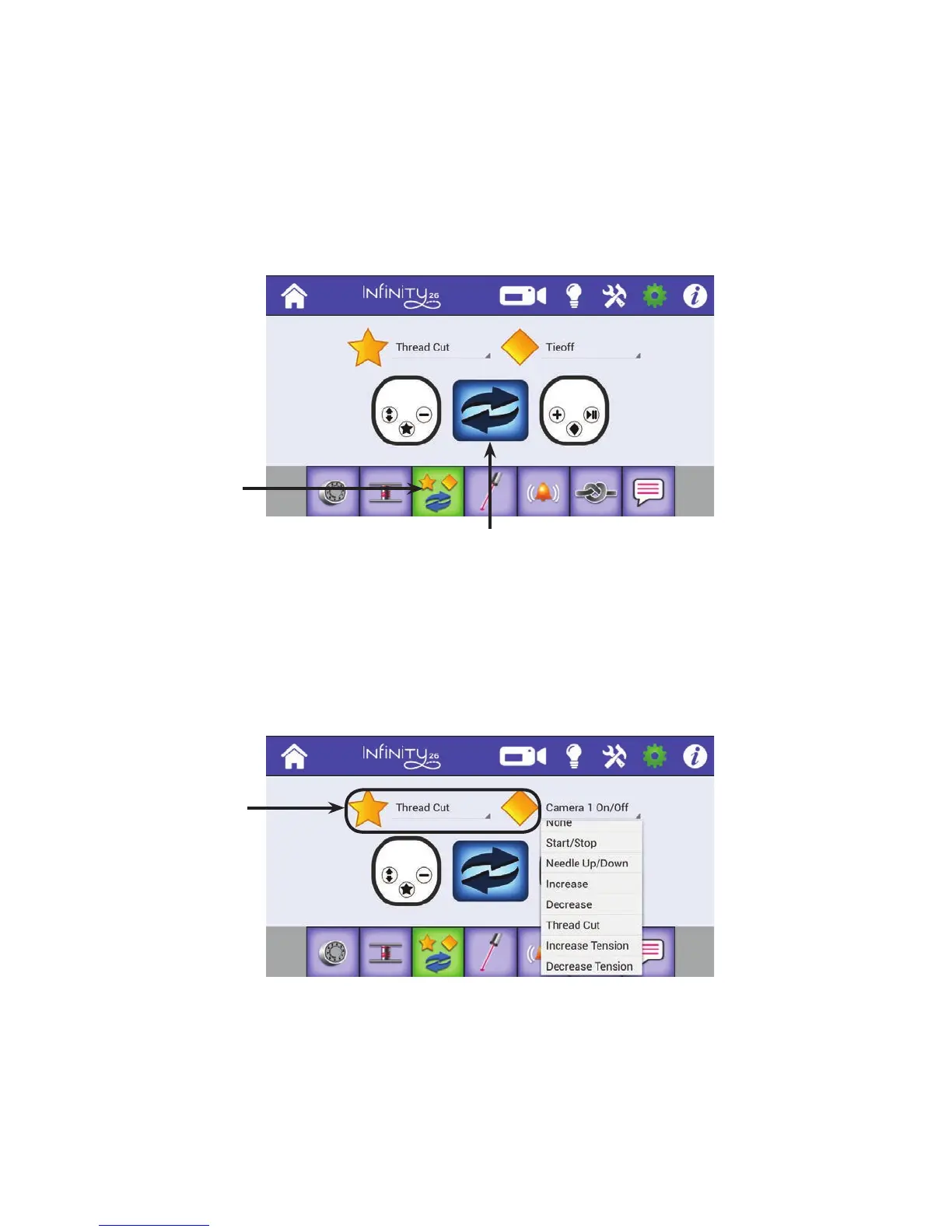
To switch the le and right handlebar buons
Press to switch the buon conguraons to match
how you placed the labels on the handlebars. The le
buon image represents the le handlebar; the right
buon image represents the right handlebar.
• Press the double-arrow icon in the center of the screen to switch the opons available for the le
and right handlebars. Make sure that the handlebar labels are consistent with your selecon.
To congure the star and diamond buons on the handlebars
1 . Select the down arrow next to the star or diamond to display a drop-down box with the opons for the
star and diamond buons.
2 . Touch your selecon for the buon.
Congure
handlebar
buons
Touch the star or
diamond to select
the acons you
want the star and
diamond handlebar
buons to perform
when pressed.











 To Next Page