PAGE 2.2 - 16 OPERATION MARK IV HD J2 TAMPER
REVISED 10 -2020 JUPITER II BULLETIN 5082505
2.2
2.2.2 Main Screens
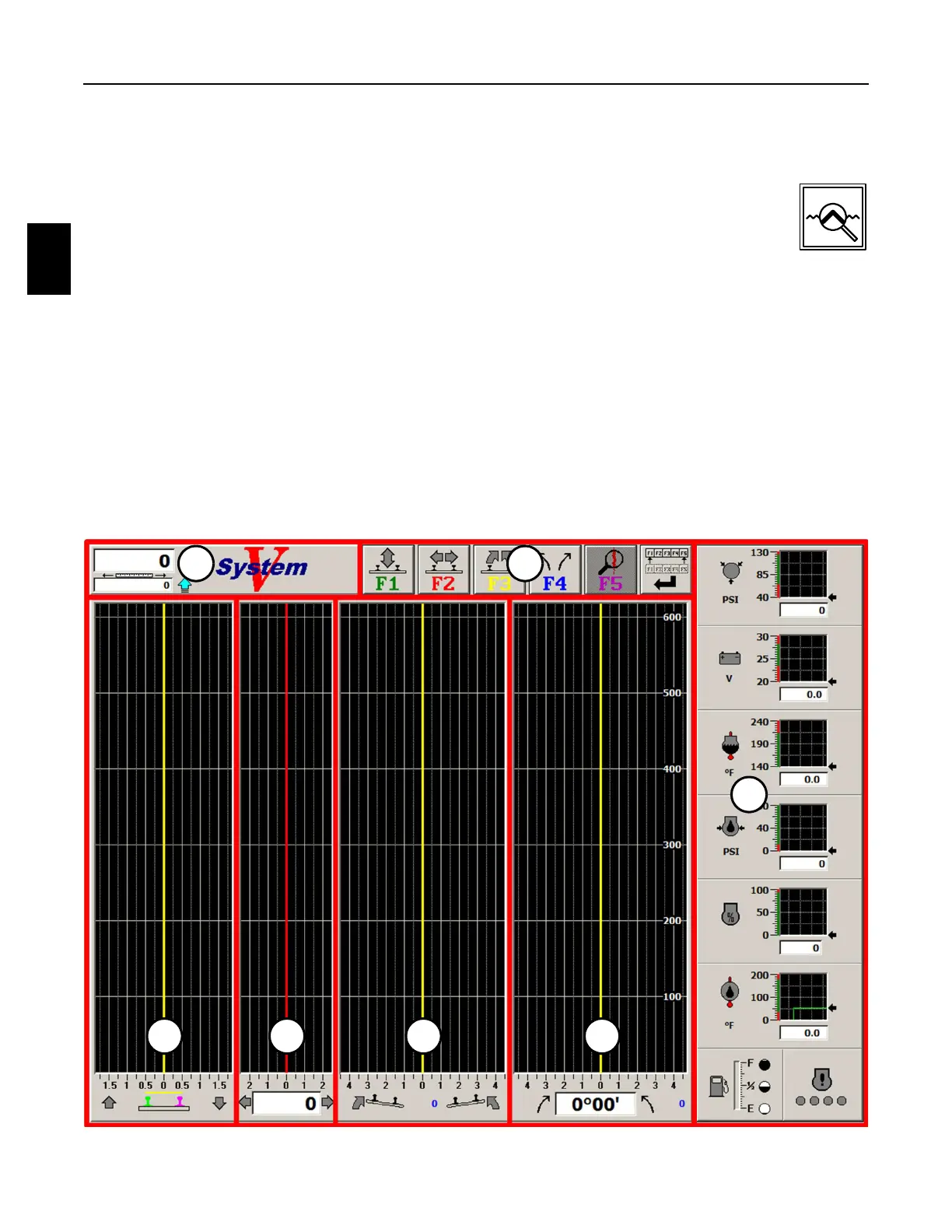
2.2.2.3 Expanded Track View Screen - See Figure 2.2-7
1. When operating in the Work Mode, press the Expanded Track View Key on the
Right Operator Keypad or the F8 Key on the computer keyboard to display the
Expanded Track View Screen. The expanded Track View Screen is used for the
"Rubber Banding Mode". Press either of the keys again to return to the normal
Work Screen. The screen displays the following:
(1) Engine Status Panel (4) Surface Graph Panel
(2) Tool Bar Buttons Panel (5) Throws Graph Panel
(3) Distance Panel (6) Superelevation Graph Panel
(7) Line Graph Panel
Note: The panels are shown outlined in red on the Expanded Track View Screen for
identification only. The panels will be described in detail later in this manual.
FIGURE 2.2-7
EXPANDED TRACK VIEW SCREEN
3 2
1
4 5 6 7



 To Next Page