MARK IV HD J2 TAMPER OPERATION PAGE 2.2 - 19
BULLETIN 5082505 JUPITER II REVISED 10 - 2020
2.2
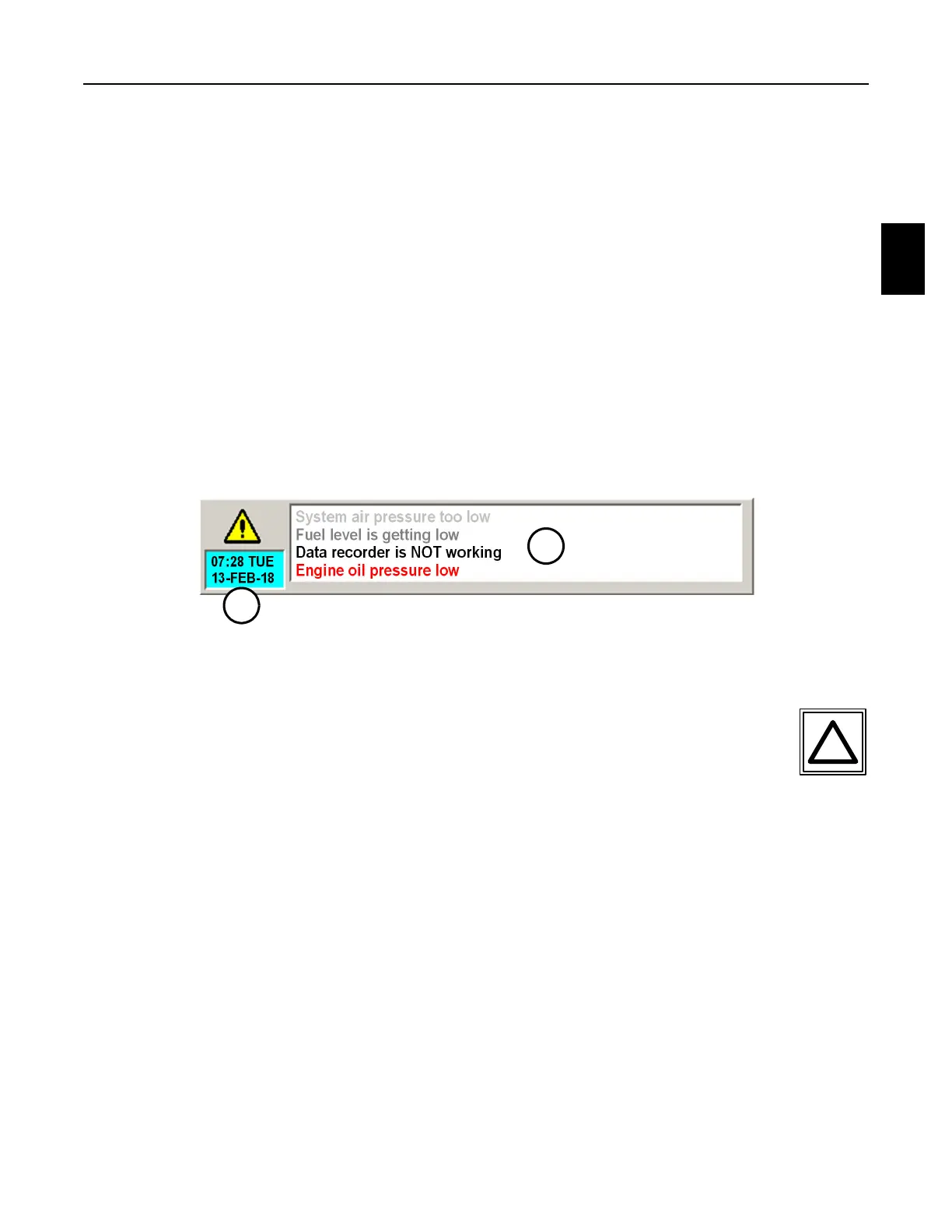
2.2.5 Alarm Panel - See Figures 2.2-10
1. The Alarm Panel displays the computer’s current time and date, and information and alarm
messages. The panel displays the following:
(1) Time and Date Panel: The panel displays the computers current time and date
information.
(2) Alarm Text Panel: The panel displays information and alarm messages. New
messages appear at the bottom of the panel and old messages are scrolled off the
top of the panel. A message that is not scrolled off the panel by other messages will
fade to gray as it ages. Critical alarm messages are displayed in red and will remain
red as its ages. Press the Alarm Text Panel to expand the panel and view all of the
information and alarm messages that have occurred since the computer was turned
on or to change the computer's default language.
FIGURE 2.2-10
ALARM PANEL
2.2.5.1 Expanded Alarm Panel - See Figure 2.2-11
1. Press the Alarm Text Panel or the Alarm Key on the Right Operator Keypad or
the F7 Key on the computer keyboard to display the Expanded Alarm Panel on
the screen. The panel displays the following:
(1) Date and Time Panel: The panel displays the computer's current date and time. Press
the panel to display the Set Clock Panel to set the computer’s date and/or time.
(2) Expanded Alarm Text Panel: The panel displays information and alarm messages.
New messages appear at the bottom of the panel and old messages are scrolled off
the top of the panel. Critical alarm messages are displayed in red. Each message
includes the time the message was initiated.
(3) Page Up Button: Press the button to page the Text Panel up to view previous
information and alarm messages that are longer than can be displayed on one
screen.
1
2



 To Next Page