PAGE 2.2 - 14 OPERATION MARK IV HD J2 TAMPER
REVISED 10 -2020 JUPITER II BULLETIN 5082505
2.2
2.2.2 Main Screens
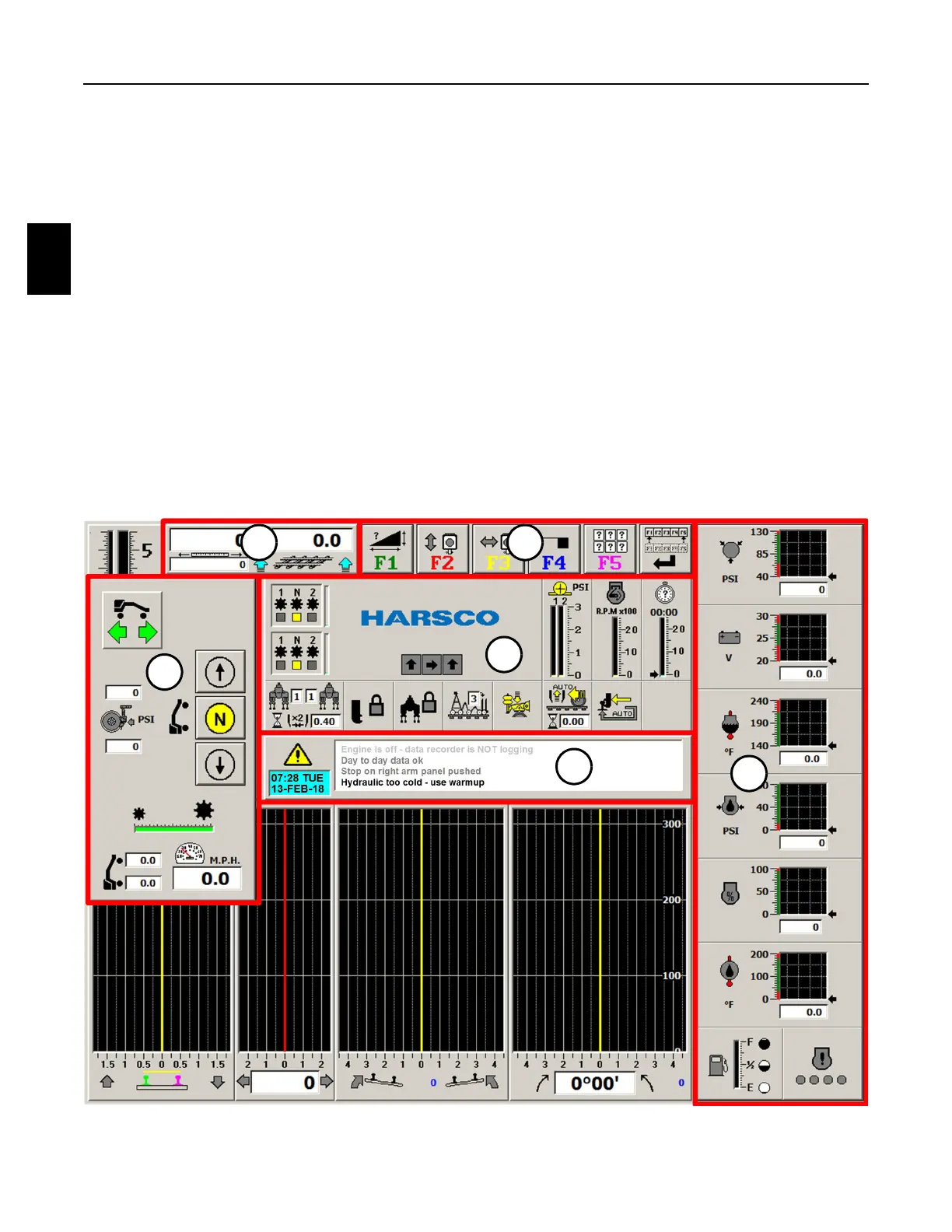
2.2.2.1 Travel Screen - See Figure 2.2-5
1. The Travel Screen is the initial screen that is displayed on the monitor after Jupiter boots-
up and/or when operating in the Travel Mode. The screen displays the following:
(1) Alarm Panel
(2) Engine Status Panel
(3) Machine Status Panel
(4) Tool Bar Buttons Panel
(5) Distance Panel
(6) Travel Panel
Note: The panels are shown outlined in red on the Travel Screen for identification only.
The panels will be described in detail later in this manual.
FIGURE 2.2-5
TRAVEL SCREEN
6
1
3
5 4
2



 To Next Page