MARK IV HD J2 TAMPER OPERATION PAGE 2.1 - 29
BULLETIN 5082505 CONTROLS REVISED 10 - 2020
2.1
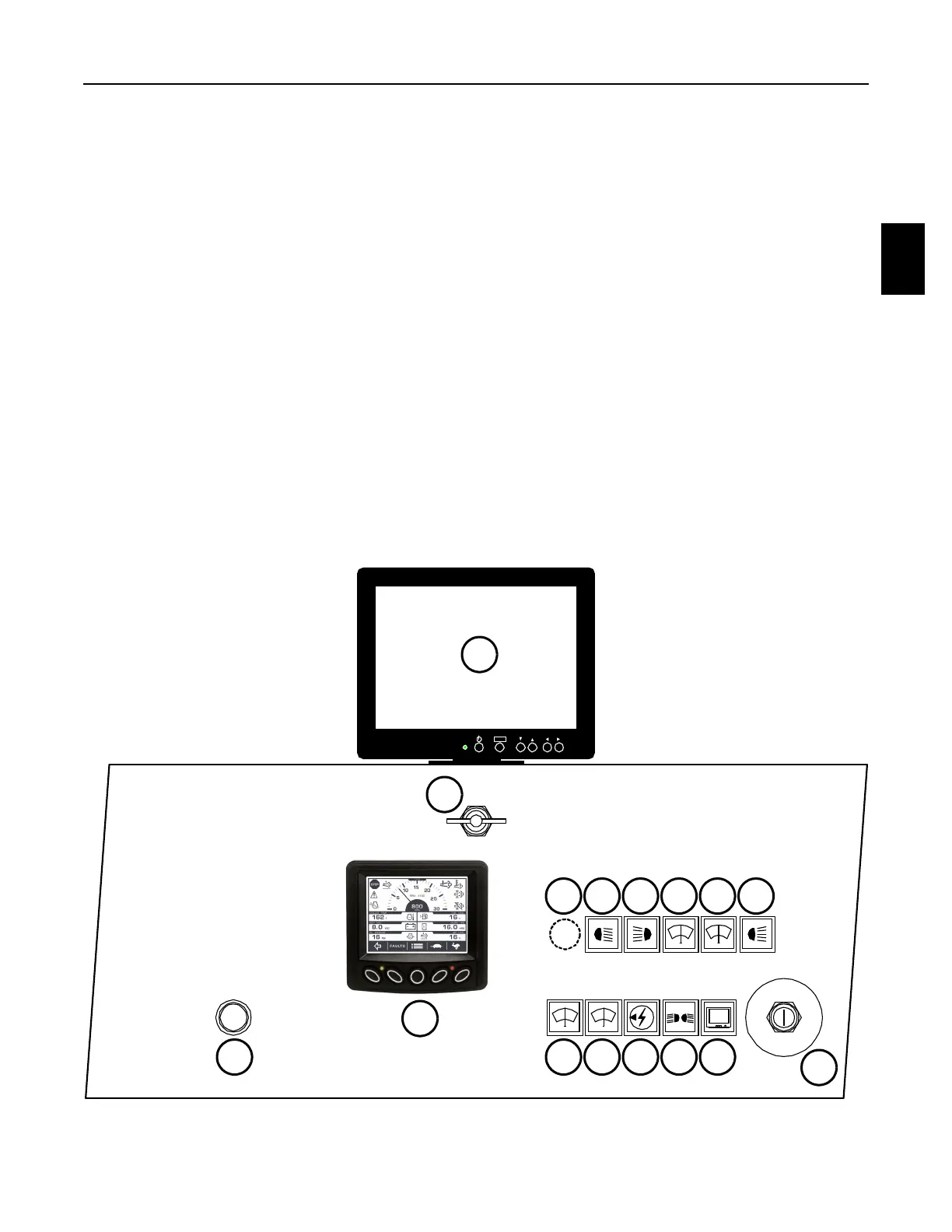
2.1.4 Control Panel - Left - See Figures 2.1-26 and 2.1-27
(2) Engine Diagnostic Gauge
The gauge displays the engine operating information. See Appendix B - Miscellaneous -
Diagnostic Gauge for operating information.
(3) Jupiter On Switch
The switch must be turned OFF for the machine's engine to start. After the engine starts, press
the switch to the IN position to turn ON (boot-up) the Jupiter Control System and Monitor.
Before turning OFF the Jupiter Control System and Monitor, BE SURE TO STOP the engine
first. After an alarm message is displayed on the Jupiter Monitor, press the switch again to the
OUT position to turn OFF the Jupiter Control System and Monitor.
a. An alarm message might read "Engine is off - data recorder is NOT logging" or "Data
recorder is NOT working".
FIGURE 2.1-26
CONTROL PANEL - LEFT
ME NU
JUPITER
ON
ENGINE
HEATER
CHECK
WAIT-TO-START
INDICATOR
STA R T
OFF
ON
1
37
48956
16
12
15
101113
14
2



 To Next Page