MARK IV HD J2 TAMPER OPERATION PAGE 2.2 - 17
BULLETIN 5082505 JUPITER II REVISED 10 - 2020
2.2
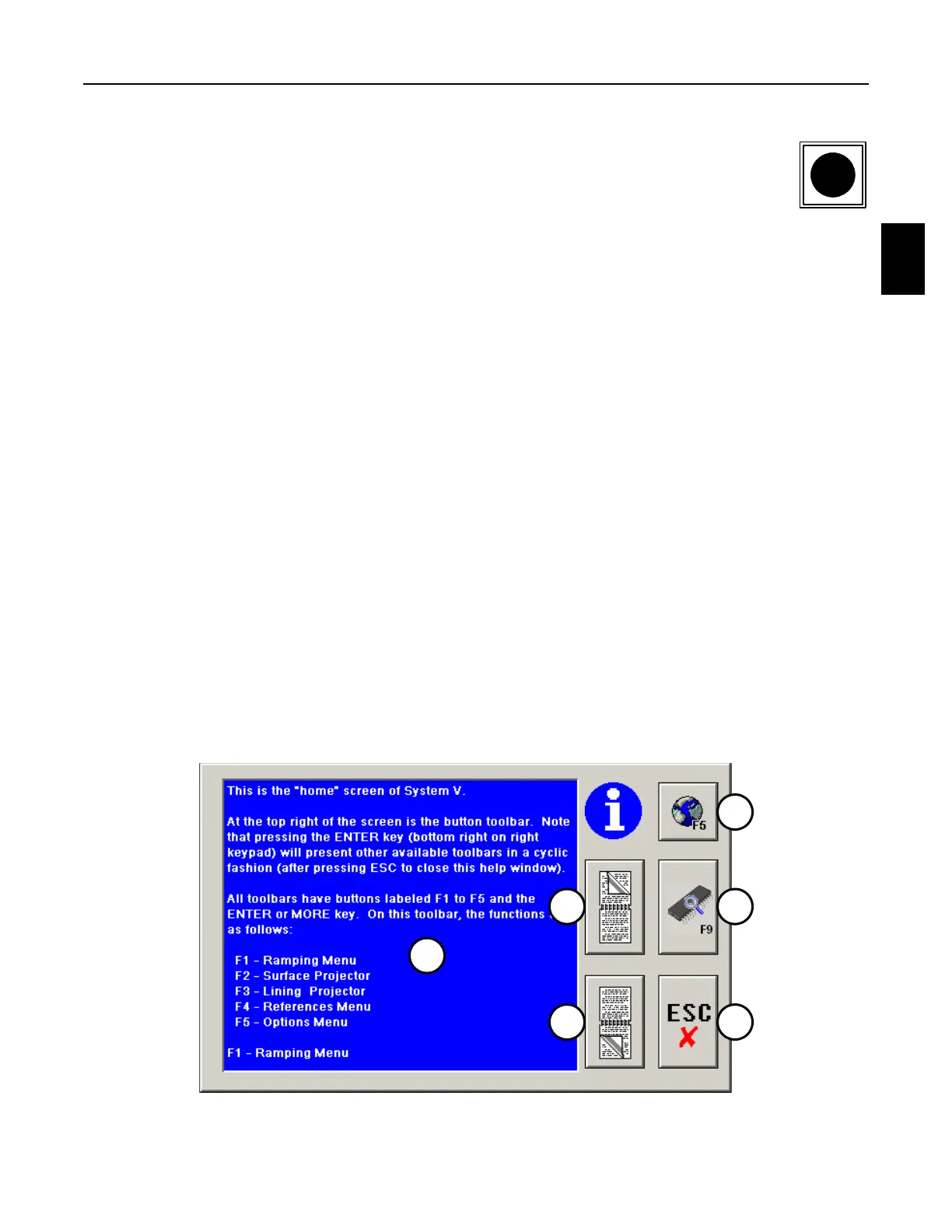
2.2.3 Information Panel - See Figure 2.2-8
1. Press the Information Key on the Right Operator Keypad or the F6 Key on the
computer keyboard to display the Information Panel on the screen. Regardless
of the panel, menu or dialog box that is open at the time, pressing this key will
give Help Information relevant to the situation. The panel displays the following:
(1) Information Text Panel: The panel displays help information explaining items shown
on the screen at the time the Information Button was pressed.
(2) Page Up Button: Press the button to page the Text Panel up to view previous
information that is longer than can be displayed on one screen.
(3) Page Down Button: Press the button to page the Text Panel down to view additional
information that is longer than can be displayed on one screen.
(4) Globe Button: The default language is displayed when the computer is first booted
up. Press the button or the F5 Key on the Right Operator Keypad or computer
keyboard to change the default language to a different language, if available. Press
the button or the F5 Key on the Right Operator Keypad or computer keyboard again
to change the different language back to the default language.
(5) Software Information Button: Press the button or F9 Key on the computer keyboard to
display the Software Information Panel. See Software Information Panel.
(6) Escape Button: Press the button or the Escape Key on the Right Operator Keypad or
computer keyboard to remove the Information Help Panel from the screen.
FIGURE 2.2-8
INFORMATION PANEL
4
6
2
3
1
5



 To Next Page