MARK IV HD J2 TAMPER OPERATION PAGE 2.2 - 37
BULLETIN 5082505 JUPITER II REVISED 10 - 2020
2.2
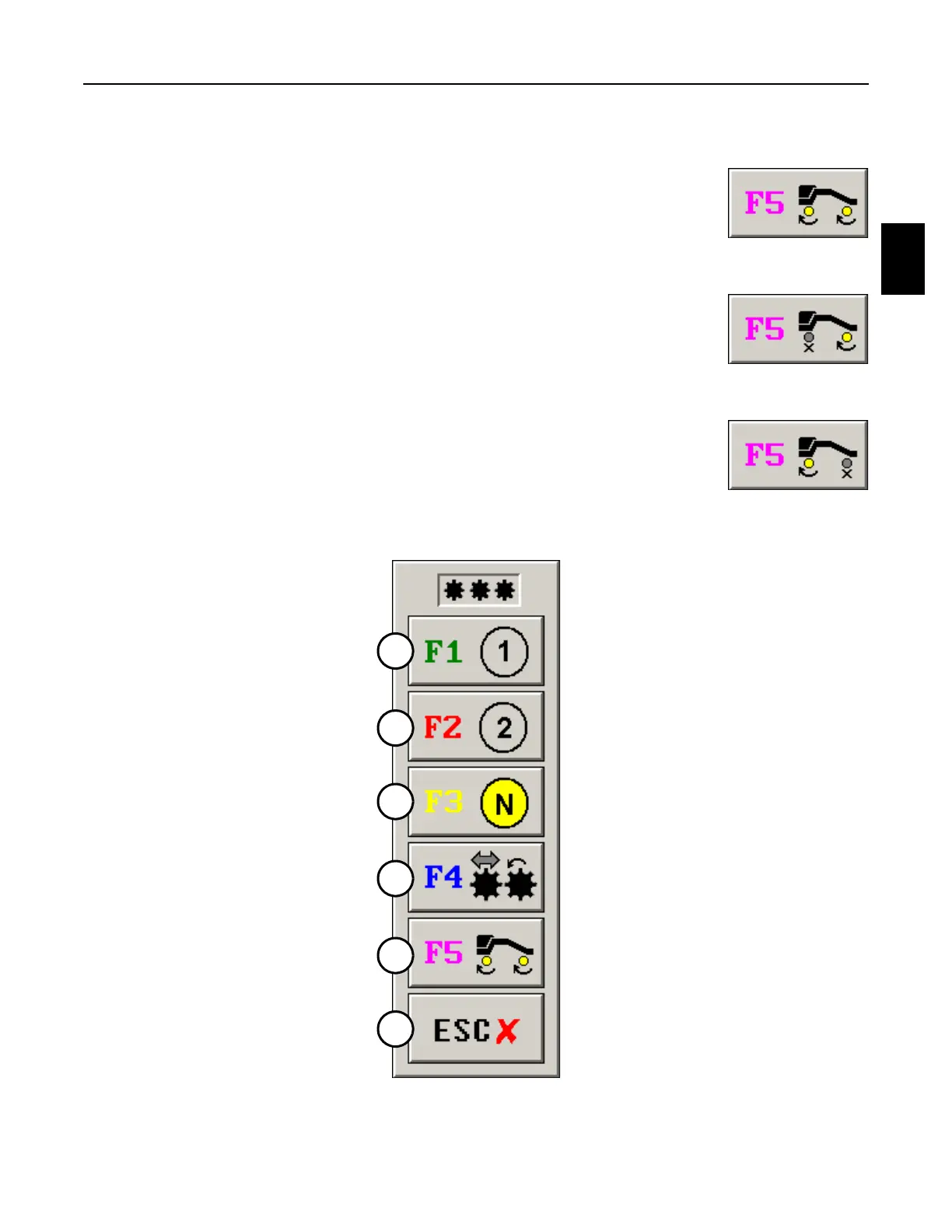
2.2.9 Gear Select Panel - See Figure 2.2-23
(5) F5 Gearbox Enable Button: Press the button or the F5 Key on the
Right Operator Keypad or computer keyboard as many times as
necessary to enable the front only, the rear only, or both the front
and rear gearboxes. The icon under the applicable axle will
highlight yellow when the gearbox is enabled. The icon under the
applicable axle will un-highlight gray when the gearbox is disabled.
a. Important: When attempting to engage Neutral or when
attempting to disable an axle, select Low Gear (1st) first. The
gearboxes will shift more easily into Neutral from Low Gear
(1st) or they can more easily be disabled.
(6) Escape Button: Press the button or the Escape Key on the Right
Operator Keypad or computer keyboard to remove this panel from
the screen.
FIGURE 2.2-23
GEAR SELECT PANEL
BOTH AXLES
FRONT AXLE
REAR AXLE
1
2
3
4
5
6



 To Next Page