MARK IV HD J2 TAMPER OPERATION PAGE 2.2 - 13
BULLETIN 5082505 JUPITER II REVISED 10 - 2020
2.2
2.2.1 Jupiter II Control System
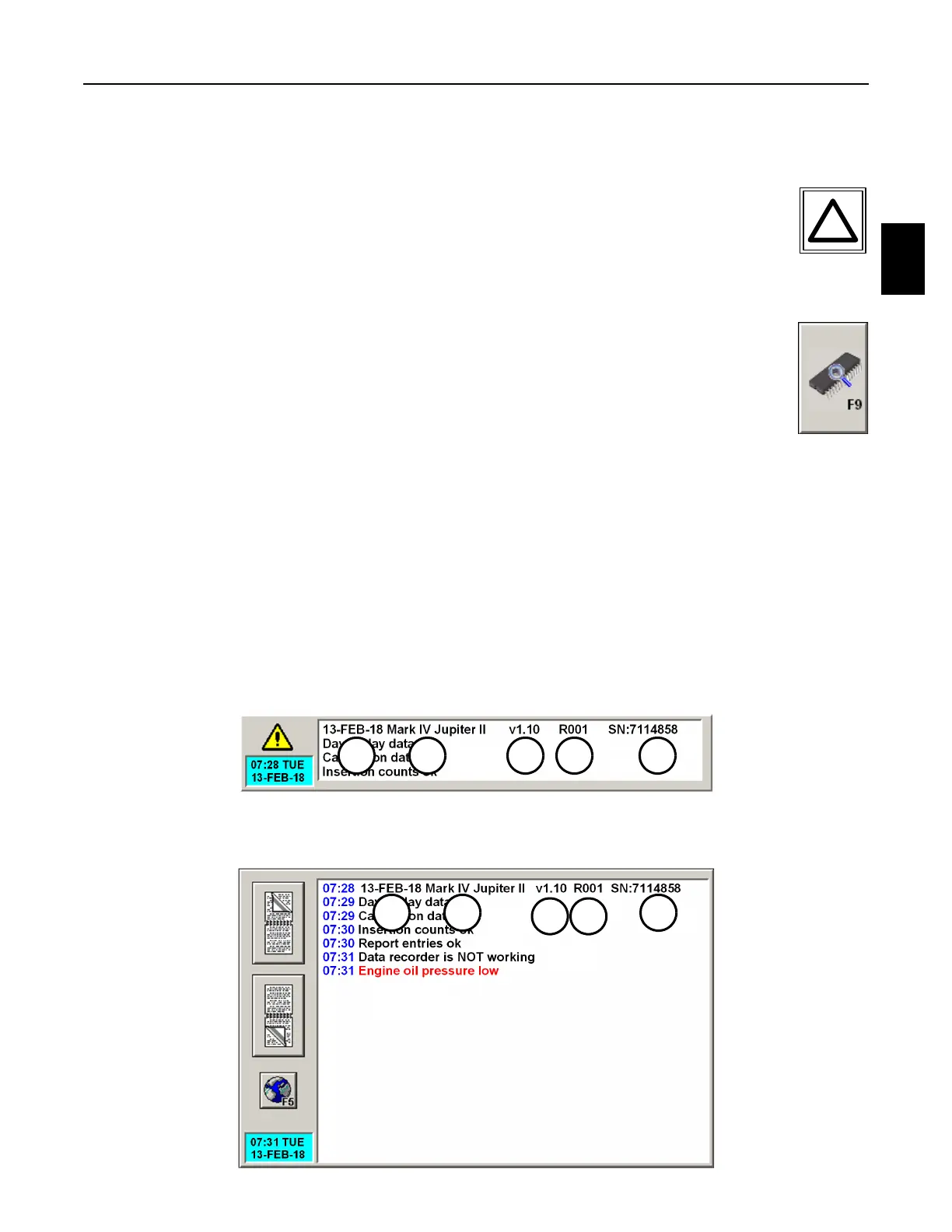
2.2.1.11 Jupiter Program - See Figures 2.2-3 and 2.2-4
1. The Jupiter Program Information is displayed on the Alarm Panel of the Main
Screen after a successful boot-up. If the Jupiter Program Information is not
displayed, press the Alarm Panel or the Alarm Key on the Right Operator
Keypad or the F7 Key on the computer keyboard to display the Expanded Alarm
Panel on the screen. It may be necessary to use the Page Up or Page Down buttons to
find the Jupiter Program Information.
2. The Jupiter Program can also be found on any of the Information (or Help)
Panels. Press the Software Information Button or F9 on the computer keyboard
on any of the Information (or Help) Panels to display the Software Information
Panel on the screen. See Software Information Panel.
3. The Date (D), Program (P), Version (V), Revision (R) and Serial Number (SN) will need to
be known when contacting the factory for assistance. Record the Jupiter Program
Information in the spaces below for future reference.
D Date: " ________________" R Revision: " ________________"
P Program: " ________________ " SN Serial Number: "________________"
V Version: " ________________"
FIGURE 2.2-3
JUPITER PROGRAM ON ALARM PANEL
FIGURE 2.2-4
JUPITER PROGRAM ON EXPANDED ALARM PANEL
P V R SN
D
P
V R
SND



 To Next Page