Configuring the CANHEAD modules with MGCplus
56 A01185_11_X00_00 HBM: public CANHEAD
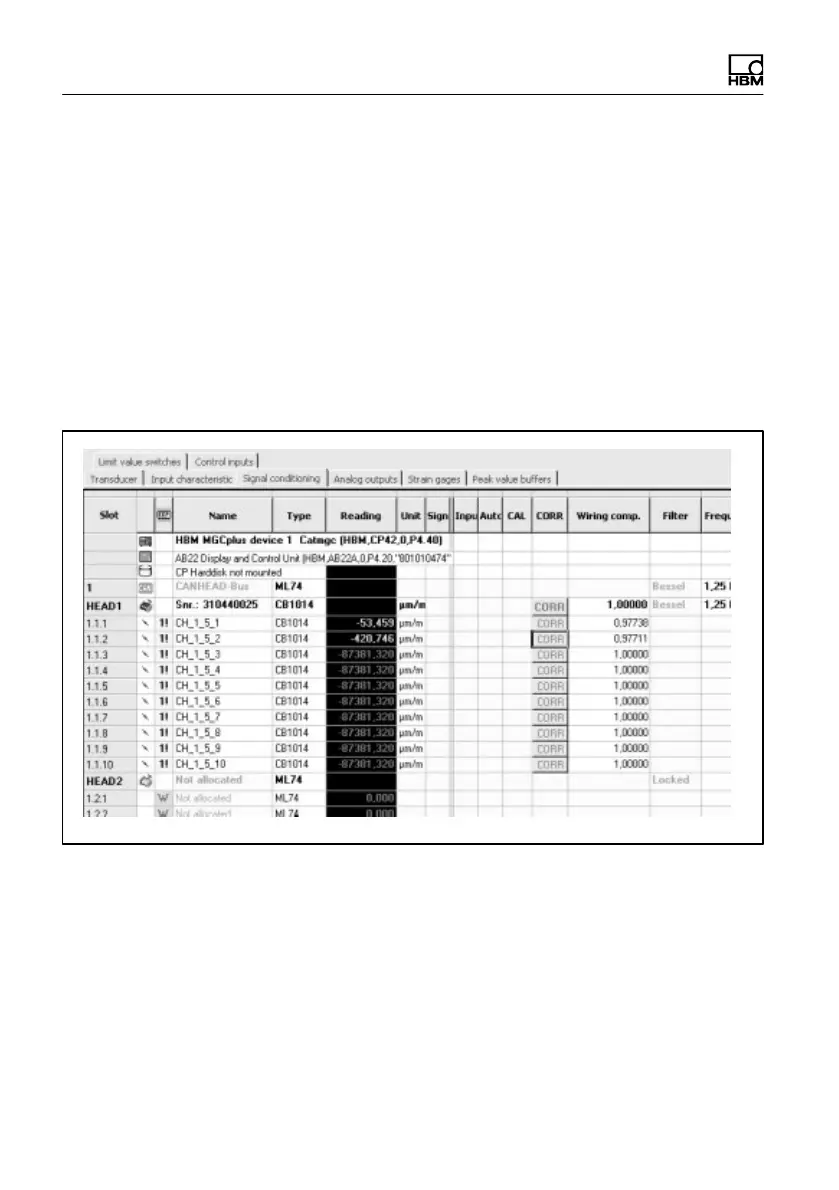
Setting up and using compensation functions (for certain base module
types only)
S Cable length correction factor (CB1014 only)
- In the MGCplus Assistant, select the ”Signal conditioning” tab
- The cable compensation factor can be entered manually (either for each
channel individually or for the entire base module)
- As an alternative to entry, the compensation factor can be determined
automatically by pressing the key in the ”CORR” column
S Setting up temperature compensation (CB1014 and CB1015 only)
- In the MGCplus Assistant, select the ”Strain gage” tab



 To Next Page