Configuring the CANHEAD modules with MGCplus
CANHEAD A01185_11_X00_00 HBM: public 57
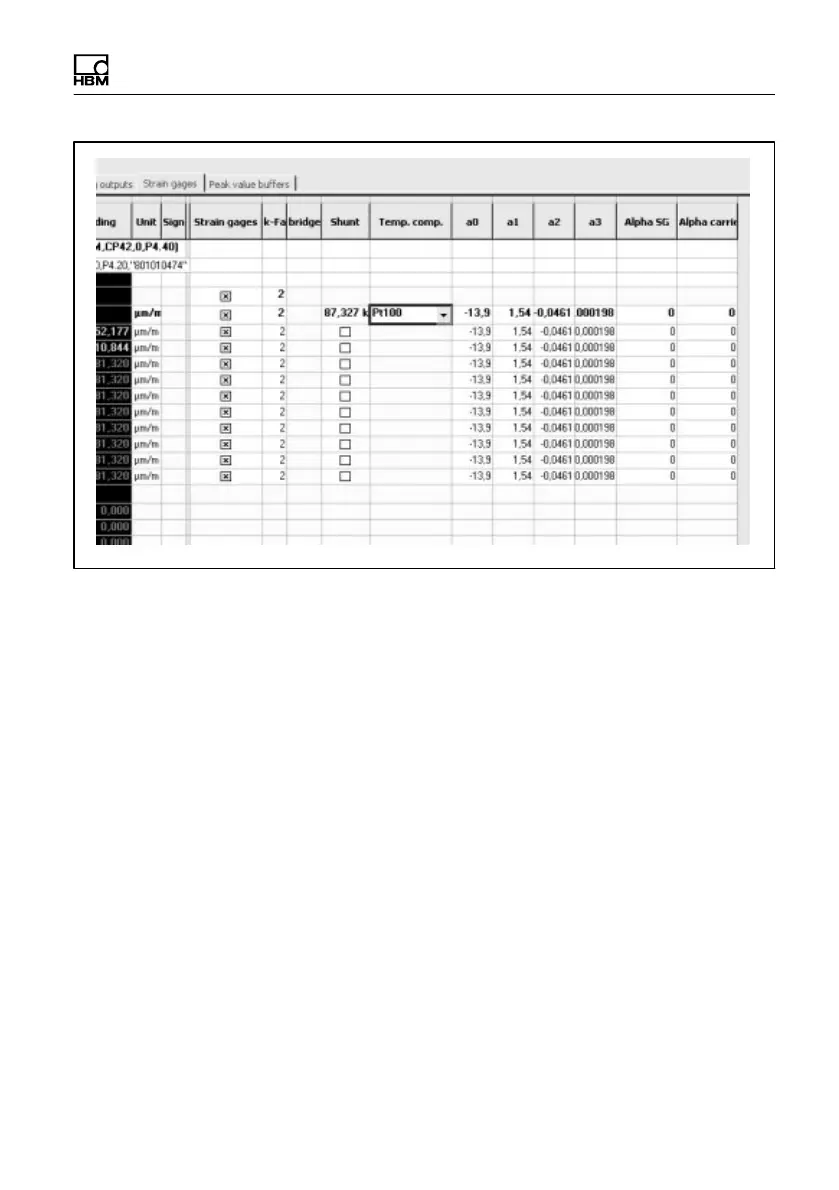
- The strain gage measurement option must be activated by a check mark
in the relevant column
- Choice of compensation method (off, reference strain gage, Pt100)
- With the reference strain gage method, its parameters must be set via
the ”Enhanced settings” menu of the particular CANHEAD base module
(see ”CANHEAD configuration” on page 55)
- With the Pt100 method, the polynomial coefficients from the strain gage
packet must be transferred. If the alpha value of the material for which
the strain gage is adjusted (
SG
), differs from that of the material actually
available (
Mat
), these two values must also be entered
Temperature compensation is only supported with MGCplus.
The CANHEADdirect interface does not support this function.



 To Next Page