Internal calculation channels
PMX A4354-2.2 HBM: public 261
13.3.7 Event counter
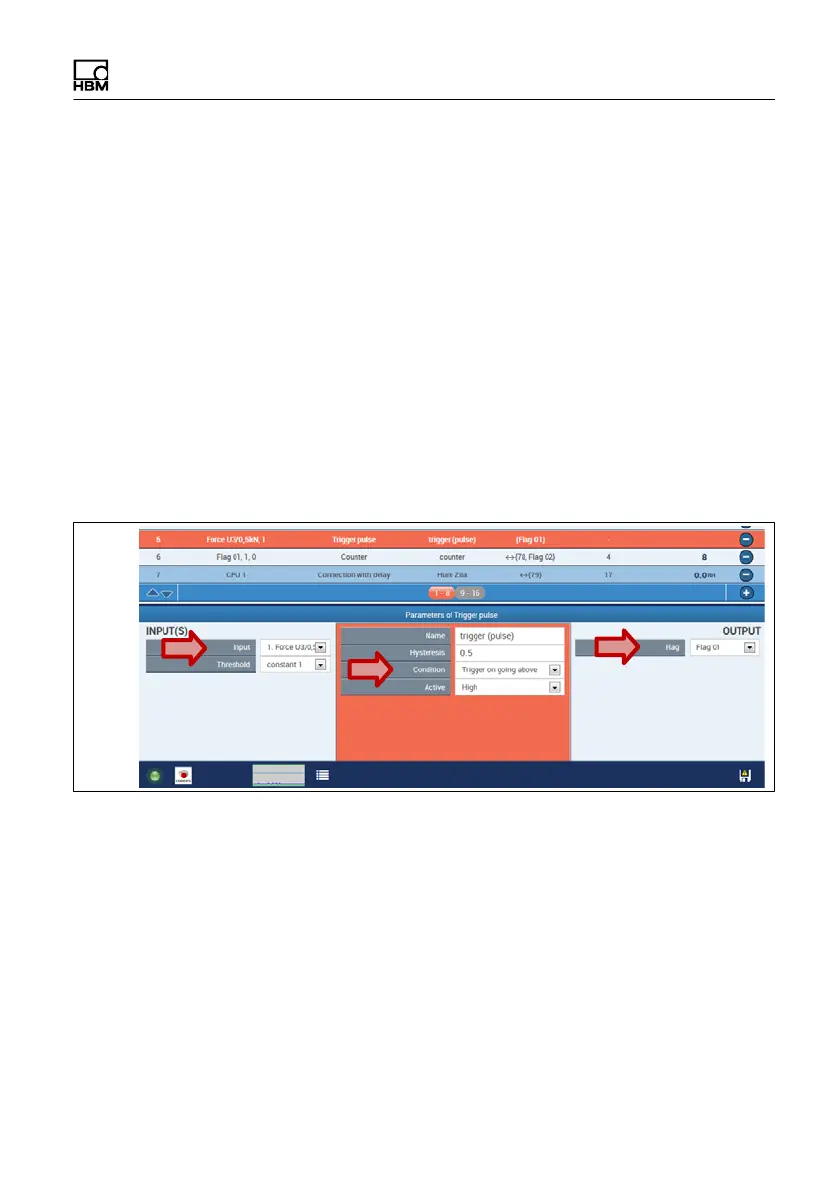
The following example shows how to setup an event
counter in PMX. Two Calculated Channels are required
therefore.
Setup a Calculated Channel „Trigger Pulse“
S The measured force value is the input signal
S A predefined value can be set as limit
S A Condition is selected „Trigger on going above“
S The output is given to „Flag01“
Setup a Calculated Channel „Counter“:
S Flag01 is the input signal
S counted is only with a rising edge (steigende Flanke)
S by setting a specific limit value for the flag a signal can
be initiated, which will be set active when the limit
value is reached


 To Next Page