6 System settings and service software
CargoPower installation and operation, revision - 01 42
6.1.4 Establish communication
Before any adjustments can be made to the system, a communication link to the control
unit must first be established. A charged battery and a fully wired system must be used
for this.
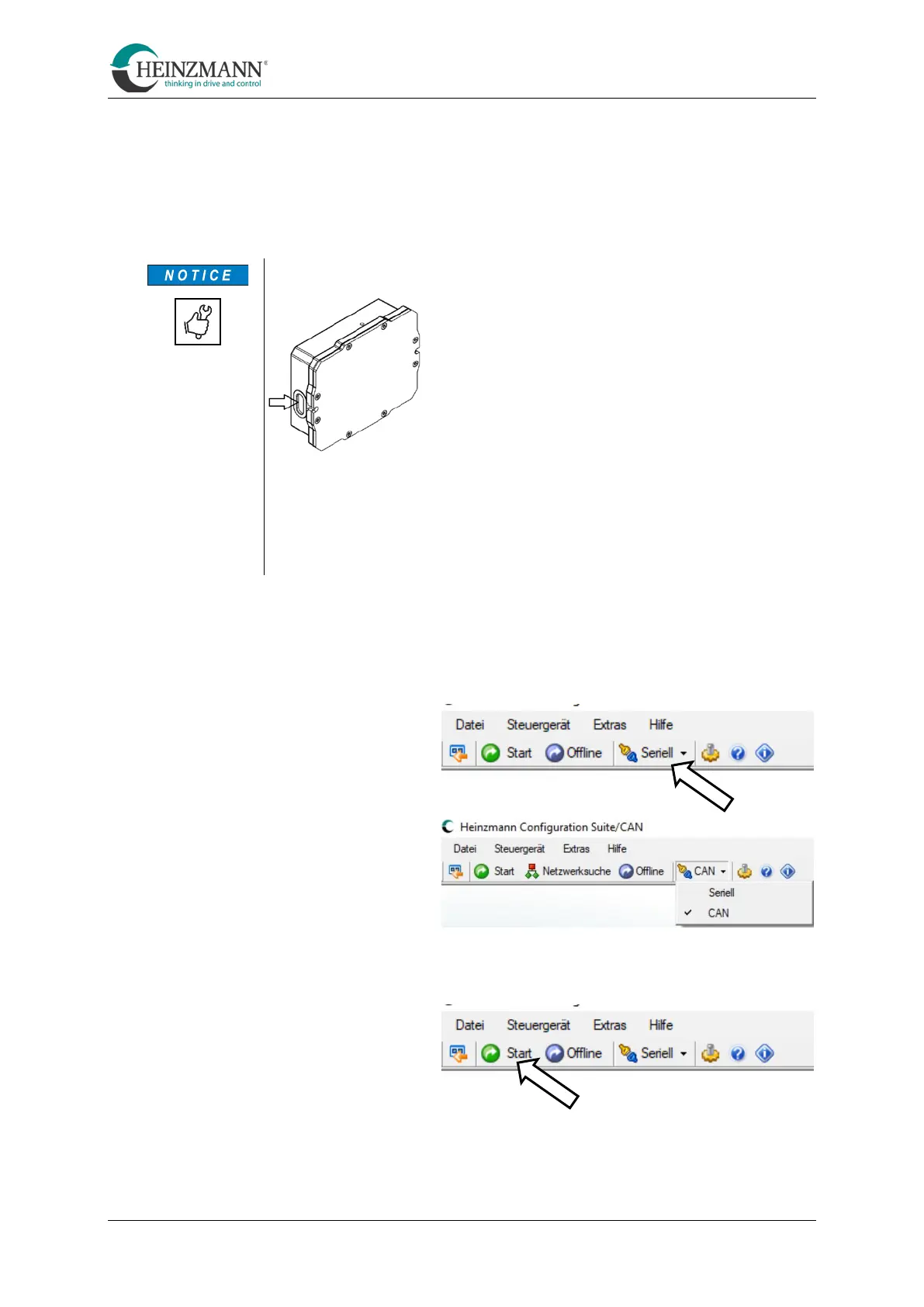
Serial connection via USB
There is a micro-USB socket on one of the short
sides of the controller box. This is closed with a
rubber plug that must be carefully removed before
parameterisation.
To avoid damage USB plugs must be carefully
and gently inserted into the socket or removed
again!
When the interface is not in use, the socket must always be closed and
sealed with the associated rubber plug.
The rubber plug must never be punctured! If a plug is damaged,
always replace it immediately with a good one!
• Connect computer and control unit via a USB cable or the separate CAN interface
(see Technical Customer Information F23 001).
• Select the correct connection type in the menu ribbon (serial or CAN).
• Click on "Start" in the meu bar



 To Next Page