6 System settings and service software
CargoPower installation and operation, revision - 01 50
6.1.6 Functions of the Configuration Suite
This chapter gives an overview of the functions of the Configuration Suite.
The prerequisite for using the functions is an active communication link to the
control unit (see chapter 6.1.4)
Transferring the firmware to the control unit
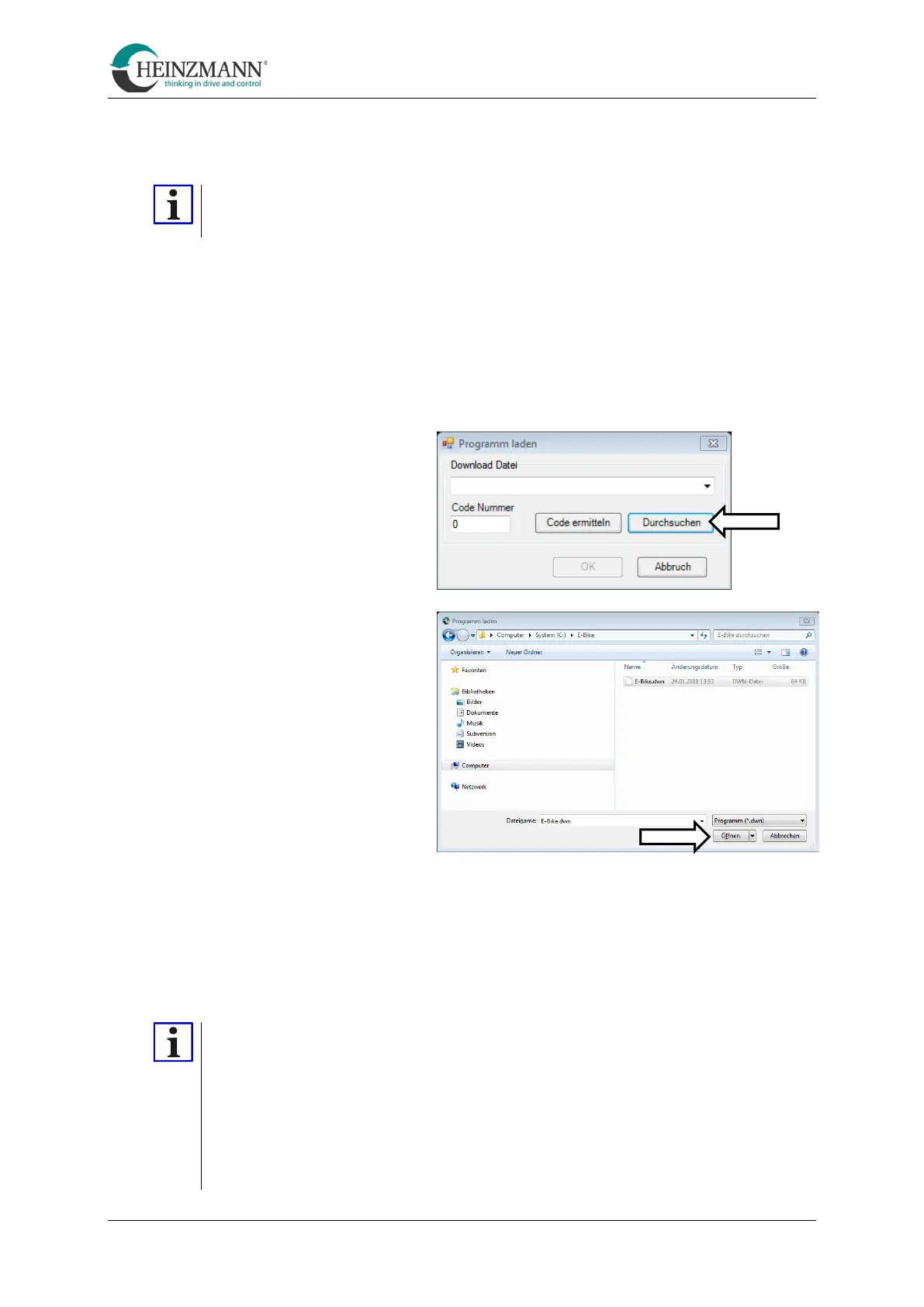
The firmware is transferred to the control unit as follows:
•
Click on the "Transfer program to the control unit" symbol.
(see menu bar [F])
•
In the following dialogue
"Select" Browse
• Navigate to the firmware to be transferred and select "Open". (Firmware files have
the extension ".dwn")
• Confirm with "OK".
A progress bar appears during the transfer. After successful transfer, the system is
automatically restarted (see "Reset control unit").
While an update is running, the power supply must always be ensured!
The controller does not communicate with the
battery during an update.
However, some batteries switch off the power supply if there is no
communication with the controller. As a result, the update fails. Information on
how to avoid this can be found in the instructions provided by the battery
manufacturer.



 To Next Page