Hex ezCAN for CAN-bus-equipped Motorcycles
_________________________________________________________________________________________________
_________________________________________________________________________________________________
© Hex Innovate (UK) Ltd. Page 31 of 60 ezCAN 2408.x
To operate front auxiliary lights if a single-button switch is installed,
see If an aftermarket single-button switch is installed (non-Gobi
KTM models only).
5.1.3.3.1 Switching Aux 1 and Aux 2 lights independently (non-Gobi KTM models only)
If a Hex UP-DOWN switch is not installed (in other words, a single-button
switch is installed, or no switch is installed), only the Aux 1 circuit can be
switched on and off. The ezCAN Configuration Tool contains a KTM-
specific feature that allows you to switch the Aux 2 circuit simultaneously
with the Aux 1 circuit. (In other words, the on/off condition of the Aux 2
circuit mimics the Aux 1 circuit).
This feature is used if:
A single-button auxiliary light switch is installed (in other words, the
on/off condition and brightness can only be controlled for the Aux 1
circuit), or
No accessory light switch is installed (in other words, the on/off
condition and brightness can only be controlled for the Aux 1
circuit, and then only using the motorcycle’s DRL menu).
If the Hex UP-DOWN switch is installed, this feature is not used. The Hex
UP-DOWN switch is used to independently switch Aux 1 and Aux 2 light
circuits on and off, and individually control the brightness for each circuit.
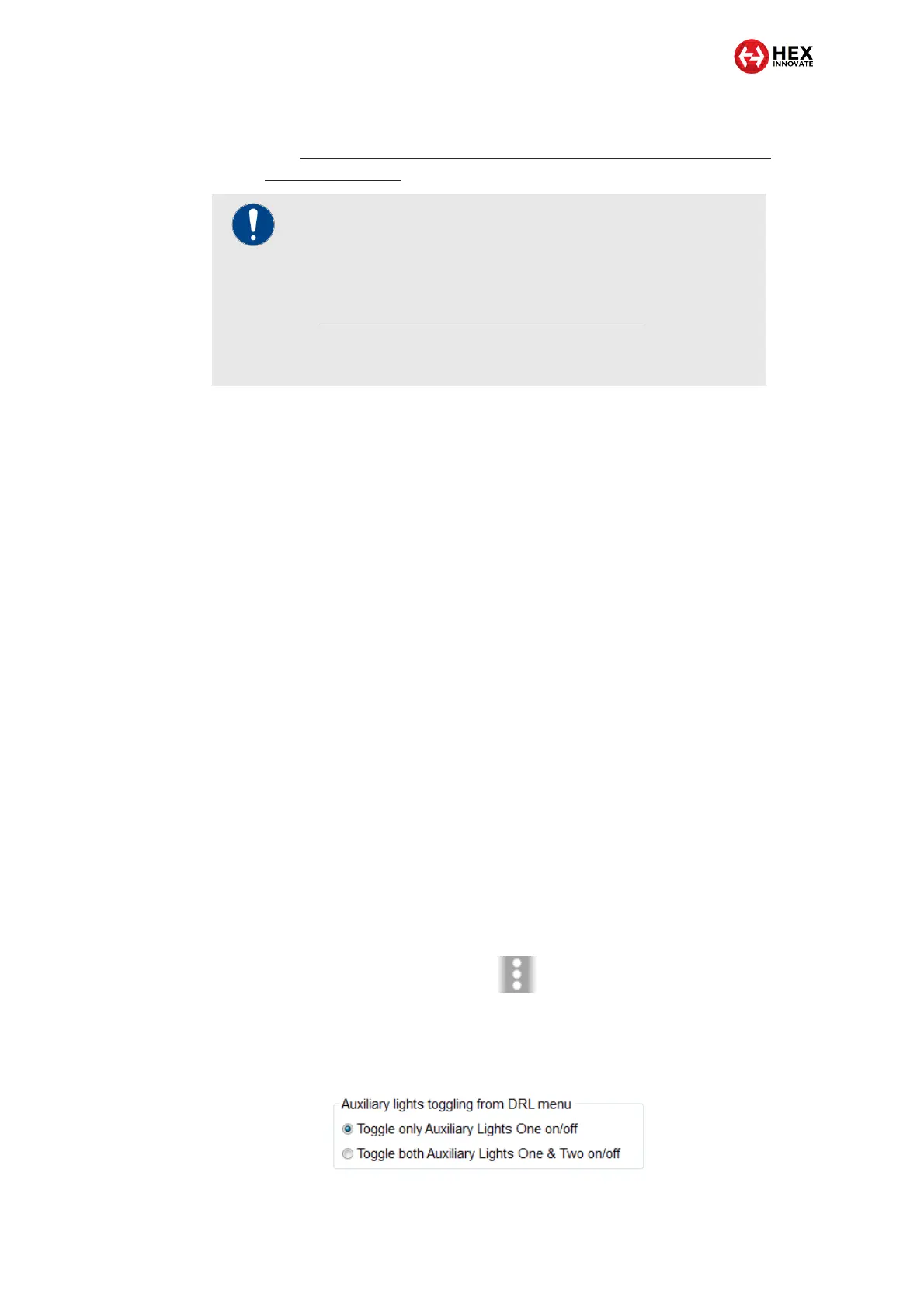
To choose whether the Aux 2 lights switch on or off based on how the Aux
1 lights are commanded, do the steps that follow:
1. Click the drop-down menu button in the upper right corner of the
Auxiliary Lights One or Auxiliary Lights Two sections (below).
2. Click the Extra Settings option.
The auxiliary lights Extra Settings menu will be shown.
Look for the following section:
IMPORTANT
If the ezCAN II Gobi for KTM is fitted to a KTM 890 model,
the ezCAN cannot currently be fitted with a Hex UP-DOWN
switch, or an aftermarket single-button Aux light switch. To
control Aux 1 and Aux 2 lights on KTM 890 models, see
Switching Aux 1 and Aux 2 lights independently.
A dedicated Hex LIN button will be made available for these
models in the near future.



 To Next Page