4 Locate:RF SABB
5 Locate:RF Wand
6 Locate:RF Keypad
2 Wired Devices Menu
1 RF Devices Menu
RF-RKP - continued
4 Remove:RF SABB
5 Remove:RF Wand
6 Remove:RF Keypad
2 Wired Devices Menu
1 RF Devices Menu
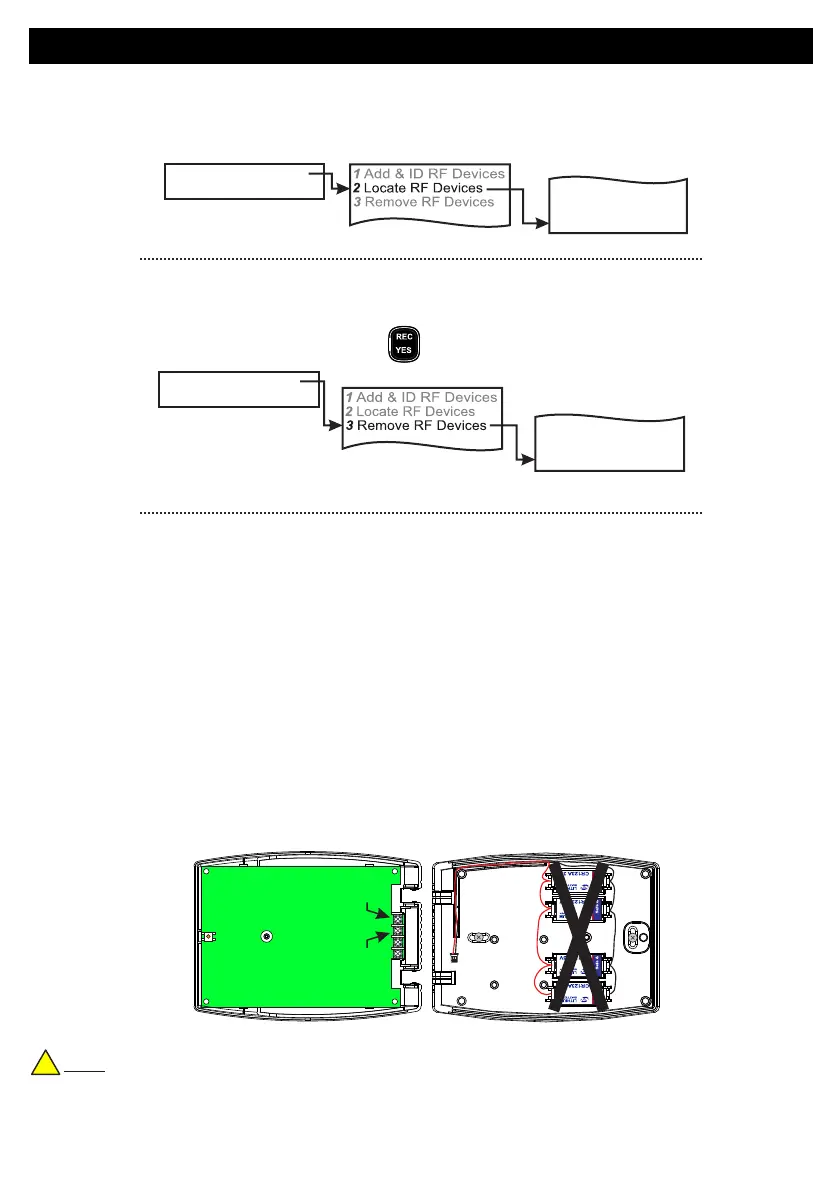
• In the Locate:RF Keypad menu you will observe the three LEDs on the front of the RF-RKP in question flash
on and off every second when you select it.
Go to the Devices Menu in engineer mode and follow the menu path below...
• To remove an RF-RKP go to the Remove:RF Keypad menu in engineer mode and follow the menu path
below.
• You will automatically be brought to RF-RKP 1
• Go to the RF-RKP you want to remove and press
• Follow the prompts on the display.
Current Consumption
Battery Life
Temperature
Range
Dimensions
Weight
Standards
4x CR123A 3V Lithium batteries (1,400mAh ea.)
Standby: 25µA
Transmit: 40mA
Maximum: 145mA
Typically >3 years
(based on 4 set/unset cycles per day)
Line-of-sight > 400m
-10°C to +40°C
365g
W = 171mm H = 126mm D = 41mm
EN 50131-3 Grade 2 Class II
Battery Supply
Specifications
!
Note: When wiring a permanent 12Vdc supply to the RF-RKP please ensure that the battery pack (the
one with the 4 Lithium batteries) IS NOT CONNECTED
Default Eng. Code - 4567 Default User Code - 1111 (Irl) 1234 (UK)
41
+12Vdc
0V



 To Next Page