EasyBalancer EB 3500 Operation - Overall vibration
5 - 3
Carrying out the measurement Starting measurement
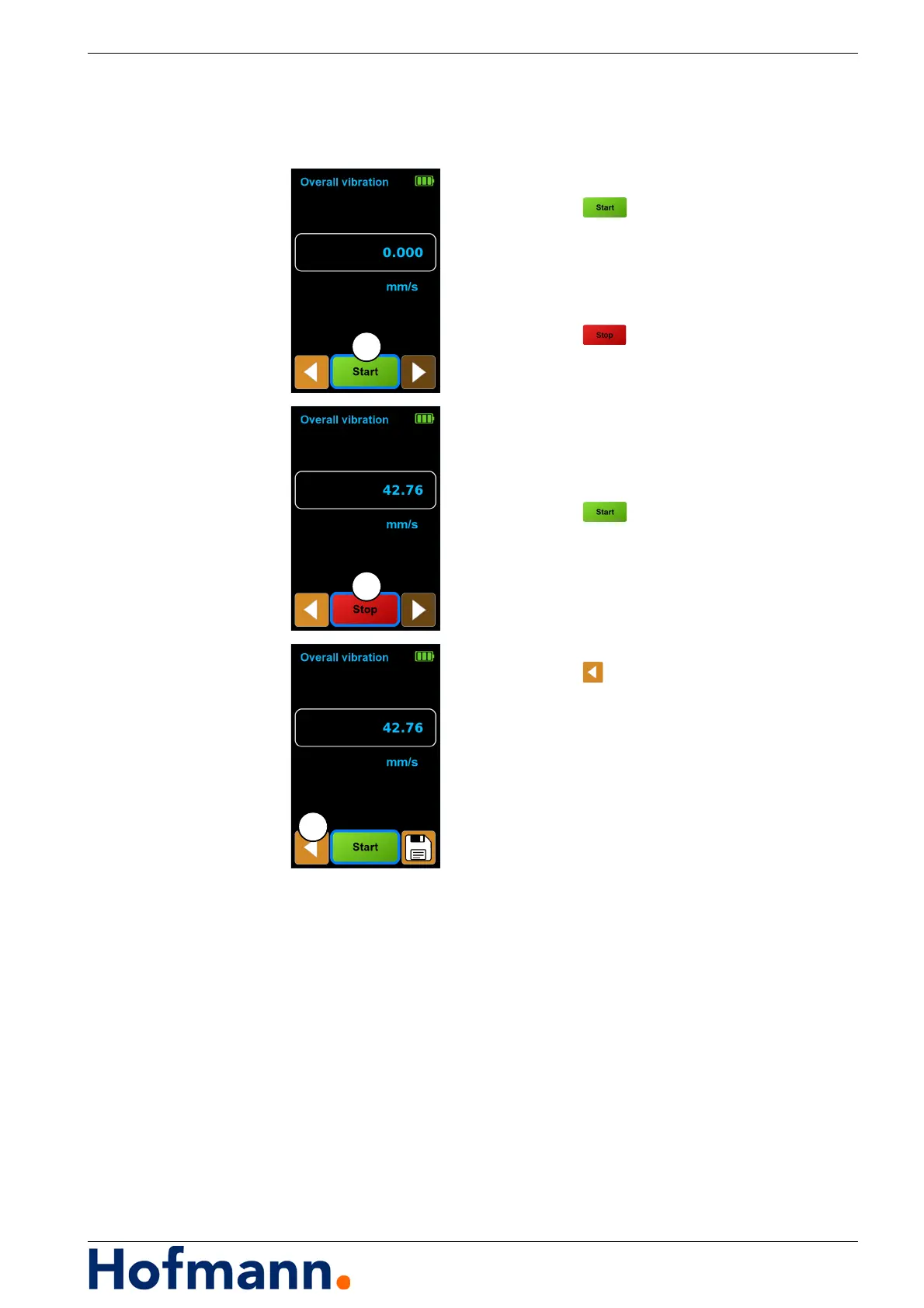
Switch on the machine drive.
Press the button (1).
The measurement starts.
Wait until the measured value display is stable.
Stopping the measurement
Press the button (2).
The measurement ends.
Switch off the machine drive.
Starting measurement again
Any number of measuring runs can be
carried out.
Press the button (1).
Saving the measurement result
See Chapter 5.1.2 Saving the measurement
result.
Ending measurement task
Press the button (3).
Main menu appears.



 To Next Page