Creating reports - Connecting the device to the PC EasyBalancer EB 3500
6 - 2
6.2 Connecting the device to the PC
The USB port of the device allows you to transfer
data to a PC.
Use the USB cable supplied and connect
the device to the PC.
6.3 Opening and operating
Hofmann Reporting
The operator should be familiar with the basic
principles of operating a PC and with WINDOWS.
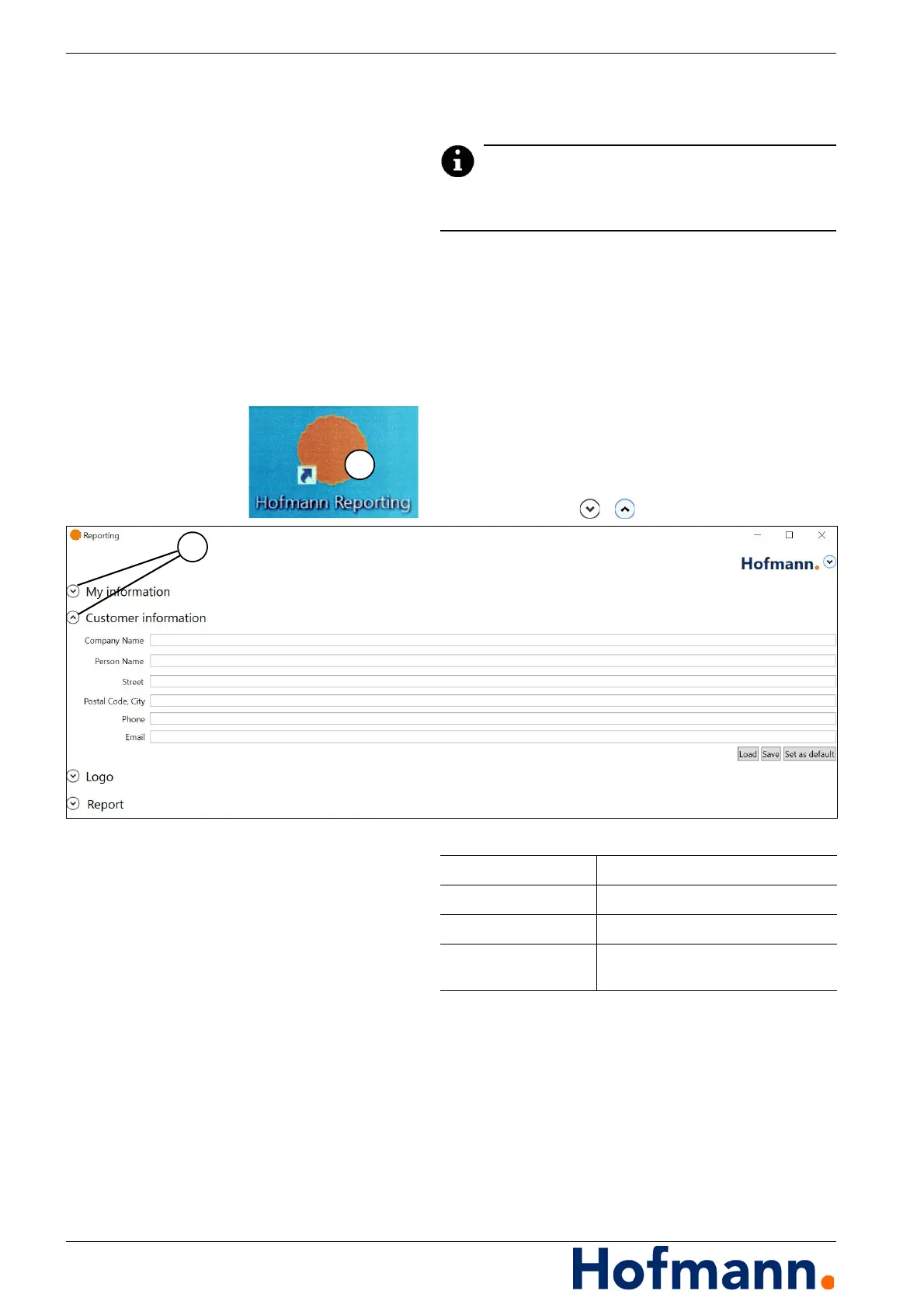
Double-click on the Hofmann Reporting link (1)
to start the software.
Open / close the menu items by clicking on
the symbols / (2).
Defining logo
Open the “Logo” menu item.
Press the “...” button.
Select the desired logo in “Path”.
The logo must be available in .bmp or .jpg format.
Press the “Set as default” button.
My information Enter company data
Customer information Enter customer data
Logo Insert logo for report
Report Enter report data, load saved report,
define storage path.



 To Next Page