Operation - Roller bearing measurement (optional) EasyBalancer EB 3500
5 - 6
5.4 Roller bearing measurement
(optional)
The roller bearing measurement is used to assess
the condition of the rolling bearing.
Observe safety instructions – Chapter 2
Preparations Vibration sensor is connected to channel 1.
Channel 2 and speed input are not assigned
or are not evaluated.
Close safety devices.
Basic menu \ Roller bearings.
The window “How do you want to measure?”
appears.
Select the measuring function and press .
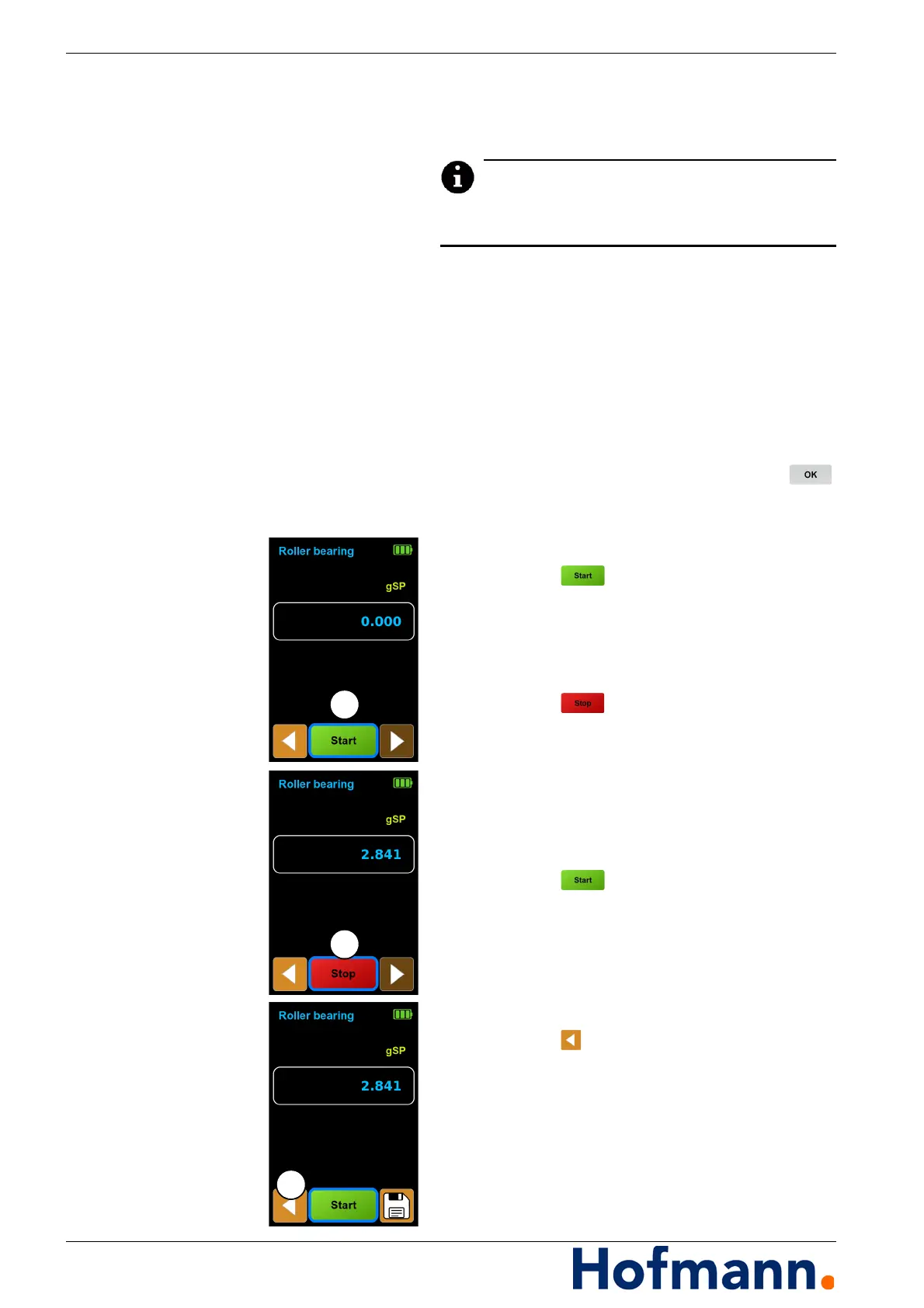
Carrying out the measurement Starting measurement
Switch on the machine drive.
Press the button (1).
The measurement starts.
Wait until the measured value display is stable.
Stopping the measurement
Press the button (2).
The measurement ends.
Switch off the machine drive.
Starting measurement again
Any number of measuring runs can be
carried out.
Press the button (1).
Saving the measurement result
See Chapter 5.1.2 Saving the measurement
result.
Ending measurement task
Press the button (3).
Main menu appears.



 To Next Page