EasyBalancer EB 3500 Maintenance - Battery operation
7 - 1
7 Maintenance
7.1 Battery operation
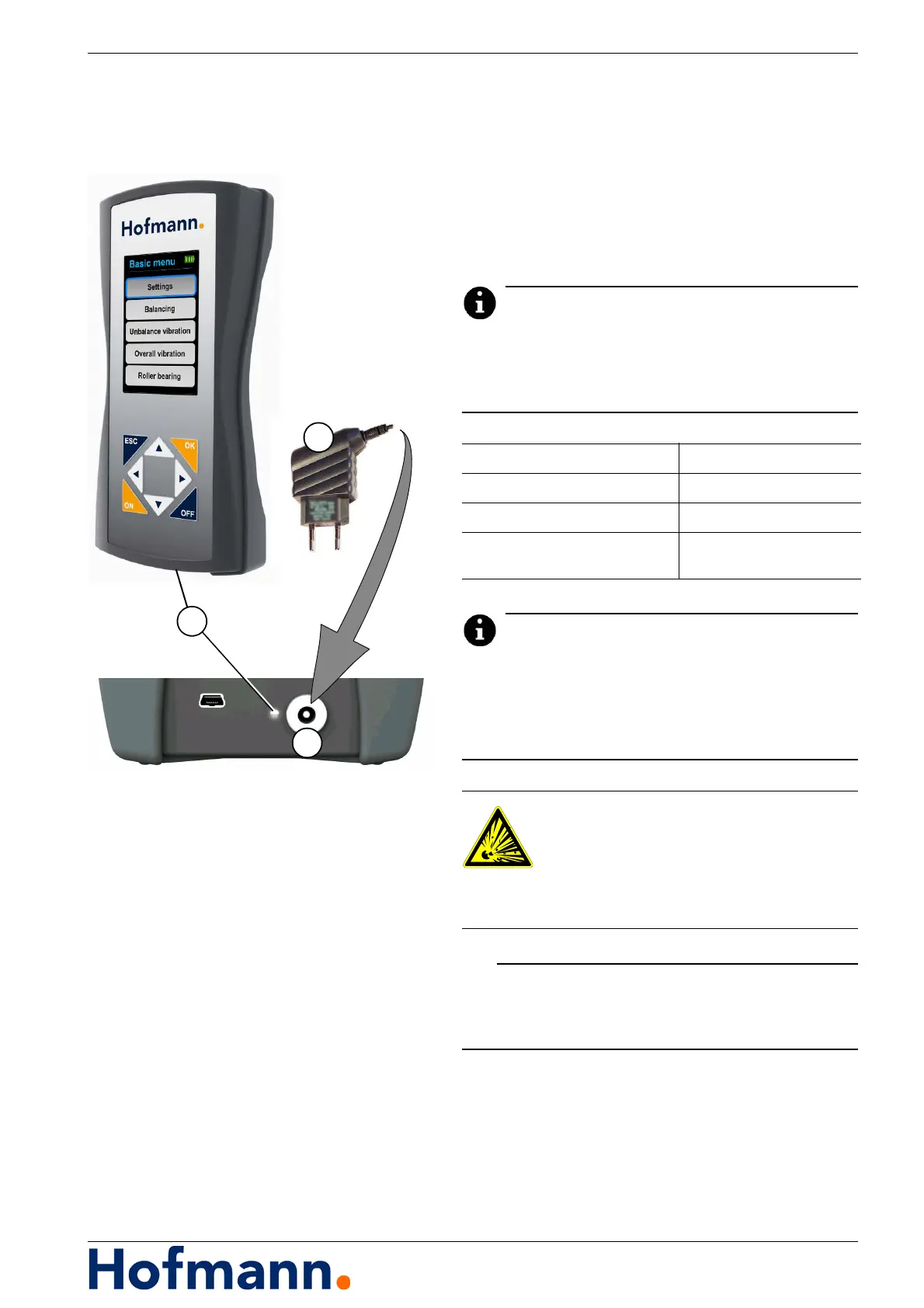
1 - Charger
2 - State of charge
3 - Charger connection
When the charger is connected, the state of charge
of the battery is indicated by an LED (2) and, when
the device is switched on, by a battery symbol in
the display (see Section 4.1.3.1 State of charge).
As soon as the batteries are almost exhausted,
this is indicated by the message “LO” or a plug
symbol alternating with the measured value.
Measurements should now be terminated and the
device switched off or continued with the charger.
Connecting the charger when non-rechargeable
batteries are fitted could damage the device.
State of charge indicator (2)
Green Battery fully charged
Red Battery charging
Flashes green / red Battery / batteries
not inserted or defective
Risk of explosion
Use rechargeable batteries.
The charger must not be used if non-
rechargeable batteries are fitted.



 To Next Page