Operation - Balancing EasyBalancer EB 3500
5 - 10
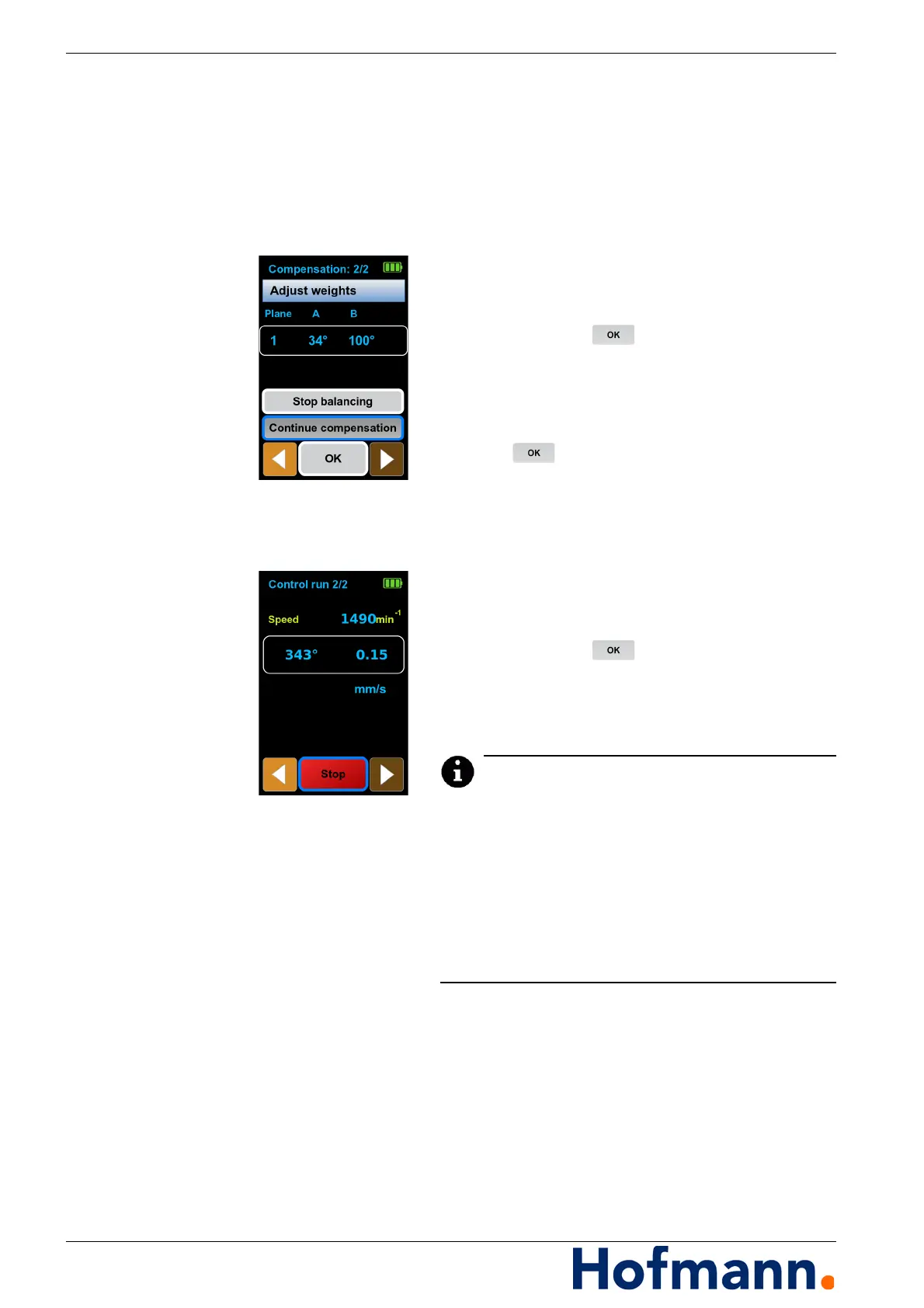
Align the angle template to 0 degrees.
Set weights A and B to the angle positions
shown in the display according to the angle
template.
Control run Starting a check run
Switch on the machine and wait until the final
speed is reached.
Select “Accept compensation”
and press the button.
A check run is carried out.
Ending balancing
Select “Stop balancing” and press
the button.
The balancing process is completed.
Repeating the check run
Any number of check runs can be carried out.
Switch on the machine and wait until the final
speed is reached.
Select “Continue compensation”
and press the button.
A check run is carried out.
Continue this until the desired residual unbal-
ance is reached.
If the residual unbalance is very small, it is possible
that there is no longer a stable measured value dis-
play with regard to direction (degrees) and amount
(mm/s or other settings). In this case the balancing
process is ended. To check the balancing, the reac-
tion can be checked using a known test weight in
a subsequent control run and, if necessary, the per-
missible tolerance value can be determined.
Then remove the test weight.
End without saving or save the result.
See Chapter 5.1.2 Saving the measurement
result.



 To Next Page