MAINTENANCE
5.2
ThinPrep
®
Integrated Imager Operator’s Manual
KOEHLER ALIGNMENT
Keeping the Integrated Imager in good Koehler alignment will help optimize the proper illumination
and contrast for imaging slides. It aids CT slide review by reducing extraneous light.
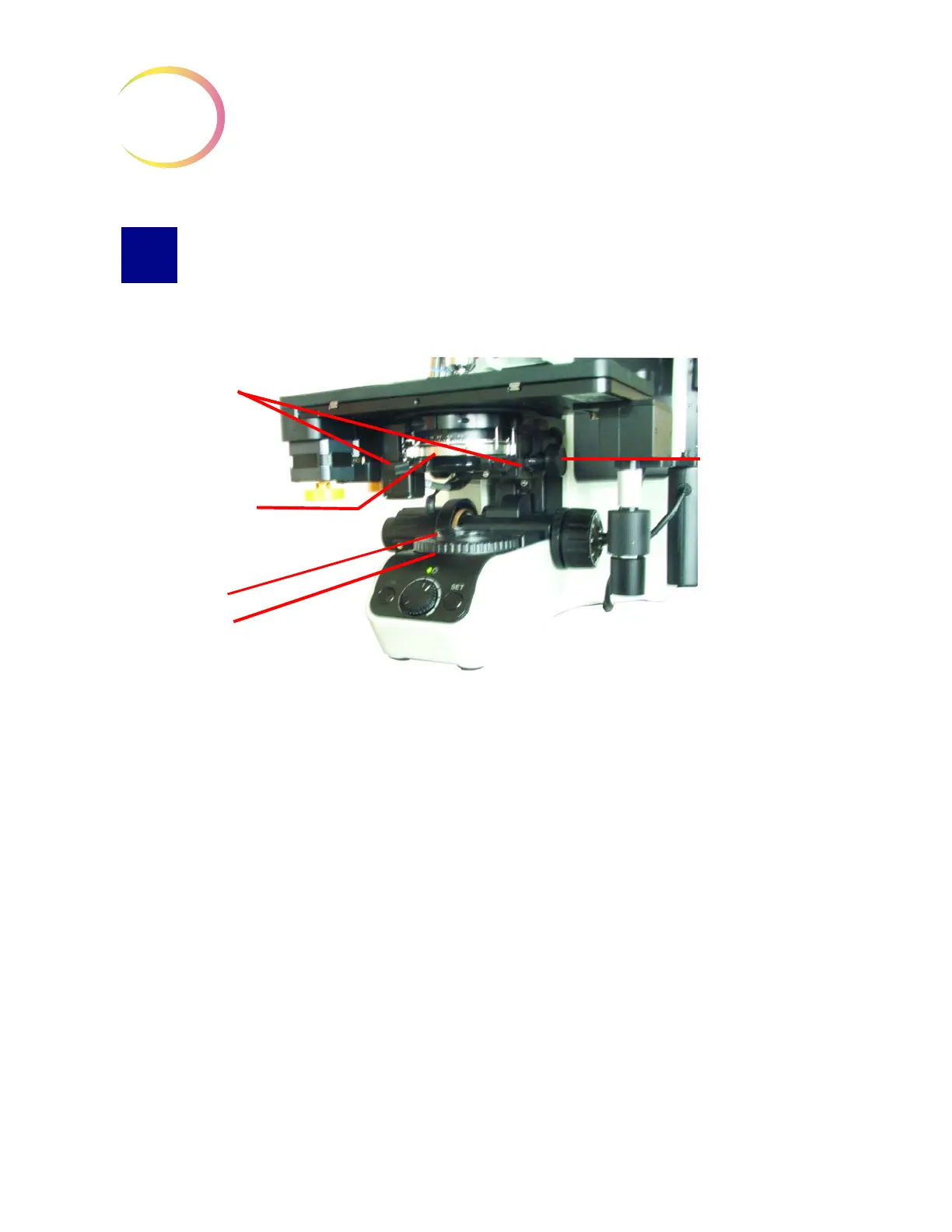
Figure 5-2 Koehler Alignment
1. Load a slide with stained cells into the slide holder (with the slide label on the left).
2. Focus on the cells using the 10X objective and observing through the fixed focus ocular on the
right.
3. Reduce the collector (field iris) to its smallest aperture diameter by rotating the diaphragm collar.
4. Focus (sharpen the contrast of the edges of the aperture) by adjusting the condenser height up or
down using the condenser height adjustment knob.
5. Open the collector (field iris) aperture until it is slightly smaller than the field of view.
6. Rotate the two condenser centering thumbscrews to center the aperture.
7. Open the collector aperture until it just disappears from view.
8. Adjust the condenser aperture to achieve desired contrast by moving the condenser diaphragm
adjustment lever left or right to close or open the aperture.
Condenser height
adjustment knob
Collector
(field iris)
diaphragm
Condenser
centering
screws
Condenser
diaphragm
adjustment
lever



 To Next Page