USER INTERFACE
3.40
ThinPrep
®
Integrated Imager Operator’s Manual
To stop the preview, press the
Cancel
button on the touch screen.
Continue to adjust and preview the stage speed until it is satisfactory. Press the
Done
button to save
the settings and return to the User Preferences screen.
From the User Preferences screen, press Save Changes to retain your preference now, or continue
to set your next preference.
Sound
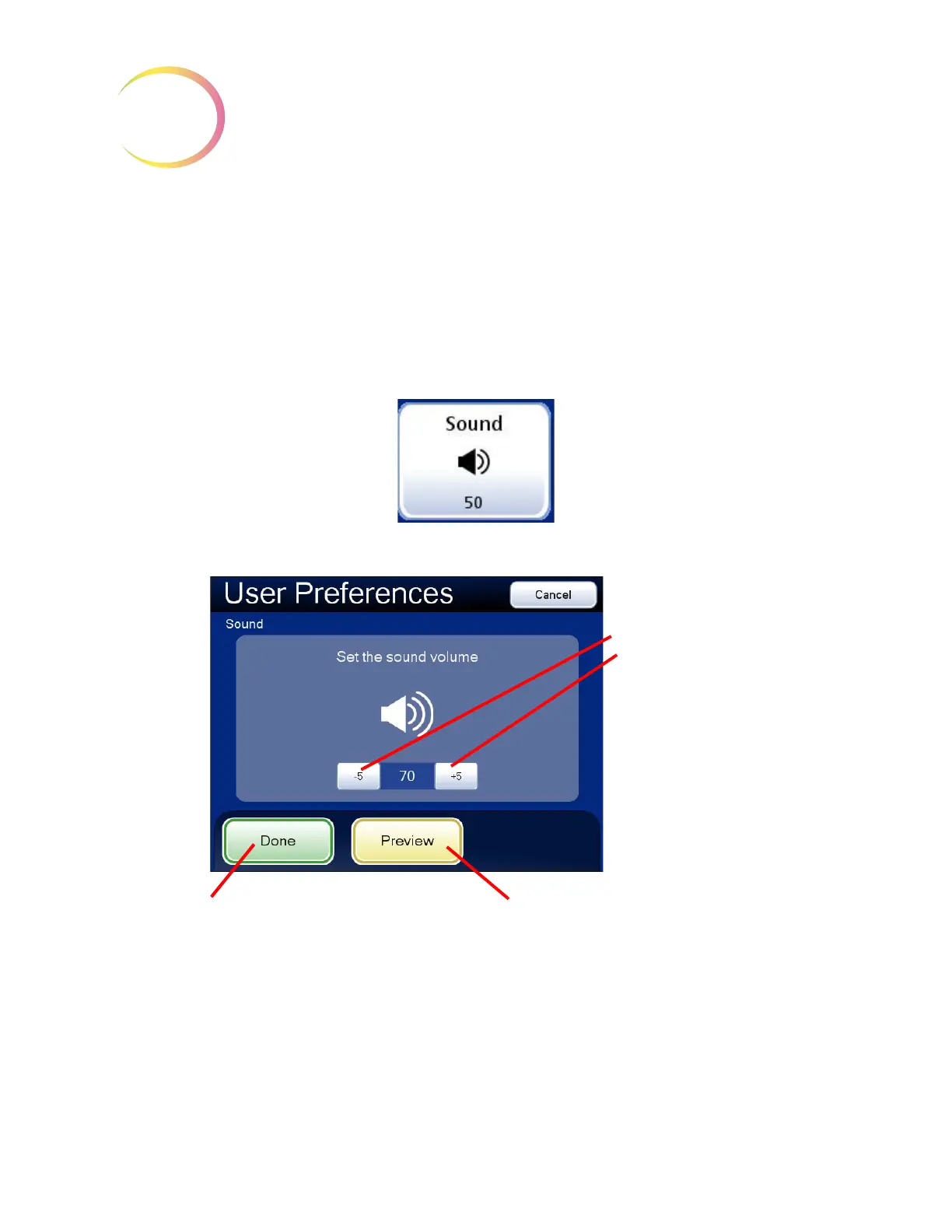
The volume of the audible beep may be increased or decreased.
Figure 3-61 Adjust Sound Screen
Press the
Preview
button to hear the beep.
The volume of the beep may be adjusted quieter or louder by repeatedly pressing the
-5
or
+5
buttons to decrease or increase the volume. (
Figure 3-61.) Test it by pressing the
Preview
button to
hear the beep. To disable the audible beep, adjust it to its lowest setting.
Sound volume
Decrease
Increase
Done
. Save setting adjustments and
return to User Preferences screen.
Preview
. Press this button to hear the
beep at the volume it is set at.



 To Next Page