ThinPrep
®
Integrated Imager Operator’s Manual
3.39
USER INTERFACE
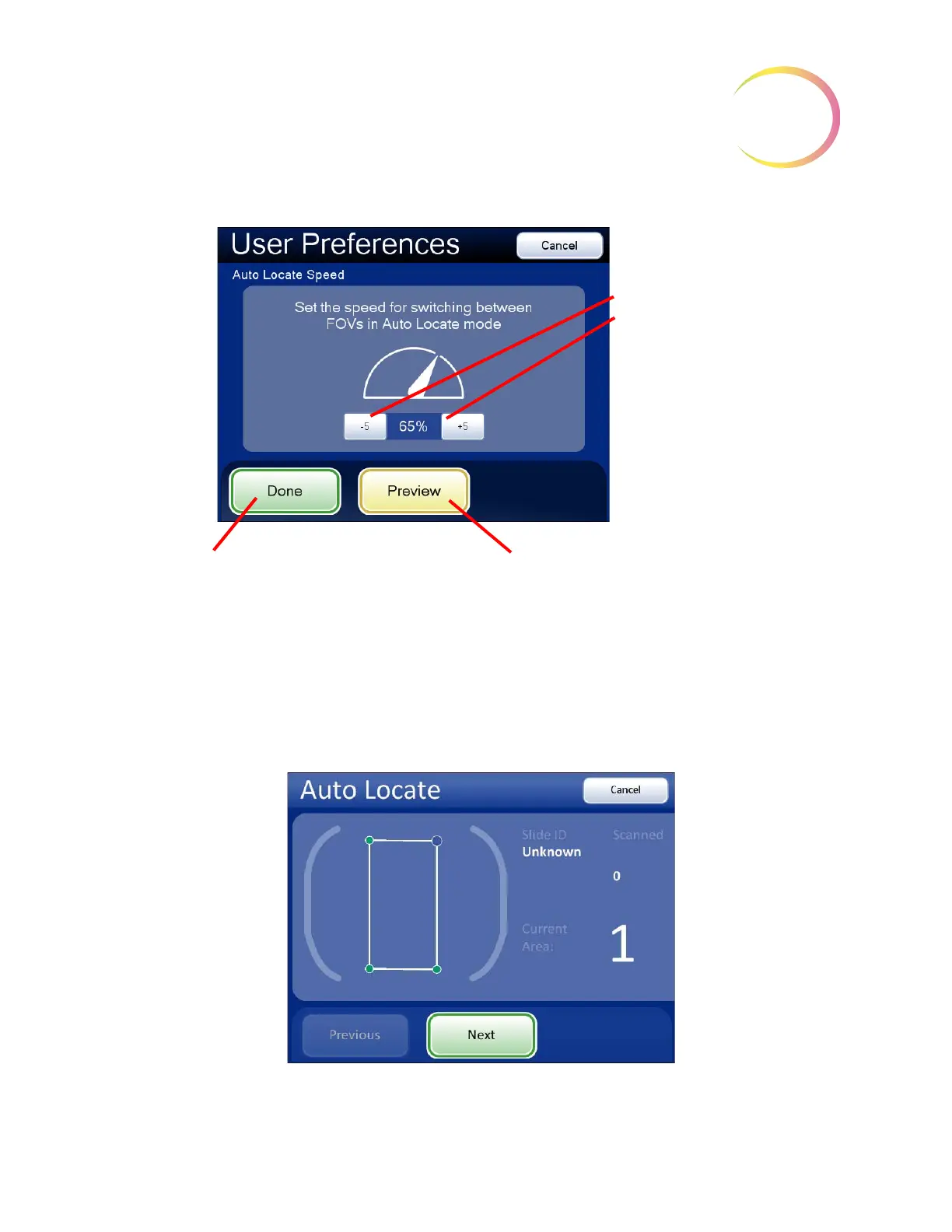
Figure 3-59 Adjust Auto Locate Speed
The movement of the stage speed from field of view (FOV) to field of view may be adjusted faster or
slower by repeatedly pressing the
-5
or
+5
buttons to slow or increase the speed. (Figure 3-59.)
To view the selection through the eyepieces, load a slide in the slide holder for reference, and press
the
Preview
button. Observe the speed at which the stage advances. The preview displayed on the
touch screen is shown below.
Figure 3-60 Auto Locate Speed Preview Screen
Stage speed
Slower
Faster
Done
. Save setting adjustments and
return to User Preferences screen.
Preview
. Look through the eyepieces and
observe the stage movement.



 To Next Page