ThinPrep
®
Integrated Imager Operator’s Manual
3.31
USER INTERFACE
MAIN MENU, (Logged In)
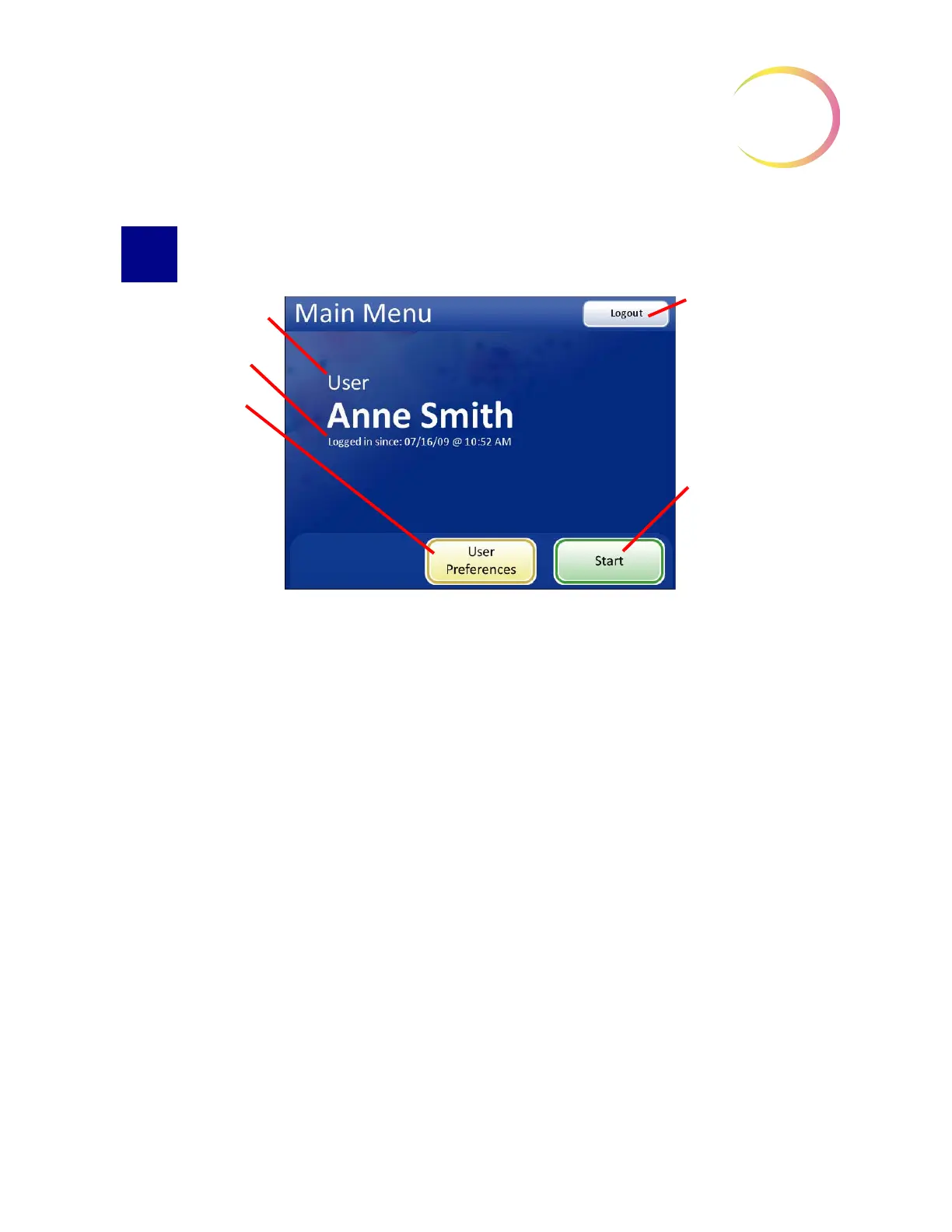
Figure 3-49 Main Menu Screen
Successful login will display the main screen. The name of the user who logged in is shown on the
screen. Just below the name is the date and time that login started. While a user is logged in, the
system will revert to the main screen after completing any services (slide imaging & review, setting
preferences). The options available from this interface are:
•
User Preferences
- this module allows the cytotechnologist to adjust some of the parameters
for automated slide review, such as scan direction, overlap, type, speed and sound alerts.
Refer to
“USER PREFERENCES” on page 3.32.
•
Start
- to begin using the Integrated Imager to image and review a slide, press the
Start
but-
ton. Refer to Chapter 4, Operation.
•
Logout
- to end the session with the Integrated Imager, press the
Logout
button. The system
will return to the Startup screen. The instrument may be powered off or a user may log in to
begin a new session.
The name of the user
The date and time that
the user logged in
User Preferences
button selects settings
for slide review.
Logout
button, log
out and return to the
Startup Display.
Start
button, to begin
operating the Inte-
grated Imager



 To Next Page