USER INTERFACE
3.30
ThinPrep
®
Integrated Imager Operator’s Manual
LOGIN
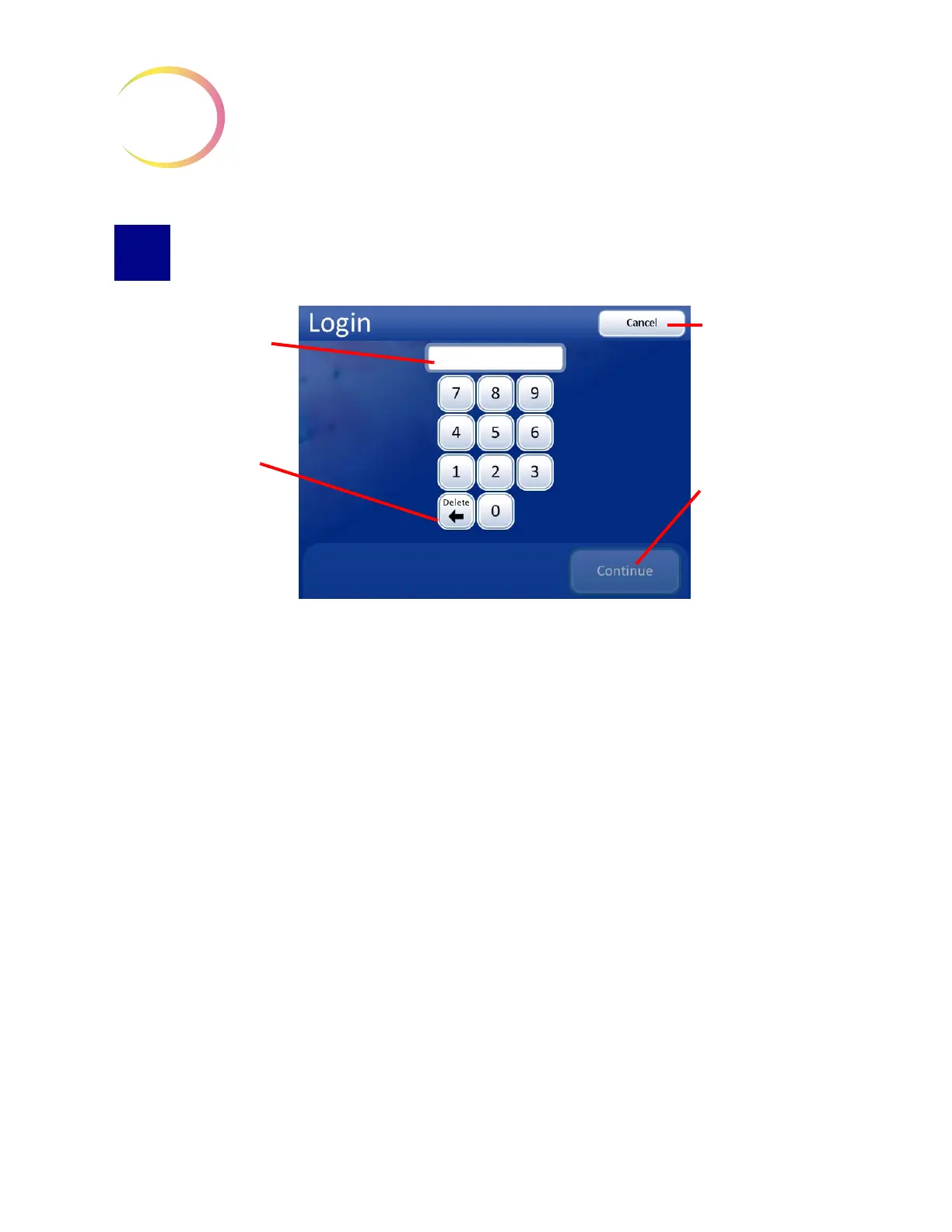
Figure 3-48 Login Screen
To access the Imaging and Slide Review functions of the Integrated Imager, a three-digit operator ID
must be entered.
Press the digits on the display keypad, and touch
Continue
when done.
Use the
Delete
key to clear mistakes. To cancel login and return to the startup screen, press the
Cancel
button.
As soon as the number is entered, the system database checks that it is a valid operator ID. Any user
preferences that have been saved with that ID will be active.
The message “Invalid User ID” might occur if the three-digit number was entered incorrectly, if there
is no user ID with that number, or if that number has been retired.
See “Add account” on page 3.5 for creating a user ID.
See “User Preferences” on page 3.32 for selecting user preferences.
Enter the three-digit
operator ID to access
the system.
Use the
Delete
key
to clear incorrect
numbers.
Cancel
button, to
cancel and return to
the Startup Display
Press
Continue
button after entering
operator ID.



 To Next Page