ThinPrep
®
Integrated Imager Operator’s Manual
3.5
USER INTERFACE
Note:
To maintain the integrity of the slide data records, User IDs are not to be reissued. Only
unique IDs may be assigned.
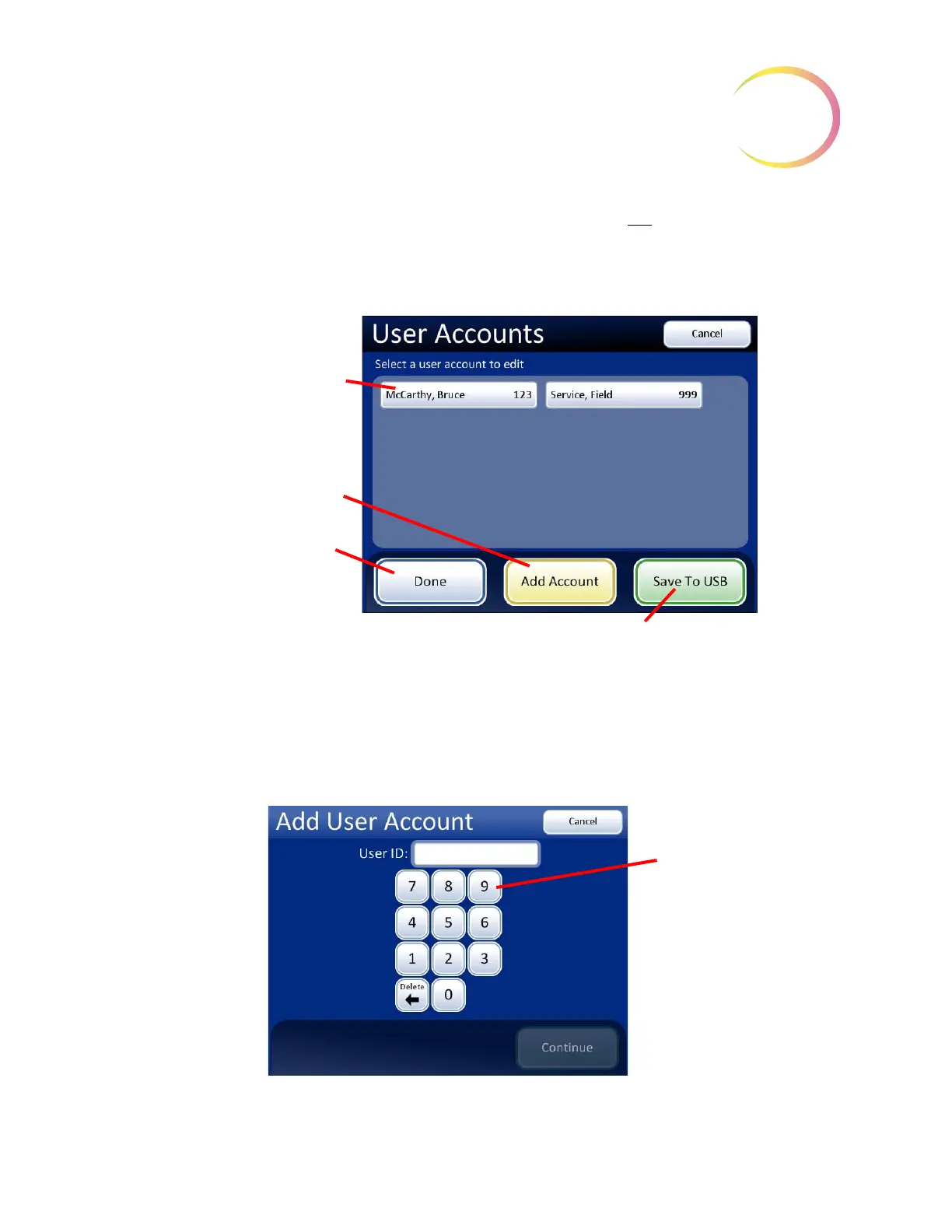
When the User Accounts screen is displayed, a list of all accounts that have been created is displayed:
the user’s name and the login ID number. (Refer to
Figure 3-5.)
Figure 3-5 User Accounts Display
Add account
To add a new User Account, press the
Add Account
button. A keypad display appears (Figure 3-6).
Enter a unique three-digit number and touch the
Continue
button. If the desired ID number is
already assigned, an “invalid ID” message will appear and a new ID number must be entered.
Figure 3-6 Add User Account Screen
List of user accounts,
with user name and ID
Add Account
, to add
an account to the list
Done
button, to return
to the Admin Options
screen
Save to USB
key
Enter a 3-digit
ID number
(from 100 to
998) using
the keypad.



 To Next Page