USER INTERFACE
3.6
ThinPrep
®
Integrated Imager Operator’s Manual
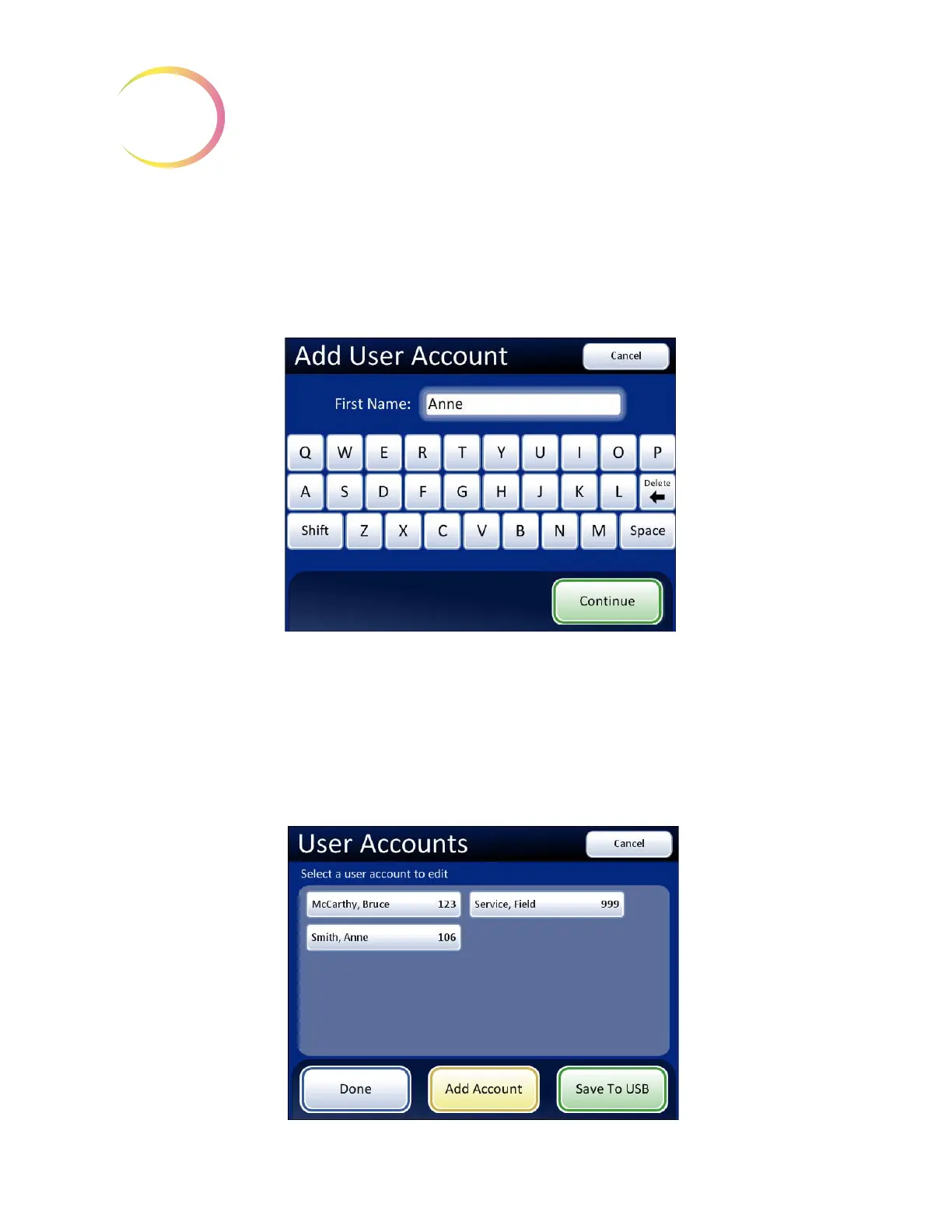
If the ID number is not assigned, the next display is a keyboard for entering the name of the User
Account. See
Figure 3-7.
Note:
User ID numbers must be between the range of 100 to 998. Numbers beginning with a zero
will cause errors.
Note:
User ID 999 is reserved for Hologic service personnel. Do not use this ID.
Figure 3-7 Enter User Name Screen
Press the letter buttons to enter a first name. To create a capital letter, press the
Shift
button and then
press the letter. With the next letter, the system reverts to lowercase. Use the
Space
button for a space
and the
Delete
button to remove entered letters.
Press the
Continue
button to continue to enter the last name using the same method. Press the
Done
button when finished to return to the User Accounts main screen. The new account will be listed. See
Figure 3-8.
Figure 3-8 User Accounts Display



 To Next Page