TROUBLESHOOTING
6.2
ThinPrep
®
Integrated Imager Operator’s Manual
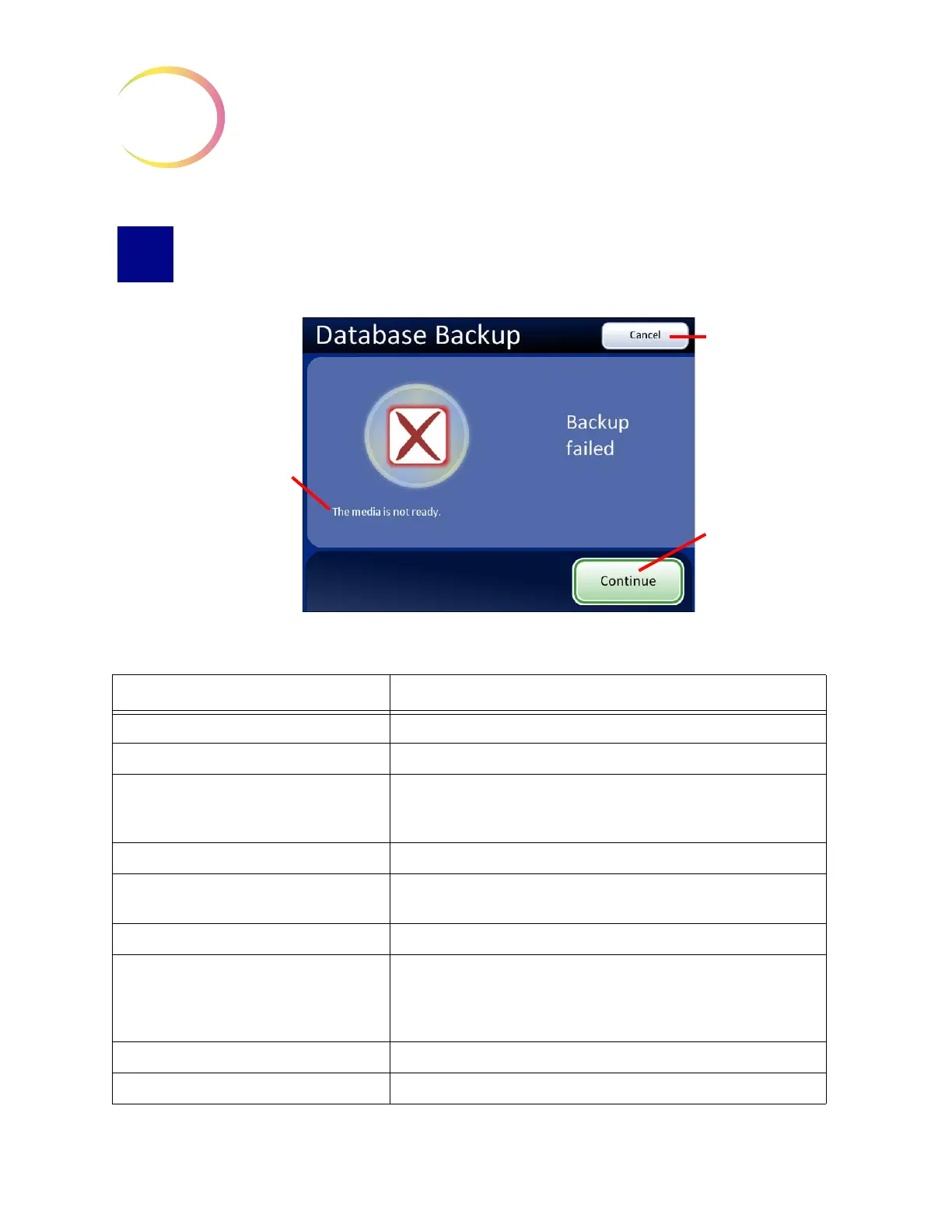
USER-INITIATED DATABASE BACKUP FAILED
Figure 6-2 Database Backup Failed Screen
Failure Status Message Possible Cause/Action
Could not initialize the CD writer Problem with the computer. Contact Hologic Technical Support.
Database error occurred during backup Problem with the computer. Contact Hologic Technical Support.
Failed to write data to the media Check that the disk is CD ROM and not DVD. Confirm it is blank and
seated correctly in the drive. Otherwise contact Hologic
Technical
Support.
Load a writable CD into the drive The CD drive is empty or the system does not recognize the disk.
The media is locked The CD drawer or the USB key is in use. Wait for the computer to
unlock it.
The media is not blank Only a blank CD may be used.
The media is not ready The CD drive or USB port is empty or the system does not recognize
the disk.
The USB key does not have enough memory. Use a USB key with ade-
quate free space.
The media is not writable The CD or USB key must not be Read Only. Use writable media.
Unexpected backup error Problem with the computer. Contact Hologic Technical Support.
Failure status message
(Backup to CD shown)
Cancel
button, to
return to Adminis-
trative Options
screen
Continue
will
restart the backup
function.



 To Next Page