EasyManua.ls Logo

Honeywell FMC2000 - Page 34

Honeywell FMC2000
112 pages
Print Icon
To Next Page IconTo Next Page
To Previous Page IconTo Previous Page
Loading...
FMC2000 User’s Guide
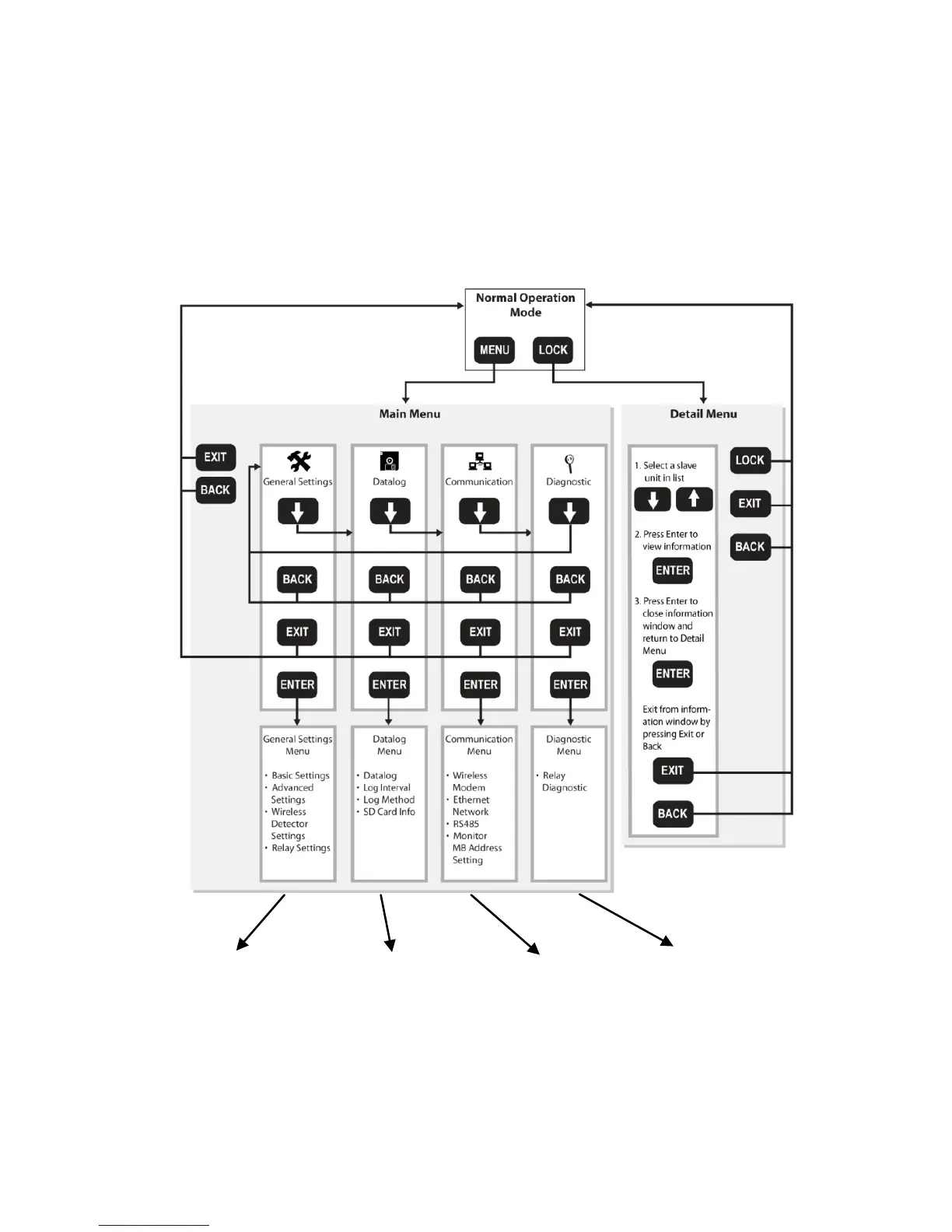
From the Normal Operation Mode main screen, you can enter two
different menus, the Main Menu and the Detail Menu. Pressing the
keys shown navigates through the menus and submenus. The
General Settings, Datalog, and Communication menus are detailed
in the Configuration section, starting on page 37.

See page 38
for General
Settings
See page 58
for Datalog
Settings
See page 61 for
Communication
Settings
See page 73
for Diagnostic
Settings
32

Table of Contents

Related product manuals