FMC2000 User’s Guide
11.5.2 MeshGuard EC Or LEL
1. Press the Lock button to stop auto-scrolling. The monitor
labeled No. 1 (top of the list) is highlighted. The Lock icon
appears at the top of the screen.
2. Press the up or down arrow key to select a remote monitor
from the list.
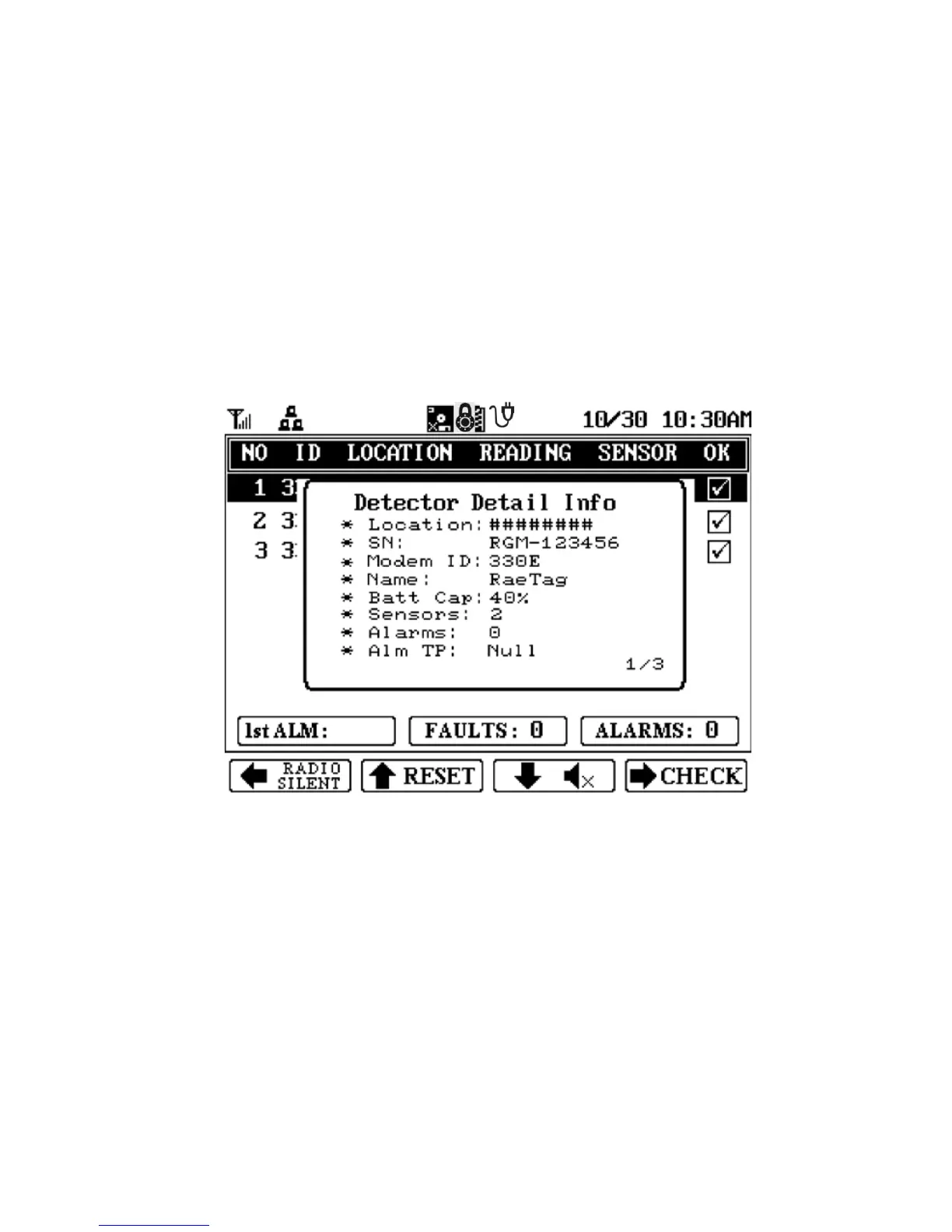
3. Press Enter to view the detailed information for that
remote monitor. A detail window appears:
4. Press Enter again to close the detail window.
Note: Each Detector Detail Info window can have more than one
“page.” To step through the pages, press the down arrow key.
34



 To Next Page