HP 81110/04A Quick Start Getting Started 105
Getting Started
Examples
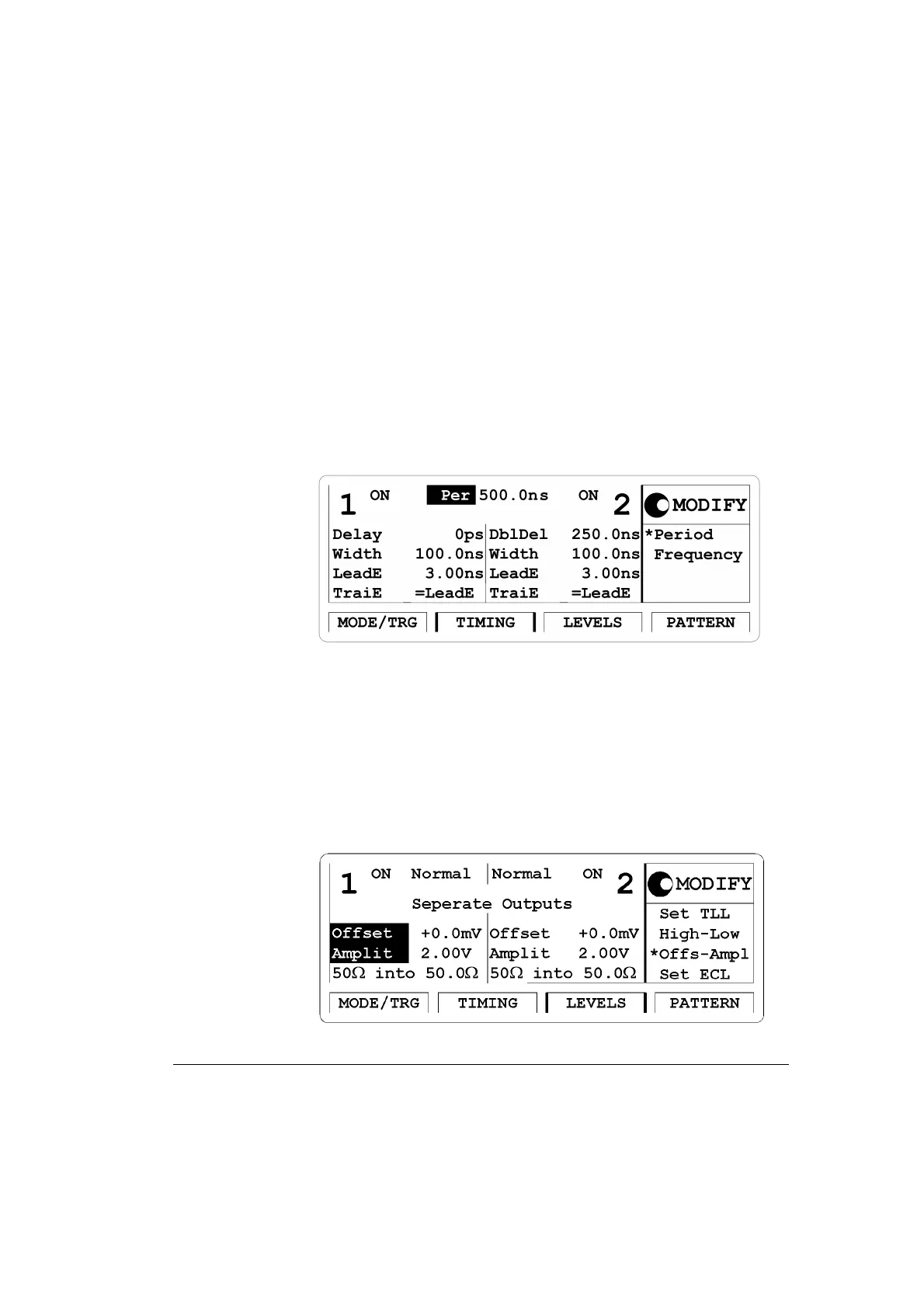
3 Press the |TIMING| softkey to enter the Timing menu.
Switch the Output 1 and the Output 2
ON. Enter a pulse period of
500 ns. For Output 1 enter a width of 100 ns, a leading edge of 3 ns and
set the trailing edge to
TrailE = LeadE.
For Output 2 enter a double pulse delay of 250 ns, a width of 100 ns, a
leading edge of
3 ns and set trailing edge to TrailE =LeadE.
Figure 55 Current TIMING Screen
4 Press the |LEVELS| softkey to enter the Levels menu. Select Separate
Outputs.
For Channel 1 choose an offset of 0.0 mV and an amplitude of
2.00 V.
For Channel 2 choose an offset of
0.0 mV and an amplitude of
2.00 V.
Figure 56 Current LEVELS Screen



 To Next Page