74 Getting Started HP 81110/04A Quick Start
Getting Started
Examples
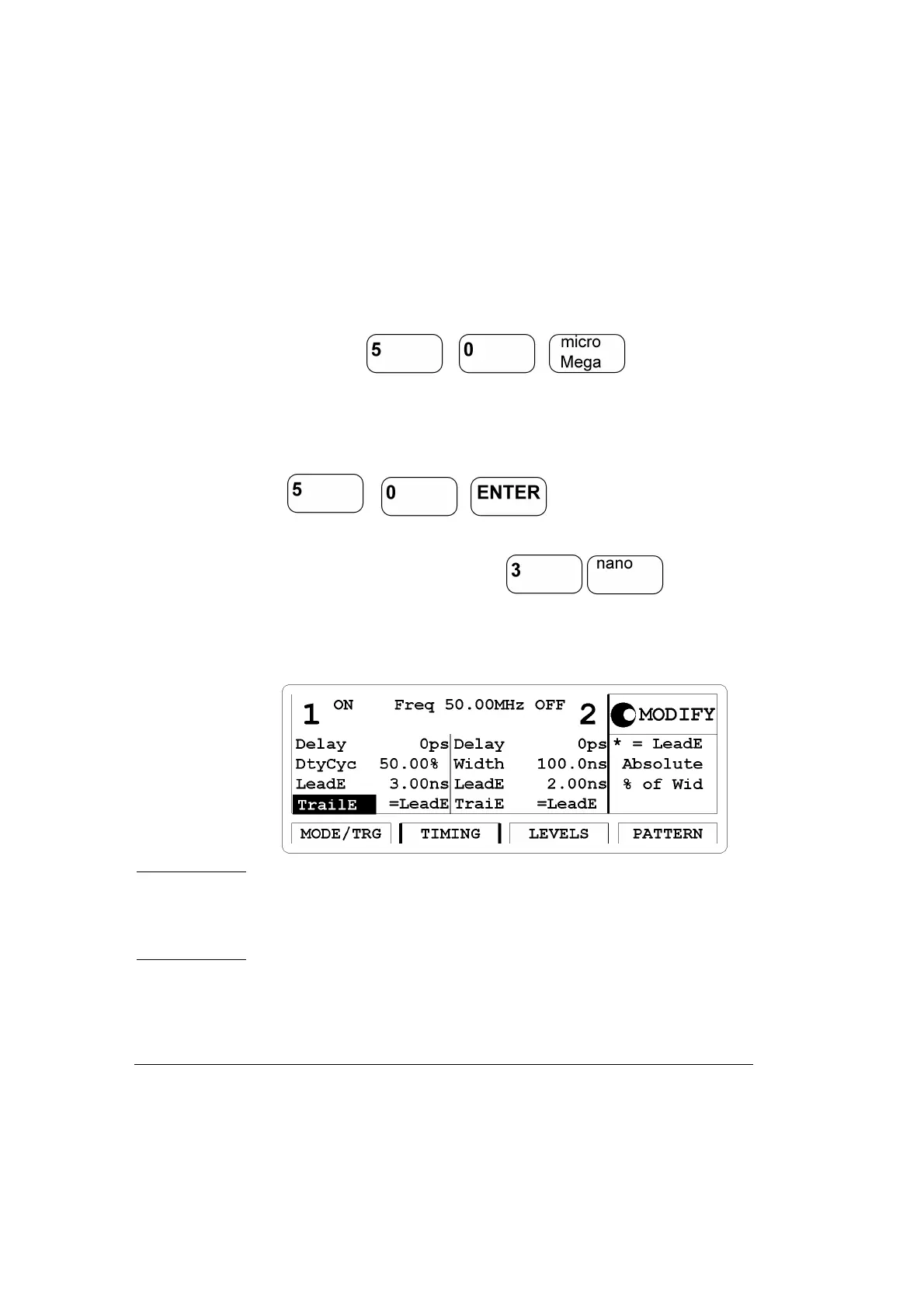
• Move the Entry Focus to Freq entry field and enter a value of 50 MHz
by pressing
• Move the Entry Focus down to the width of Output 1 and select
Du-
tyCyc
.
Move Entry Focus to the right and enter 50% by typing
• Move Entry Focus down to enter for the lead-
ing edge. Trailing edge should be the same as leading edge. (
Trail E =
Lead E
)
Figure 27 Current TIMING Screen
NOTE: With HP 81110A with HP 81112A 3.8V/330 MHz Output
channels installed the transition times can be either 800 ps or 1.6
ns, trailing edge is equal to leading edge. The minimum transition
times for the HP 81104A are 3 ns.



 To Next Page