Hardware
Hardware and Software Guide 1–3
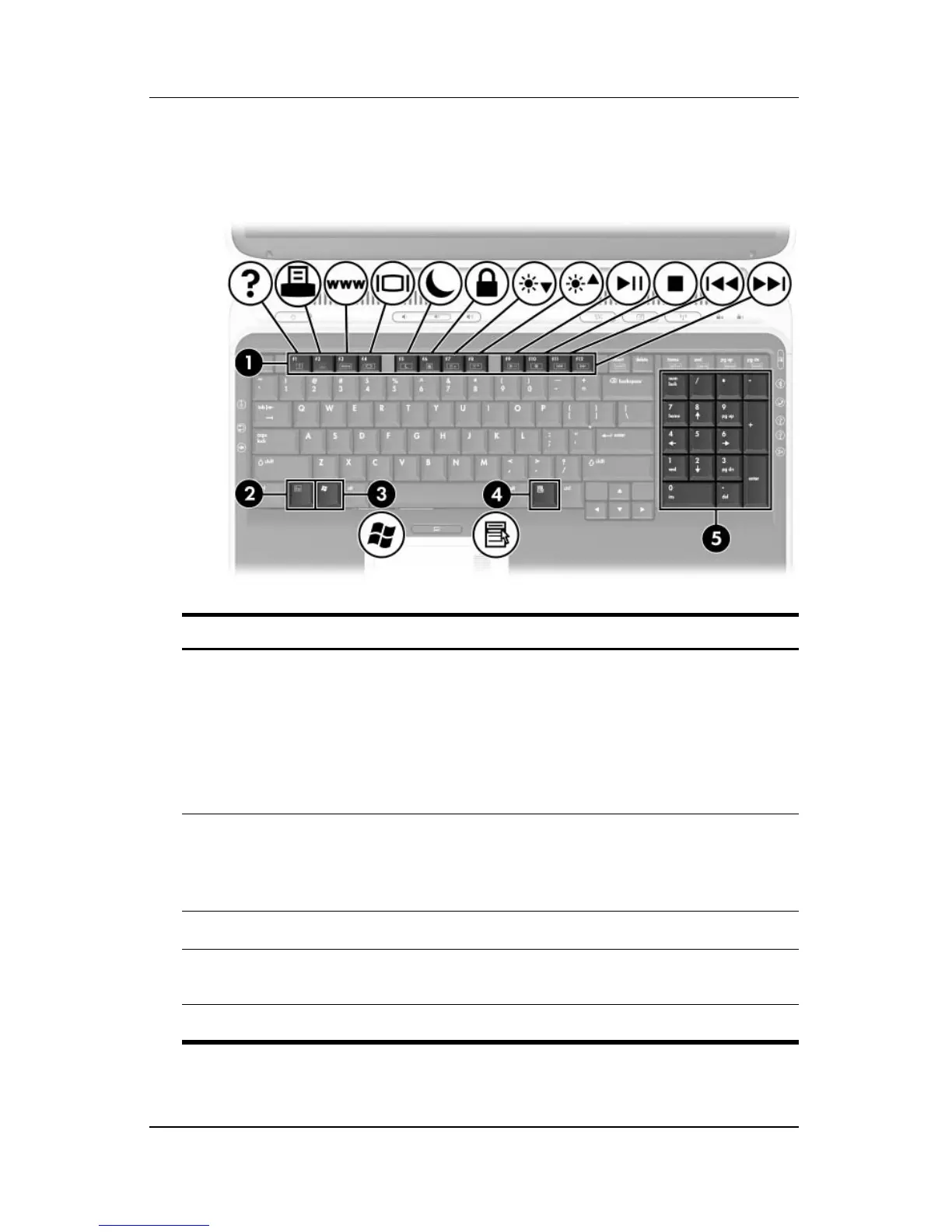
Keys
Component Description
1
Function keys Perform system and application tasks.
When combined with the fn
key, the
function keys perform additional tasks
as hotkeys.
For more information, refer to “Hotkey
and Shortcut Key Quick Reference” in
Chapter 2.
2
fn key Combines with other keys to perform
system tasks and activates hotkeys.
For example, pressing fn+f8 increases
screen brightness.
3
Windows® logo key Displays the Windows Start menu.
4
Windows applications key Displays a shortcut menu for items
beneath the pointer.
5
Keypad keys (17) Standard numeric keypad.












 To Next Page