EasyManua.ls Logo

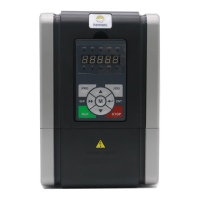
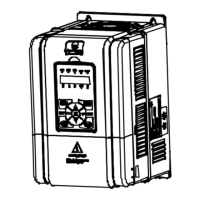
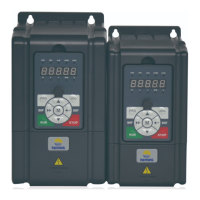
hpmont HD3N-TC Series - User Manual

hpmont HD3N-TC Series
76 pages
Print Icon
To Next Page IconTo Next Page
Loading...
V1.0 2017.09
HD3N-TC Series
Crane Inverter
User Manual
Single/Three-phase 220 - 240V, 0.75 - 1.5kW
Three-phase 380 - 460V, 0.4 - 18.5kW

Questions and Answers

  • K
    Kurt MendozaAug 12, 2025
    What to do if my hpmont Inverter output shows overcurrent during acceleration?
    • J
      jprattAug 12, 2025
      If your hpmont Inverter shows an overcurrent error during acceleration, it could be due to several reasons. Check the connection between the inverter and the motor to ensure it's properly connected. Verify that the motor parameters (F08.00 - F08.04) are correctly set. The inverter may be too small for the application, so consider selecting an inverter with a higher rating. The acceleration/deceleration time might be too short; adjust the Acc/Dec time (F03.01 - F03.04). Finally, if you are using vector control mode, perform parameter auto-tuning (F08.06).
  • T
    Tammy GoodAug 21, 2025
    Why is my hpmont Inverter showing DC bus over voltage during acceleration?
    • M
      michellechristensenAug 22, 2025
      If your hpmont Inverter displays a DC bus over voltage error during acceleration, it could be due to a few reasons. First, check the input voltage to ensure it is not too high. Second, the deceleration time might be too short; set a proper Dec time (F03.02, F03.04). Also, improper wiring can lead to overvoltage, so check the wiring and ensure the inverter is wired correctly.
  • M
    Michelle RamirezSep 1, 2025
    How to troubleshoot DC bus undervoltage on hpmont Inverter?
    • J
      james40Sep 1, 2025
      A DC bus undervoltage on your hpmont Inverter can occur for a few reasons. At the beginning of powering on and the end of powering off, it is normal. However, if it occurs during operation, check if the input voltage is too low and ensure that the wiring is correct.

hpmont HD3N-TC Series Specifications

General IconGeneral
SeriesHD3N-TC Series
Cooling MethodForced air cooling
Input Voltage3-Phase 380V±15%
Output Voltage3-phase 0~Input Voltage
Control MethodV/F control, Sensorless vector control (SVC)
Protection FeaturesOvercurrent, Overvoltage, Undervoltage, Overload, Overtemperature, Phase loss, Short circuit
Communication InterfaceModbus RTU
Operating Temperature-10°C~+50°C
Storage Temperature-20°C~+60°C
Humidity5% to 95% RH, non-condensing
Altitude≤1000m (above sea level)

Related product manuals