Shenzhen Hpmont Technology Co., Ltd. Chapter 5 Function Introduction
HD3N-TC Series Inverter User Manual V1.0 ―31―
5.2 Group F: General Parameters
5.2.1 F00: Basic Parameters
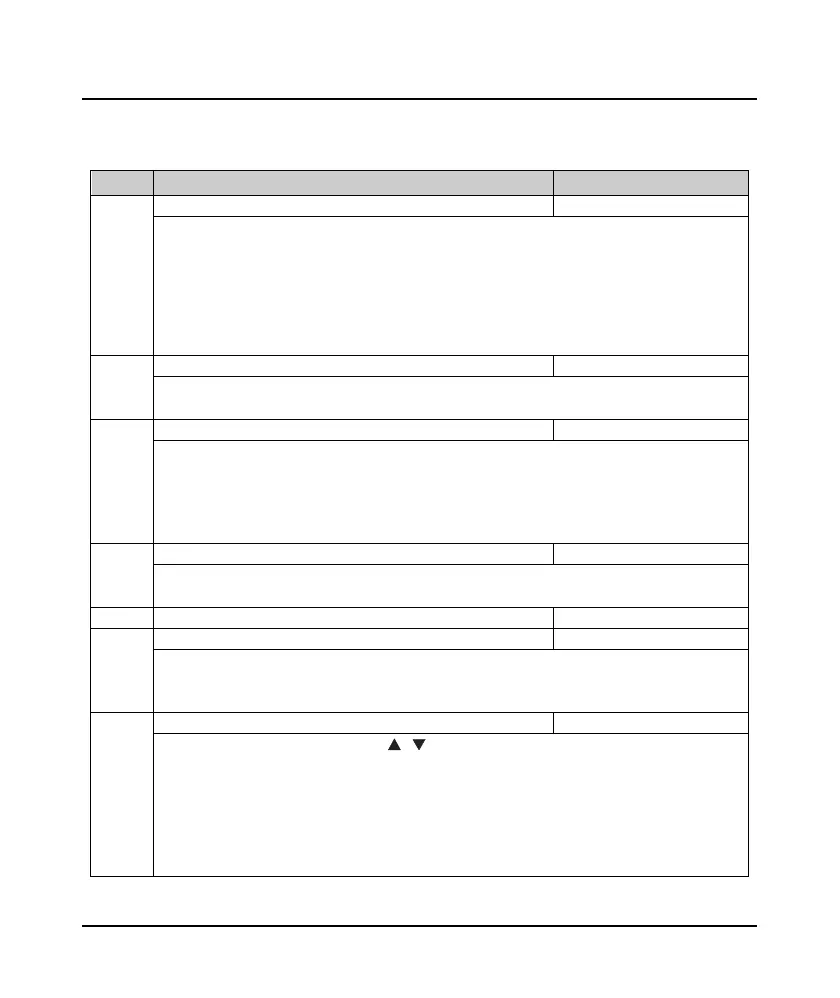
Ref. code Name Description Setting Range [Default]
F00.01 Motor 1 control mode 0 - 6 [0]
0: V/f control without PG. Constant control voltage/frequency rate.
• When select V/f control, please properly set the V/f control Group F09 to achieve proper efficiency.
1: Vector control 1 without PG.
2,6: Vector control 2/3 without PG. (SVC control)
• At first, it must perform motor parameter auto-tuning. And then adjust the settings of F08.00 - F08.04
according to the nameplate of the motor. Start the motor parameter auto-tuning function and
properly set Group F10 parameters, so as to achieve excellent vector control efficiency.
F00.03 Motor selection 0,1 [0]
0: Motor 1.
1: Motor 2.
F00.05 Braking type selection 0,1 [1]
0: No braking control.
• Inverter do not process brake logic, e.g., conic rotor type motor.
• Except F24.22 - F24.24, F24.28, other parameters in group F24 is invalid.
1: Auto braking control (apply to normal type motor).
• Inverter process brake logic.
F00.06 Max. output frequency of inverter 50.00 - 150.00 [50.00Hz]
Defines the max. frequency that inverter is allowed to output.
• Please set F00.06 according to nameplate of motor and actual running conditions.
F00.08 Upper limit of running frequency 0.00 - F00.06 [50.00Hz]
F00.09 Lower limit of running frequency 0.00 - F00.08 [0.00Hz]
Use F00.09 to limit the actual output frequency.
• Properly set F00.09 according to the nameplate of the motor and actual running conditions.
• No limitation on the motor parameter auto-tuning function.
F00.10 Frequency setting channels 0 - 10 [0]
0: Keypad. Change the value by pressing , button on keypad. Initial value is set by F00.13.
1: Terminal. Change the value by using UP/DN. Initial value is set by F00.13.
2: SCI communication. Change the setting frequency by SCI command.
• T he initial value of the SCI frequency is 0.
6: AI1.
7: AI2.
10: Potentionmeter. Valid when LED keypad adopted only.


 To Next Page
 Loading...