Applications and Entertainment 135
Touch to cycle through the repeat modes: repeat all songs, repeat current song,
and don’t repeat.
Note: Press the volume up or down button to adjust the playback volume.
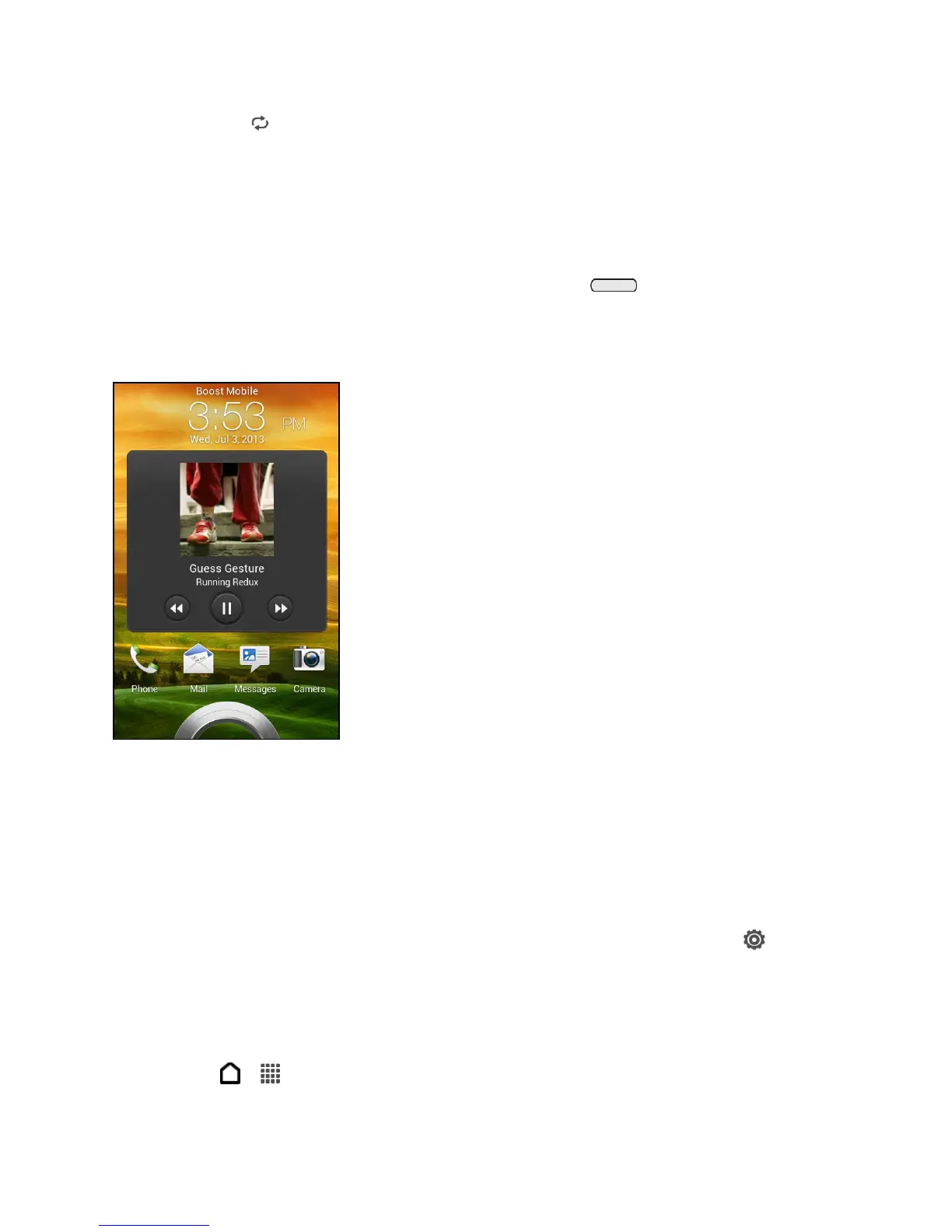
Play Music from the Lock Screen
When you are playing music and the screen turns off, you can control the music playback right
from the lock screen when you wake up the phone by pressing .
If you don’t see the playback controls on the Lock screen, swipe your finger from left to right on
the screen.
Note: You can also pause music playback right from the Notifications panel.
Beats Audio - Make Your Music Sound Better
Turn on Beats Audio™ for an enhanced sound experience. Songs and videos sound rich and
authentic, especially when played in the Music and Gallery apps.
1. Plug in your headset or connect the phone to an external speaker.
2. To turn the Beats Audio profile on or off, open the Notifications panel, touch , and
then touch the Beats Audio On/Off switch.
Find Music Videos on YouTube
You can find music videos of the song you’re listening to on YouTube.
1. Touch > > Music > My phone.



 To Next Page